Delivery Route Planning App: The Complete Fleet Guide
Discover how a delivery route planning app optimizes dispatch, cuts fuel costs, and improves ETAs. Learn core features, use cases, and how Routelink delivers.

The spreadsheet looked orderly at first glance. Then a driver called in sick, a customer moved a delivery window, and congestion closed the quickest road out of the depot. The route plan still showed a neat sequence of stops, but it no longer described the working day.
That is where a delivery route planning app earns its place. It doesn’t draw lines between addresses. A capable platform turns orders, vehicle limits, delivery windows, road conditions, driver availability, and proof of delivery into an operating plan that can change when the day refuses to follow the spreadsheet.
Table of Contents
- The Reality of Modern Delivery Operations
- Core Features That Drive Fleet Efficiency
- Quantifying the Benefits for 1PLs and Retailers
- Industry-Specific Use Cases and Applications
- Evaluating and Choosing the Right Platform
- Implementation Checklist for a Smooth Rollout
- How Routelink Maps to Your Delivery Needs
The Reality of Modern Delivery Operations
At the start of a delivery shift, the dispatcher has to answer several questions at once. Which vehicle can carry each order? Which driver is available? Can the route meet every promised time window? What happens when an address is incomplete, a customer cancels, or a vehicle falls behind?
A spreadsheet can hold the information, but it can’t reliably solve the whole operating problem. The planner still has to clean addresses, estimate travel time, sequence stops, divide work between drivers, and update everyone when the plan changes. A small mistake at intake can become backtracking on the road, a missed appointment, and a call to customer service.
The most useful way to view a modern delivery route planning app is as a constraint-solving and execution system. It receives geocoded stops, vehicle capacities, delivery windows, service requirements, and depot information. The optimization engine then assigns and sequences work according to feasible business rules, not just the shortest-looking path.
That distinction matters. A route that minimizes distance may still fail if the vehicle is overloaded, the driver reaches a customer outside the permitted window, or the road doesn’t suit the vehicle. Modern systems combine algorithms, geographic information, and live traffic information to reduce fuel use and delivery time, as described in Fortune Business Insights’ overview of vehicle route optimization software.
Practical rule: A route isn’t successful because it looks efficient on a map. It’s successful when a driver can complete it under the actual operating constraints.
The category has moved well beyond niche dispatch software. Mordor Intelligence’s market estimate, cited in this overview of routing and dispatch software, places the broader route optimization software market at USD 8.98 billion in 2026, with a projection of USD 16.78 billion by 2031 and a 13.32% CAGR. A separate estimate cited by the same source places vehicle route optimization software at USD 16.61 billion in 2026 and USD 44.20 billion by 2034.
Those estimates point to a practical change in fleet management. Automated planning is no longer reserved for very large logistics networks. Retailers, distributors, wholesalers, and local delivery companies now need a system that can handle the full route lifecycle, from order intake to driver dispatch, exception management, customer updates, and delivery evidence. The operational principles behind last-mile delivery planning are the same whether the fleet serves households, construction sites, stores, or commercial accounts.
Core Features That Drive Fleet Efficiency
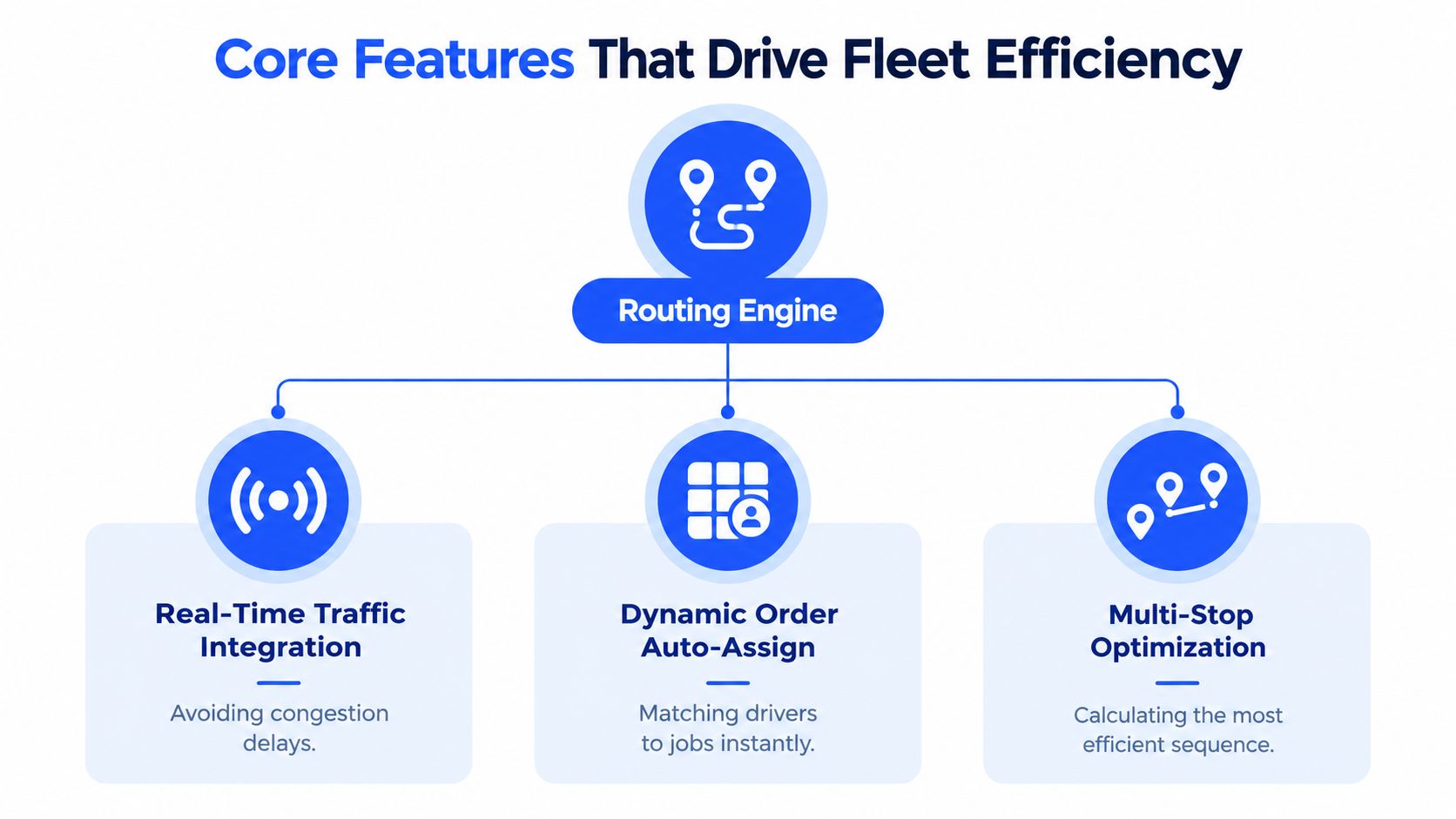
A basic mapping tool answers, “How do I get from this stop to the next one?” A proper delivery platform answers, “Which driver should visit these stops, in what order, with which vehicle, and what should happen if the plan changes?”
The difference starts before route optimization.
Clean inputs create workable routes
Address intake is the quiet foundation of the entire system. An app must geocode an address, match it to a road network, and flag weak or failed matches before the stop enters an automated route. Address validation checks whether an input corresponds to a real location, while geocoding converts the address into a usable geographic position.
That process deserves more attention than most software comparisons give it. A misspelled street, incomplete postcode, or delivery note that points to a side entrance can send a driver to the wrong place. Research on residential address geocoding reports about 95% accuracy in one geospatial study, while also showing that fast lookup systems can resolve incomplete or misspelled queries in milliseconds, as documented in this geocoding and address-validation study.
A strong intake workflow should:
- Validate automatically: Match imported addresses and show confidence or failure flags.
- Allow correction: Let a dispatcher edit the address or drop a pin when the match is weak.
- Protect the optimization run: Keep unmappable stops out of automatic planning until someone reviews them.
- Preserve delivery context: Store access instructions, contact details, service duration, and customer notes with the stop.
Constraint-aware optimization beats distance-only sequencing
The solver should consider vehicle capacity, weight, volume, driver availability, depot location, delivery windows, service time, zones, and road restrictions. A delivery app that only reorders stops by distance may create a route that looks short but cannot be completed.
Research on last-mile routing describes systems that use geocoded stops, capacity data, and time-window constraints before assigning work. The same research discusses live variables such as traffic, weather, blockages, and security patterns, alongside turn-by-turn navigation and isochrone calculations, in this market research on last-mile routing.
That means the dispatcher needs both automation and control. Automatic assignment handles repetitive planning. Drag-and-drop editing handles the occasions when the planner knows something the model doesn’t, such as a driver who has a customer relationship, a site that requires a particular vehicle, or a temporary access restriction.
The driver experience determines adoption
A technically capable platform can still fail if drivers struggle to use it. Requiring every subcontractor or seasonal driver to download an app, create an account, remember a password, and accept device permissions creates avoidable friction.
Browser-based, secure driver links can be easier to deploy. Drivers can open a route on a smartphone, follow navigation, record completion, capture photos, collect signatures, and add notes without a native app installation. The platform should also provide clear proof-of-delivery status to the dispatcher as the route progresses.
Customer visibility completes the workflow. Branded tracking pages, ETA notifications, delivery-status messages, and exception alerts give customers useful information before they call the office. The best system doesn’t merely optimize a route in the morning. It keeps the dispatcher, driver, and customer aligned while the route is being executed.
For a visual explanation of how these components connect, this delivery routing demonstration shows the kind of workflow teams should expect from an operational platform.
Quantifying the Benefits for 1PLs and Retailers
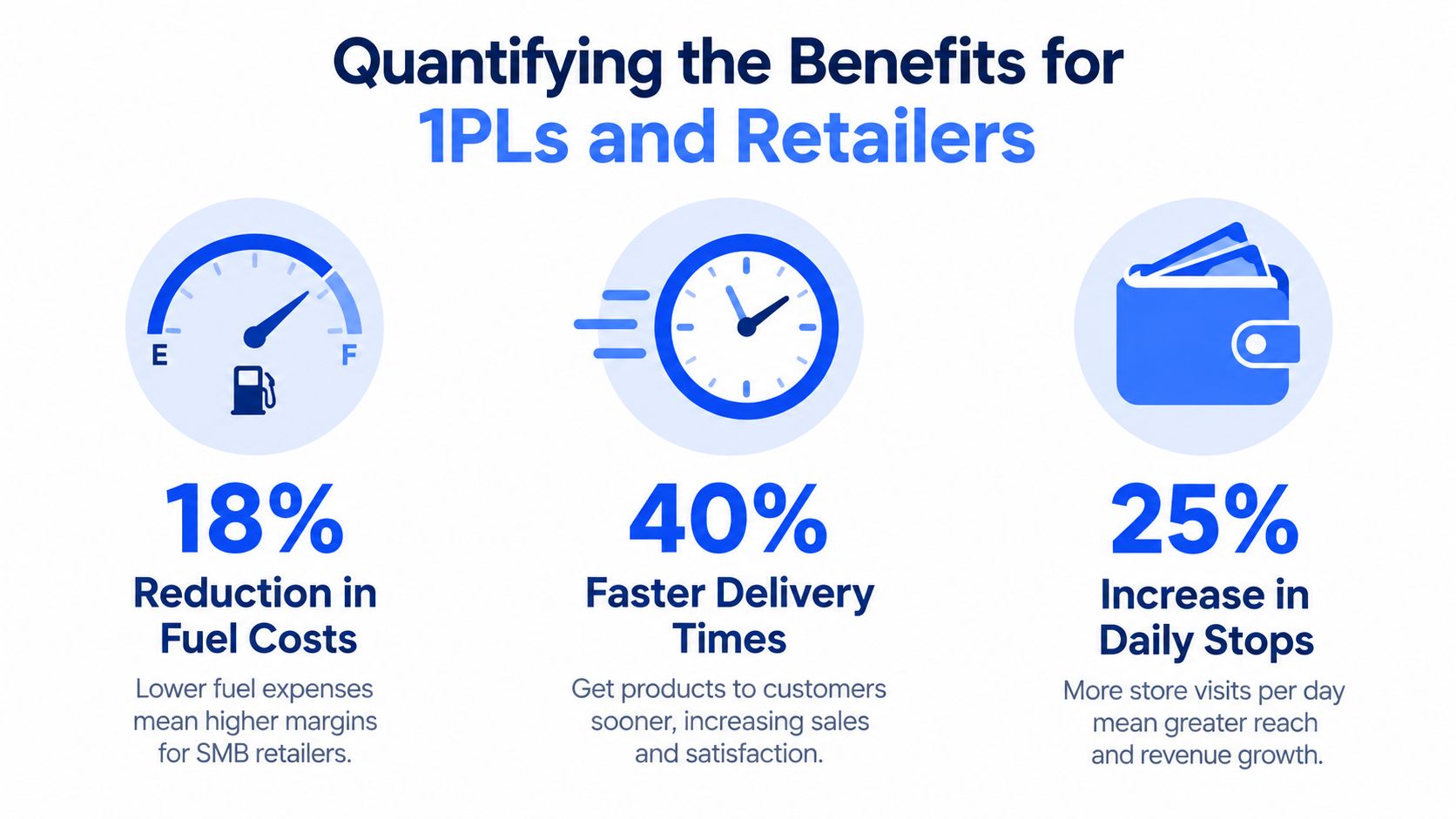
For a retailer or first-party logistics operator, route software should be judged through operating measures, not a feature checklist. The useful question isn’t whether the app has a map. It’s whether the business can complete the same delivery promise with less avoidable travel, less planning effort, and fewer failed handoffs.
Start with the route itself. Manual sequencing often reflects habit rather than a full view of capacity, time windows, and current road conditions. A constraint-aware system can assign stops to suitable vehicles, reduce unnecessary backtracking, and recalculate when the operating conditions change. Those improvements affect fuel consumption, vehicle wear, driver hours, and the number of deliveries a fleet can absorb without adding immediate capacity.
The office benefits too. When orders arrive from an ecommerce store, a spreadsheet, an ERP, or an internal team, a unified intake process prevents planners from retyping the same information into several systems. The dispatcher spends less time assembling routes and more time reviewing failed geocodes, late orders, access problems, and customer requests.
Build a baseline before calculating payback
A simple baseline makes the business case credible. Track the current cost of running deliveries, then compare it with the cost after the new workflow has settled.
Useful measures include:
- Travel cost: Fuel consumption, mileage, tolls, and avoidable deadhead travel.
- Labor time: Dispatcher hours spent importing, sequencing, calling drivers, and rebuilding routes.
- Route completion: Stops completed, late deliveries, failed attempts, returns, and overtime.
- Customer support: “Where is my order?” contacts, rescheduling requests, and delivery disputes.
- Asset use: Vehicle hours, maintenance patterns, and periods when vehicles sit idle.
The savings calculation should include more than fuel. If accurate ETAs and tracking reduce failed attempts, the company may avoid repeat travel, reverse logistics, rescheduling work, and additional customer-service handling. If proof of delivery includes photos, signatures, notes, and timestamps, staff can resolve delivery disputes without relying on a driver’s memory several days later.
Treat exception handling as part of ROI
A route that works only when every order arrives on time has limited value. The software should make late orders, cancellations, vehicle delays, and route edits visible in one operating view. It should show which routes are affected, what capacity remains, and whether a change will break a promised window.
That matters especially for retailers with changing order cutoffs. A planner who can insert a late order into a feasible route may avoid sending a separate vehicle. A dispatcher who sees an overload warning before departure can move items between vehicles instead of dealing with a failed delivery halfway through the day.
The financial case becomes clearer when managers compare the platform’s subscription and implementation cost with the current cost of wasted miles, manual planning, support workload, failed attempts, and overtime. The operational cost reduction framework for delivery teams provides a useful way to organize that review.
Industry-Specific Use Cases and Applications
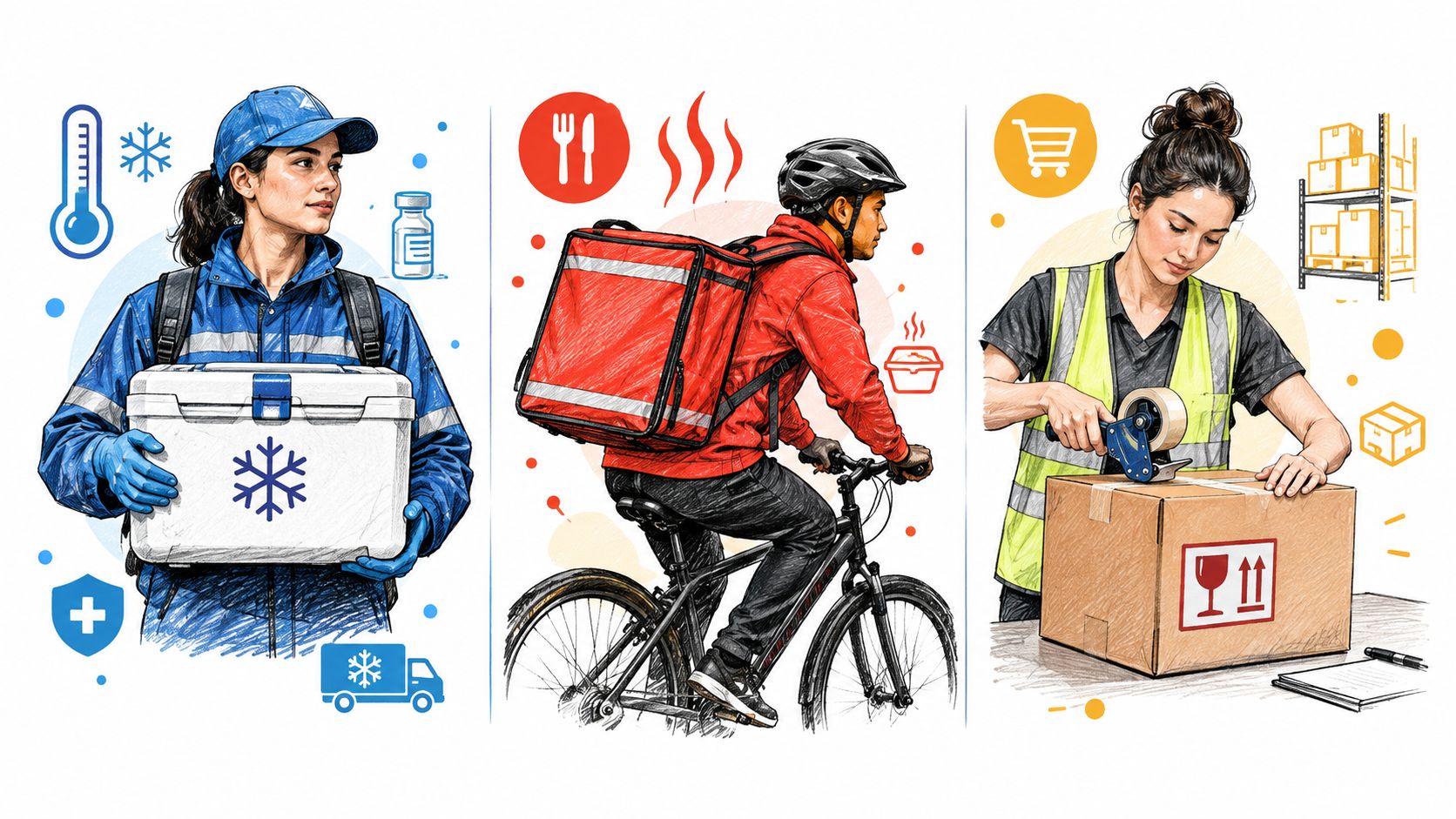
A delivery route planning app becomes valuable when it understands the cargo and the service, not just the destination. The correct settings for a furniture retailer won’t suit a cold-chain wholesaler, and neither will suit a merchant delivering aggregates to construction sites.
Furniture and appliance delivery
Large items create constraints that ordinary parcel routing ignores. A vehicle may have enough weight capacity but not enough usable volume. A customer may require a two-person crew, an installation service, or a narrow appointment window. A building may have restricted access, limited parking, or a delivery point that differs from the postal address.
The software should match jobs to crew and vehicle requirements before sequencing the route. It should also preserve service duration, because unloading an appliance or positioning furniture takes longer than leaving a small parcel at a doorstep. Proof of delivery should support photographs, signatures, damage notes, and customer acceptance.
Manual editing remains important in this sector. A dispatcher may need to move a difficult installation earlier in the day, avoid sending a large vehicle into a restricted street, or reserve a particular crew for a specialist job. Automation should establish a feasible plan, not remove the manager’s operational judgment.
Cold chain and food distribution
Perishable goods make delivery windows and route order more than customer-service preferences. The planner may need to prioritize stops by temperature exposure, loading sequence, depot departure time, and receiving hours. A route that is efficient in distance can still be unsuitable if it leaves sensitive goods in the vehicle for too long.
The intake process should capture delivery windows, product requirements, unloading duration, and any vehicle restrictions. The dispatcher also needs a clear view of late orders and delayed vehicles, because a mid-day change can affect several stops at once.
For meat, produce, beverages, and other temperature-sensitive products, delivery evidence should connect the stop, order, recipient, time, and exception reason. The route system won’t replace temperature-control procedures, but it can give the operations team a more reliable record of what happened.
Building supplies and landscaping materials
Builders merchants, aggregate suppliers, firewood distributors, and landscaping companies often carry heavy or bulky loads. Weight and volume totals must be visible at route level, with overload warnings before dispatch. Multi-depot planning matters when stock or vehicles are distributed across locations.
Site access can be as important as road distance. A delivery may require a particular vehicle, a customer contact before arrival, a specified drop zone, or a photograph showing where a pallet was placed. The driver workflow should make those requirements easy to see without forcing the driver to search through order notes.
These sectors also benefit from zones and recurring route templates. A dispatcher can organize territories, save common delivery patterns, and still adjust individual routes when demand or access conditions change. The shared principle is simple: configure the platform around the physical work. Generic sequencing is only the starting point.
Evaluating and Choosing the Right Platform
A vendor demonstration often shows a clean route generated from clean addresses. That isn’t enough. Ask the vendor to demonstrate the awkward day, including a failed geocode, a late order, a cancelled stop, a broken-down vehicle, and a driver who has never used the system before.
Test the workflow, not just the map
Begin with data intake. Can the platform accept CSV or XLSX files without forcing the team to rebuild its existing export? Does it connect with Shopify, WooCommerce, ERP, or CRM systems? Can it use APIs, webhooks, or integration tools such as Zapier when the standard connector doesn’t cover the workflow?
Then test exception handling. Add a stop after dispatch, remove one from an active route, change a delivery window, and transfer work to another driver. Watch whether the system updates capacity, ETAs, notifications, and proof-of-delivery status consistently.
Driver onboarding deserves its own test. A native app may offer deep device features, but it can slow deployment with downloads, updates, permissions, and account management. A browser-based link may suit subcontractors and temporary capacity better, provided it includes secure access and reliable navigation.
Use this matrix to separate basic sequencing from operational control:
| Evaluation Criteria | Basic / Entry-Level | Advanced / Enterprise |
|---|---|---|
| Order intake | Manual entry or simple spreadsheet upload | Spreadsheet tolerance, ecommerce connections, APIs, webhooks, and unified inbox |
| Address handling | Geocoding with limited correction tools | Automatic validation, failure flags, manual pin correction, and import review |
| Optimization | Stop reordering by distance or travel time | Capacity, windows, zones, depots, service time, and vehicle constraints |
| Mid-day exceptions | Manual route edits and dispatcher calls | Re-optimization, reassignment, updated ETAs, and affected-route visibility |
| Driver access | Native app download and account setup | Secure browser link, PIN access, navigation, and proof of delivery |
| Customer communication | Basic status updates | Branded tracking, configurable notifications, and delivery-specific messaging |
| Reporting | Route completion history | Route deviation, completion, exception, capacity, and post-run analysis |
| Deployment fit | Predictable single-depot work | Multi-depot operations, subcontractors, seasonal drivers, and recurring templates |
Finally, define your operating tier. A single depot with stable routes may need less complexity than a multi-depot distributor with mixed vehicles and changing order cutoffs. Don’t pay for features your team won’t use, but don’t select a basic tool that forces dispatchers back into spreadsheets as soon as the operation becomes irregular.
Implementation Checklist for a Smooth Rollout
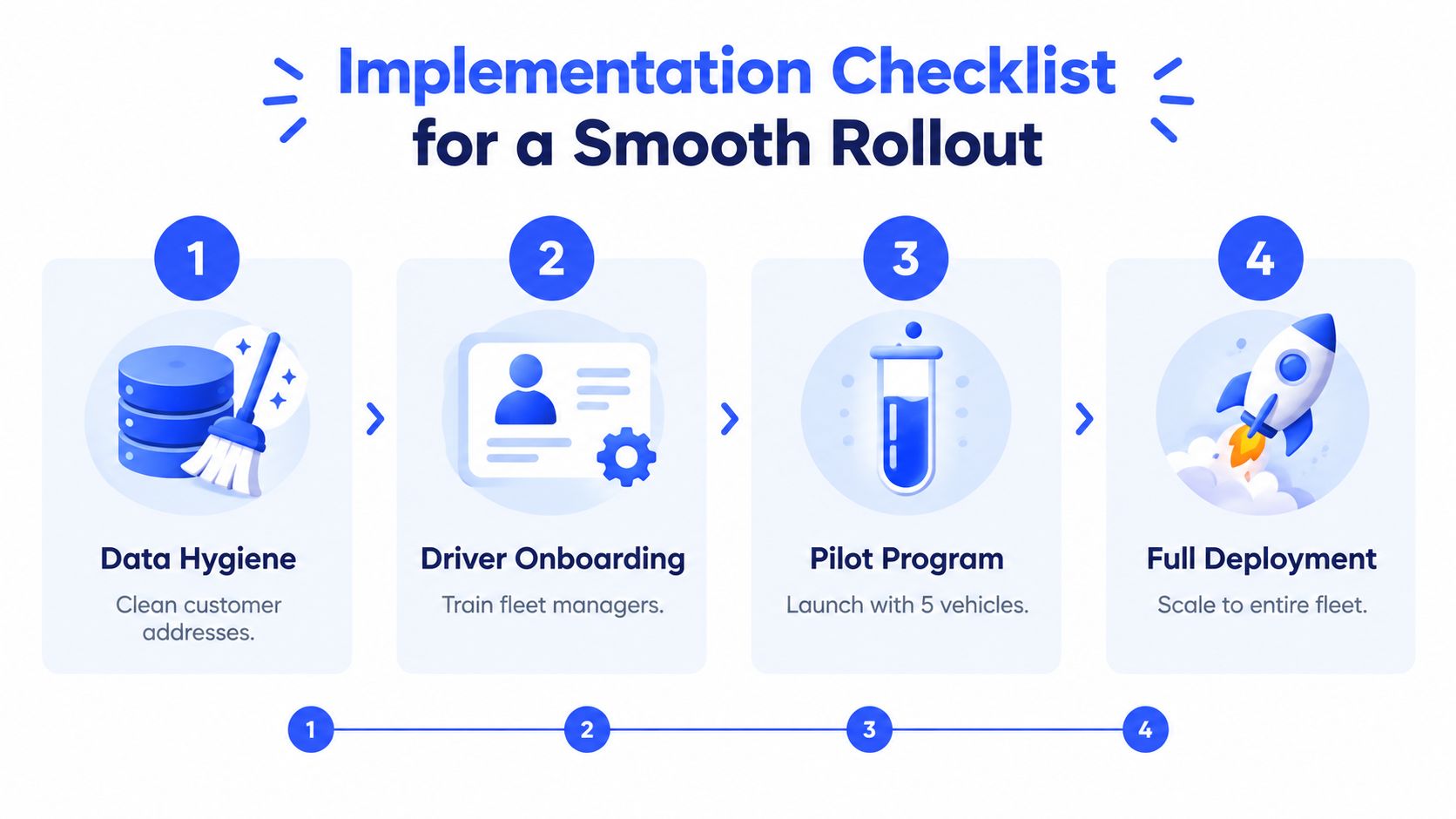
Software adoption fails most often at the handoff between a clean product demo and a messy operating database. The rollout should begin with the information that the routing engine will depend on, not with driver logins.
Clean the delivery data first
Create one working address file and review duplicates, missing details, outdated customer records, access notes, service times, and delivery windows. Separate the postal address from practical instructions such as loading-bay access, gate codes, preferred entrances, or site contact requirements.
Import a controlled sample before loading the full customer base. Review every failed or weak geocode and decide who owns correction. A stop that can’t be mapped shouldn’t enter an automated route.
Run a controlled pilot
Use the new system alongside the existing process during the pilot. Dispatchers can compare route suggestions with the routes they would normally create, identify unrealistic service times, and adjust capacity rules without putting the entire operation at risk.
Select a representative mix of routes, vehicles, drivers, and delivery types. A pilot made only of easy urban stops won’t expose the problems that appear with bulky loads, remote addresses, narrow windows, or difficult access.
Train around the driver’s real sequence
Driver training should follow the working route:
- Open the assigned route: Confirm the driver can access the link and understand the stop order.
- Drive safely: Show how to open turn-by-turn navigation and review customer notes before arrival.
- Complete the stop: Demonstrate signatures, photos, reasons, notes, and failed-delivery actions.
- Report an exception: Practice marking a delay, access issue, cancellation, or damaged item.
- Close the route: Confirm that completion data reaches the dispatcher and customer workflow.
Keep the first training session practical. Drivers don’t need a presentation about optimization theory. They need to know what to tap when a customer isn’t home, the road is blocked, or the delivery requires a photograph.
Review the operation after launch
After deployment, review route completion, late stops, rejected addresses, manual edits, route deviations, failed deliveries, and recurring exception reasons. Managers should use those patterns to refine delivery zones, service times, capacity assumptions, and customer promises.
Don’t treat the first generated route as a final answer. A good implementation creates a feedback loop between dispatchers, drivers, customer service, and the data in the platform. That loop is what turns software from a planning tool into a dependable operating process.
How Routelink Maps to Your Delivery Needs
The right platform should remove the specific friction that causes planners to leave the system and return to spreadsheets. For a business receiving orders from several sources, the first test is intake. A unified inbox, spreadsheet import, ecommerce connections, and API or webhook options can keep orders in one place instead of making dispatchers copy data between tools.
Address handling is another practical differentiator. Automatic geocoding should run when orders arrive, while weak matches and failures should remain visible for correction. That workflow protects the optimization run from stops that can’t be mapped accurately and gives the dispatcher a clear queue of work before routes are published.
For multi-depot operators, the planning board needs to reflect how the business runs. Separate depot and date views can prevent cross-location confusion, while auto-assignment can consider vehicle capacity, item totals, weight, volume, zones, and route constraints. Overload warnings are particularly useful for furniture, building supplies, firewood, beverages, and other cargo where the route must fit the vehicle, not just the road network.
Driver access is often the hidden adoption problem. Routelink provides browser-based, PIN-protected driver links, so a dispatcher can send a route to a smartphone without requiring a native app installation. That approach can reduce friction when subcontractors or seasonal drivers join the operation, and it can support navigation, proof of delivery, photos, signatures, reasons, and notes within the same delivery workflow.
The customer side matters just as much. Branded tracking pages and configurable notifications can give recipients visibility without requiring the dispatcher to answer every status request manually. After the route, post-run analytics and PDF trip sheets provide a record for reviewing completion, deviations, and disputes.
The platform is a reasonable option to test when your operation needs more than stop sequencing but doesn’t want drivers managing a native app. You can review its delivery planning workflow against the evaluation criteria above, especially address validation, multi-depot planning, capacity visibility, exception handling, and driver onboarding.
The decisive test is a live operational scenario. Import an anonymized order file, correct the weak addresses, assign mixed vehicle capacities, publish routes to drivers, add a late stop, and record a proof-of-delivery exception. If the dispatcher can complete that sequence without rebuilding the day in a spreadsheet, the platform is addressing the core issue.
Routelink brings order intake, address validation, route optimization, driver dispatch, customer tracking, and post-run reporting into one web-based workflow. Visit Routelink to assess whether its browser-based driver links and constraint-aware planning fit your fleet’s daily delivery operation.