Tracking and notifications
Keep the office and the customer in the loop
A branded tracking page instead of a phone call. Live overview while the day runs. Analytics when it is over.
A page for the customer
Every stop gets a tracking link. Status, map, and an updating ETA — no app, no login.
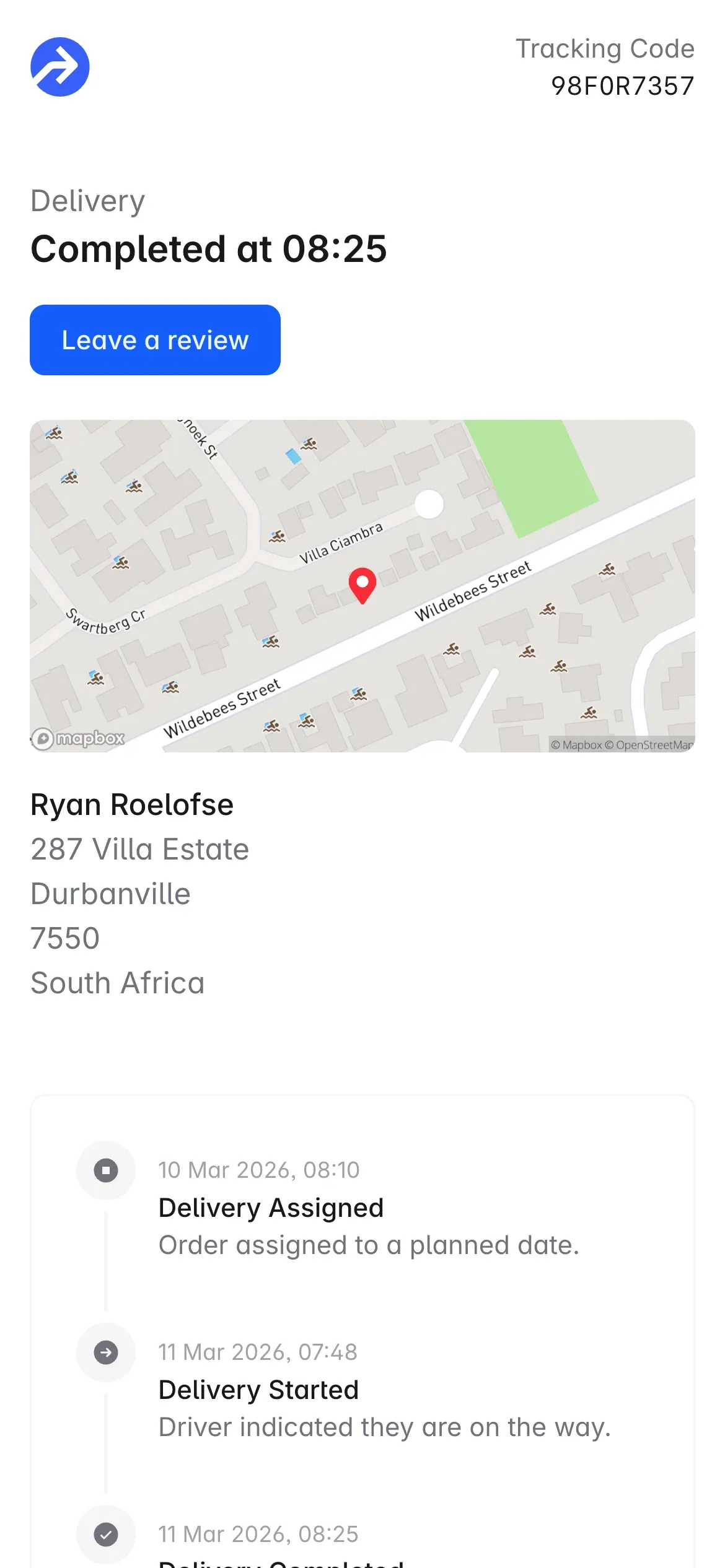
Your brand, their status
Logo or company name, a timeline from planned through delivered or failed, and the link in email, SMS or WhatsApp.
Live when it matters
Once the driver has started, customers can track them on the map with an optional ETA. After the drop they can leave a rating.
Tell them without picking up the phone
Email, SMS, or WhatsApp when a stop is scheduled, on the way, delivered or failed. Turn on only what customers actually need.
Configurable triggers
Scheduled, on the way, delivered, failed. Different channels for different moments. Stops without contact details are skipped.
Always carry the tracking link
A live page beats a fixed window. Two well-timed messages land better than five.
Watch the day, then review it
Live overview while routes are out. Volume, efficiency and a task map when you want to see how the week actually ran.
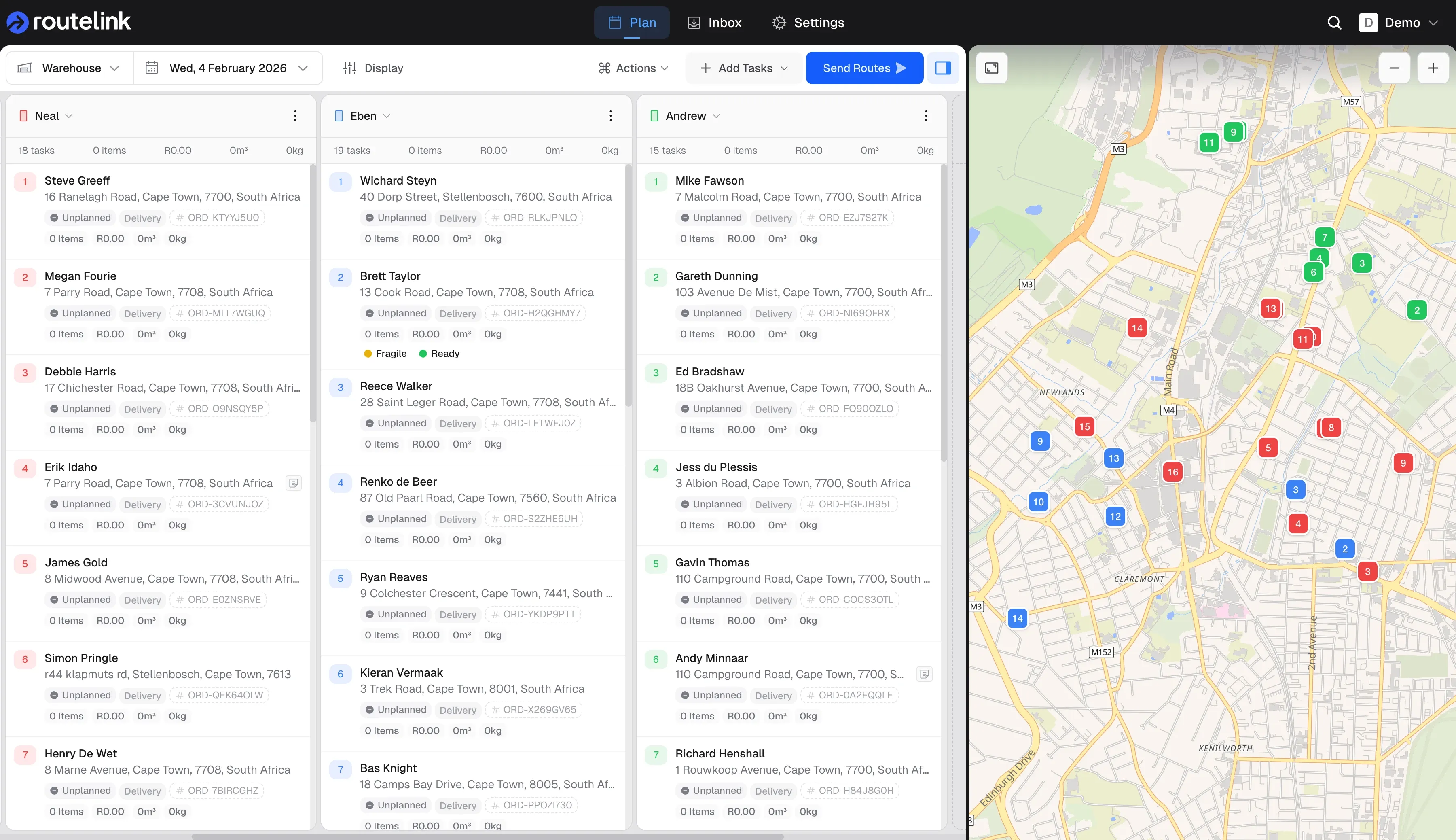
One map for the office
Confirmed routes by depot and device, stop progress, and driver positions. It follows the day — it does not re-plan it.
Then the numbers
Task volume over a range, completed vs failed, totals by route, date, device or depot. Download CSV. Plot it on a map.
Integrate
Intake Orders
Spreadsheet, store, or your own system — stops land in one inbox, geocoded, ready to plan.
Route Planning
Plan and Optimise
Plan from a depot, auto-assign work, optimise stop order, then drag-and-drop until the board matches the day.
Drivers and proof
Dispatch and Deliver
Each device gets a PIN-protected browser link. Drivers navigate, complete, and capture proof — no app store.