Route Planning
Turn a list of stops into routes you can run
Plan from a depot, auto-assign work, optimise stop order, then drag-and-drop until the board matches the day.
One board per depot and day
Every route starts and ends at a depot. Switch depot and date, add empty routes, and assign a vehicle and device before you send.
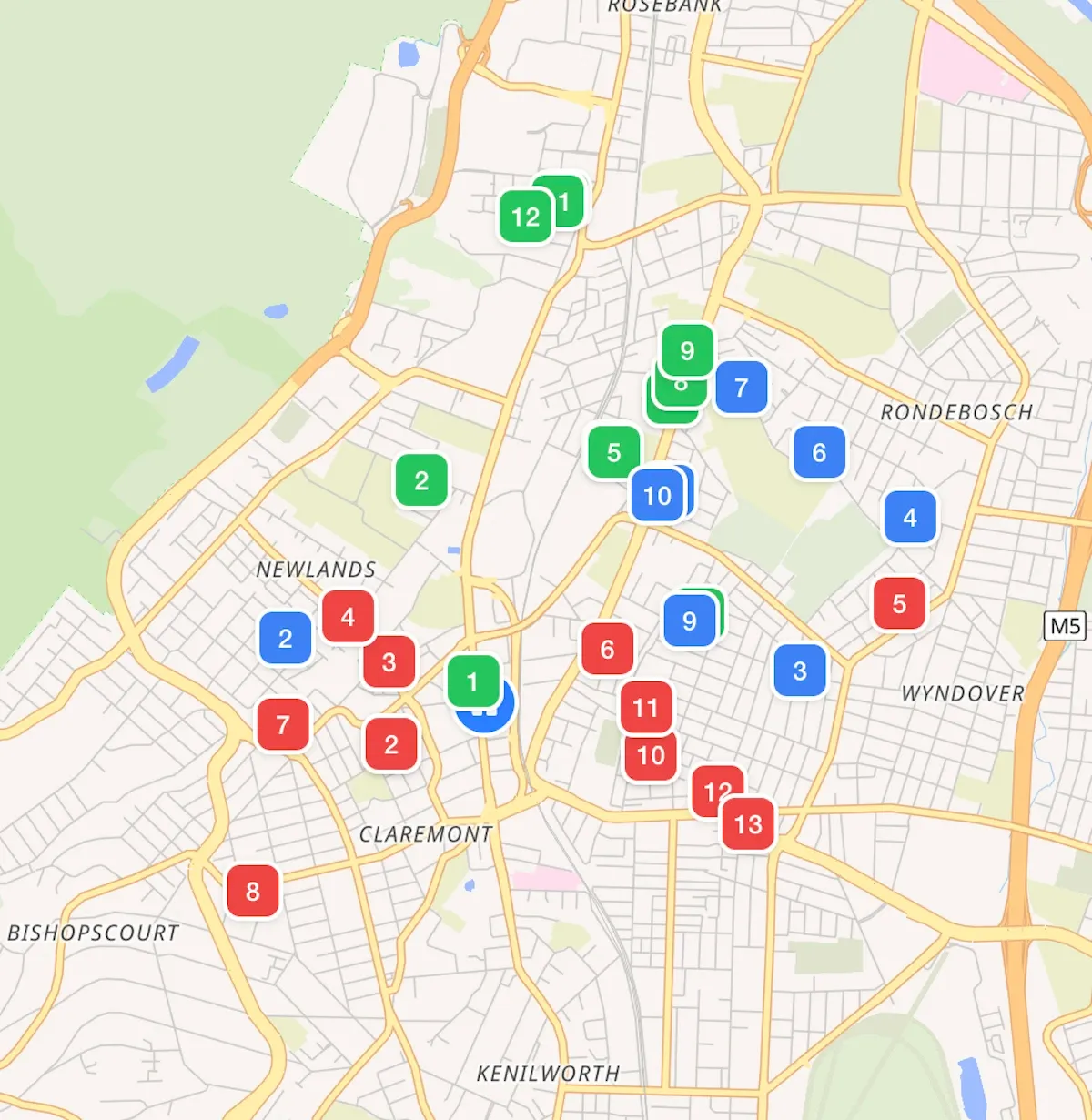
Depot first
A warehouse, shop or yard. Multiple depots are supported; you switch in the planner. Copy or move stops when the work belongs somewhere else.
Then the vehicle
Give each van, bike or car a record. Optional weight and volume limits show up as totals — and warnings — on the route.
Auto-plan, then edit
Send unassigned, geocoded stops out across selected devices in one click. Optimise a run, then drag until it is right.
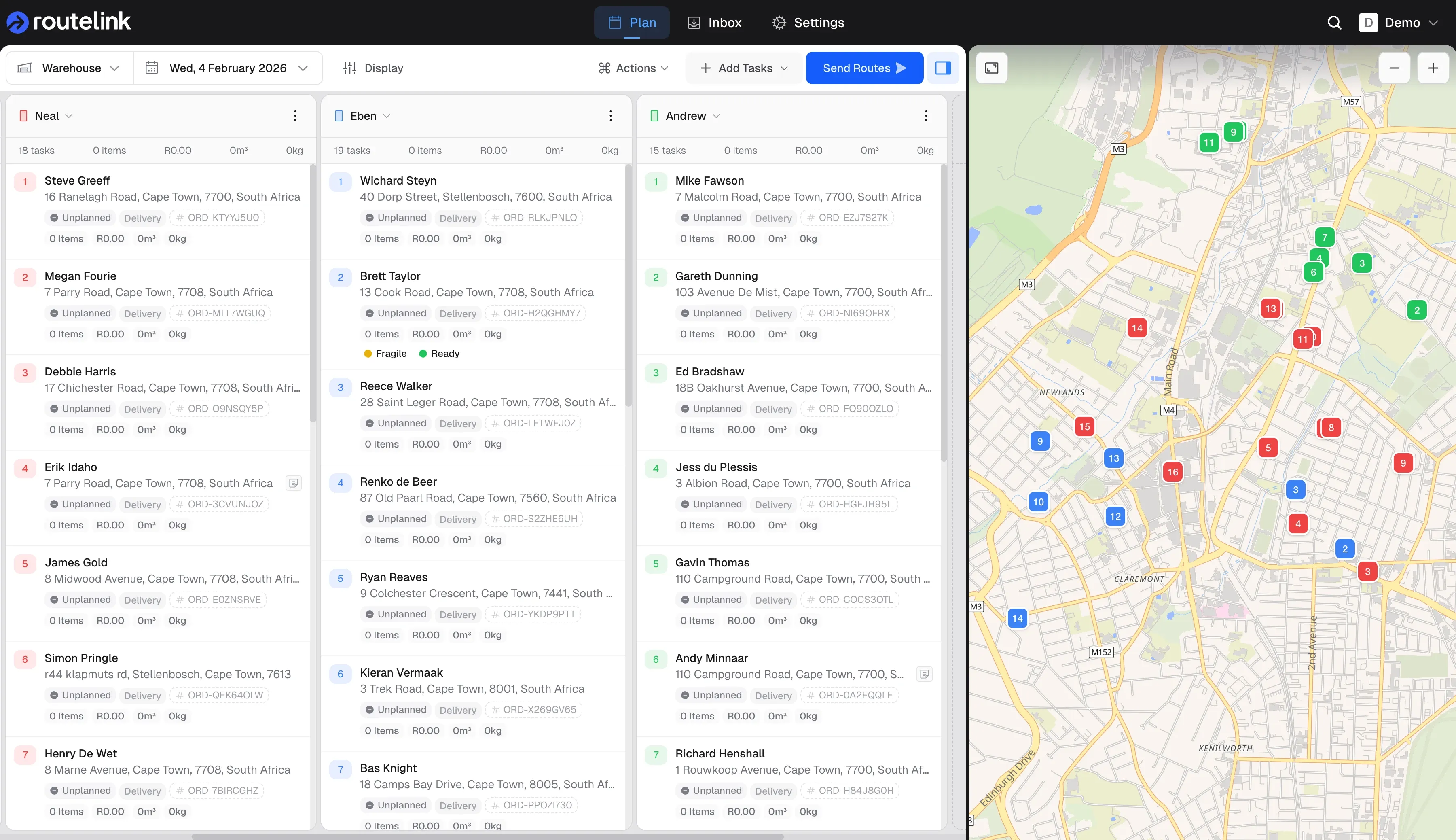
A first cut in one click
Auto-plan uses a geographic sweep from the depot. Cap stops per route if you need to. Anything without coordinates stays unassigned.
Then make it yours
Optimise a single route to resequence it. Drag between Unassigned and routes, or drop a stop onto a new run.
Fit the work to the fleet
See items, price, volume and weight per route. Draw zones to filter work. Export a trip sheet if you still need paper in the cab.
See an overload before you dispatch
The board totals each route. Overload is flagged in amber. Limits are warnings — they do not silently split the work.
Zones for filtering, paper for backup
Draw polygons, group them, filter Inbox and reports. Print a PDF trip sheet when a driver still wants a sheet.
Integrate
Intake Orders
Spreadsheet, store, or your own system — stops land in one inbox, geocoded, ready to plan.
Drivers and proof
Dispatch and Deliver
Each device gets a PIN-protected browser link. Drivers navigate, complete, and capture proof — no app store.
Tracking and notifications
Track and Notify
A branded tracking page instead of a phone call. Live overview while the day runs. Analytics when it is over.