Automated Dispatch Software: The Complete Guide
Learn how automated dispatch software works for local delivery. Discover core features, ROI benchmarks, and selection criteria to streamline your operations.

The surprising part of automated dispatch software isn’t that it can draw a route on a map. It’s that the market is already estimated at approximately $2.33 billion in 2025, with a projection of $2.57 billion in 2026, while many local delivery teams still coordinate work through phone calls, spreadsheets, and driver memory (Locus market overview). The technology has moved forward faster than the daily habits around it.
The practical opportunity is less dramatic than a full operational transformation, and often more useful. A browser-based workflow can bring orders into one place, validate addresses, allocate jobs around real constraints, and give drivers secure route links without forcing a business to buy native devices or rebuild every existing system. The hard part is choosing automation that helps dispatchers make better decisions instead of pretending that customer windows, vehicle limits, and local knowledge don’t matter.
Table of Contents
- What Is Automated Dispatch Software
- How Dispatch Systems Work
- Core Features and Capabilities
- Integration and Data Intake
- Benefits and Operational ROI
- Implementation Steps and Best Practices
- Common Pitfalls and Challenges
- Conclusion and Next Steps
What Is Automated Dispatch Software
Automated dispatch software is an operations control layer, not just a route map. It brings orders, address checks, delivery rules, assignments, status updates, and completion records into one working view. Dispatchers can see what has been planned, what has changed, and which jobs still need attention.
The browser-based model matters because it can deliver that control without requiring a fleet of dedicated devices or a disruptive replacement of existing systems. Staff can work from standard computers, drivers can receive route details through secure links, and teams can introduce the workflow around current processes. That reduces the hidden cost of adoption: hardware procurement, device maintenance, long training cycles, and the operational risk of changing everything at once.
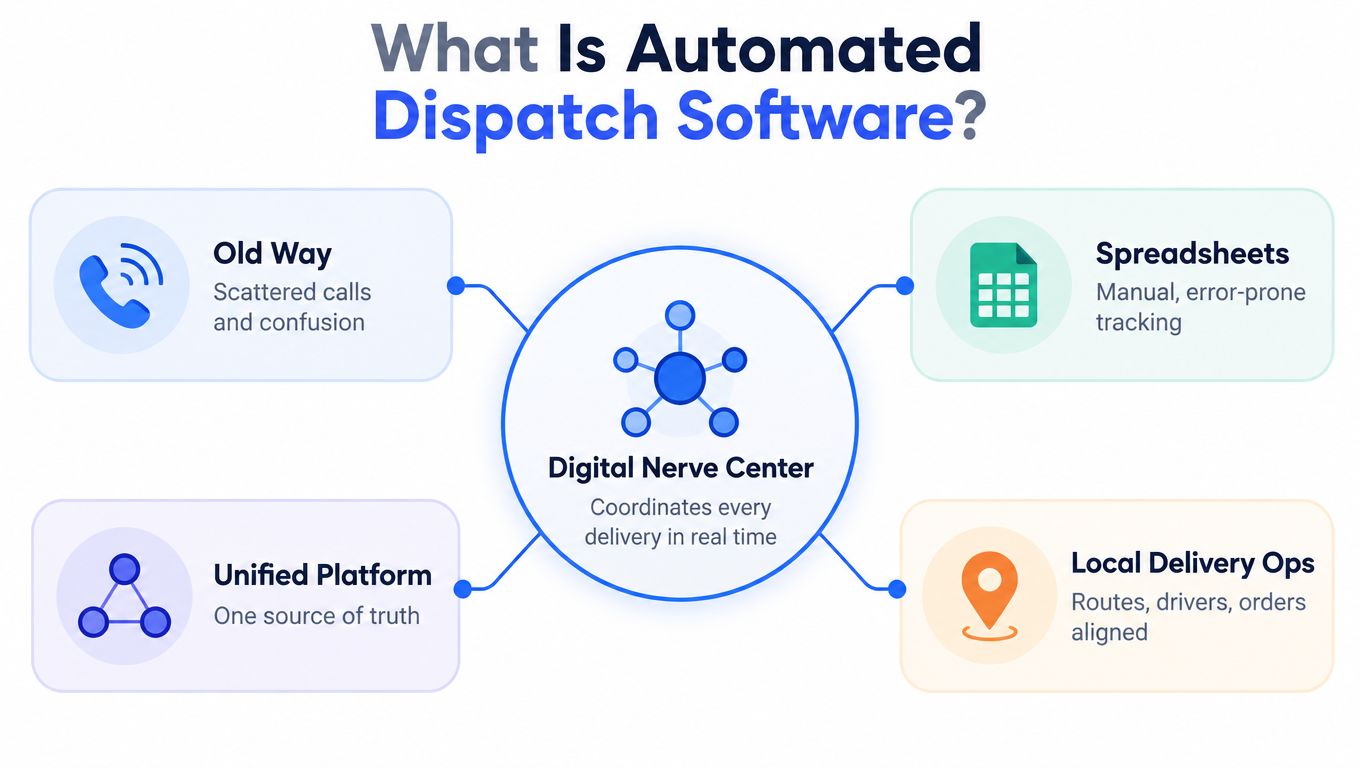
The historical foundation is computer-aided dispatch, or CAD. Its lasting pattern is straightforward: one operational view, computer-assisted assignment, live status updates, and an auditable record of events. A Locus market overview places automated dispatch within the wider software market, while the practical CAD idea remains focused on coordinating work from a shared operational record.
The problem with simple stop sorting
A delivery plan is not a list of addresses arranged from nearest to farthest. It is a constrained vehicle-routing problem involving vehicle capacity, delivery windows, depot location, driver availability, service time, route duration, and traffic conditions.
Manual planning usually handles those variables in sequence. A dispatcher assigns a nearby stop, notices that the vehicle is overloaded, moves another job, then finds that the revised order misses a customer window. Each change affects several others, and the interactions become difficult to track as the workload grows.
The system should support judgement rather than conceal it. It can produce a workable starting plan, flag conflicts, and show the effect of changes, while the dispatcher accounts for local knowledge and customer realities. That is the practical connection between automated dispatch and broader delivery management: a controlled process that people can inspect and adjust instead of scattered decisions held across calls, messages, and spreadsheets.
How Dispatch Systems Work
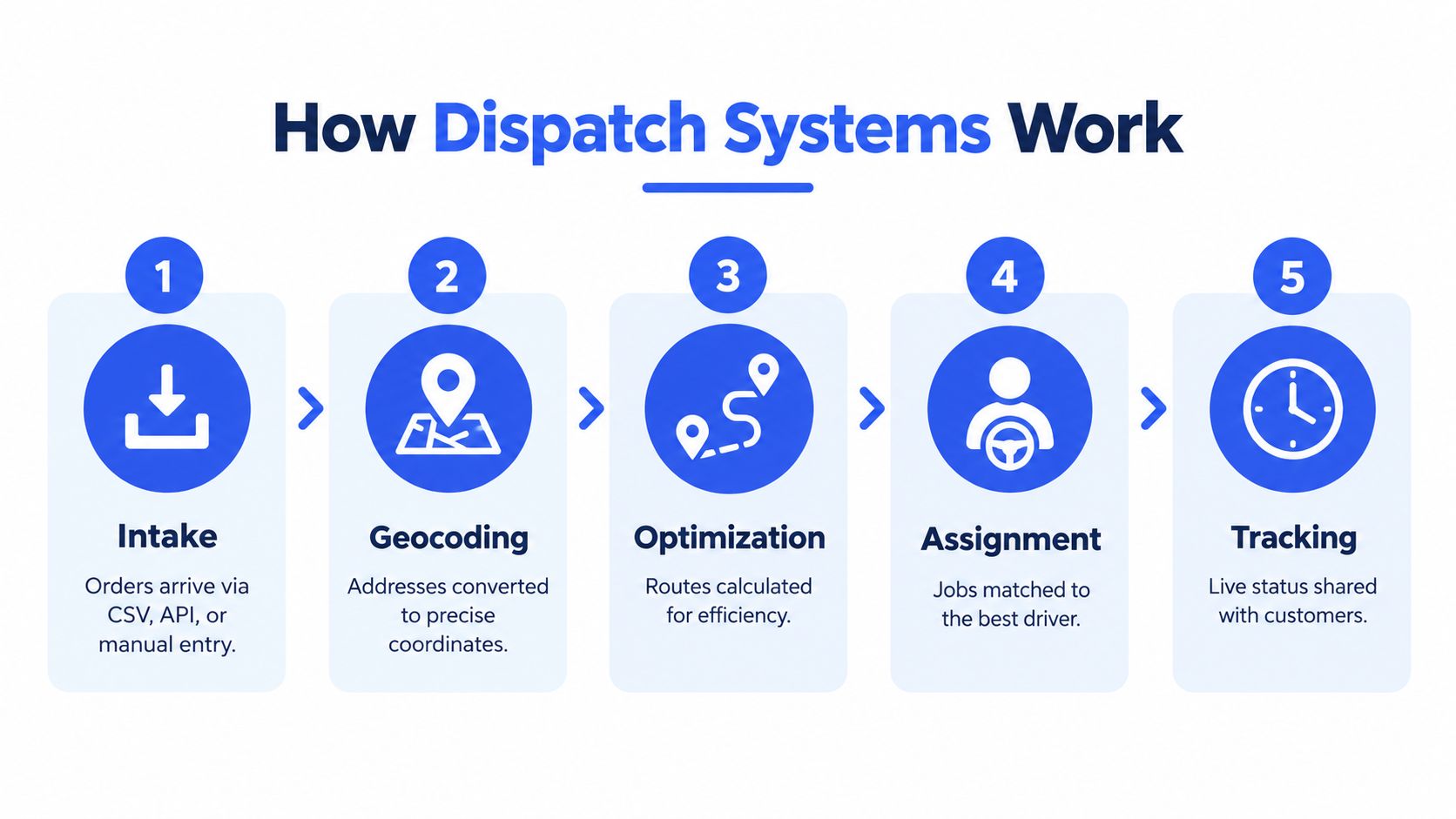
A useful dispatch system follows a delivery from the first data entry to the final proof of delivery. Each stage matters because an error at the beginning can distort every decision that follows.
Start with intake
Orders may arrive through a spreadsheet, an ecommerce connection, an API, or manual entry. The system should preserve the important fields, including customer details, delivery address, requested window, items, quantities, and special instructions.
A browser-based intake screen is particularly useful for teams that aren’t ready for a large integration project. Staff can upload a prepared file, review the imported rows, and correct obvious issues before planning begins. That is safer than copying orders into a planning board one by one.
Validate the address
Geocoding converts a written address into a map position. Address validation checks whether that position is plausible and whether the system can use it for route planning.
This gate prevents bad data from reaching the optimizer. A missing postcode, an incomplete unit number, or a customer entered with an old address can create a route that looks efficient on screen but fails in the actual field. The planner should be able to correct a weak match manually, move a pin, or hold the stop until someone confirms it.
Calculate the plan
The optimizer evaluates the complete set of jobs against the available vehicles, depots, drivers, time windows, service durations, and capacity rules. It should produce warnings when a route is infeasible, rather than assigning more work than a vehicle can carry.
A useful benchmark comes from constraint-programming research using real last-mile data. The research reported an average reduction of 9.9 minutes in route duration compared with company baseline routes, showing why a complete constrained plan is more useful than minimising map distance (Aalto University routing research).
Assign and dispatch
After the plan is checked, the dispatcher sends each route to the appropriate driver. The driver doesn’t necessarily need a native app. A secure browser link can display the route, open navigation, show stop instructions, and collect proof of delivery through photos, signatures, notes, or exception reasons.
For businesses that also need to manage incoming calls, it can help to evaluate choosing call routing for business alongside dispatch workflows. Call handling and delivery planning are separate functions, but both affect how quickly a change reaches the person who can act on it.
Track the result
The operation should record more than “delivered” or “not delivered.” Useful status data includes arrival, departure, customer unavailable, damaged item, address issue, delay reason, and proof-of-delivery evidence. Customers can then receive status updates while the dispatcher sees exceptions that need attention.
A short demonstration of the workflow can make these stages easier for a team to understand:
Core Features and Capabilities
The best feature list is not the longest one. It is the list that matches the decisions a dispatcher makes before, during, and after a route.
A multi-depot planning board gives each location a clear view of its own work while preserving a wider operational picture. That matters for businesses with separate branches, seasonal storage points, or subcontracted capacity. A planner can allocate an order to the right depot before the system starts sequencing stops, instead of discovering later that a vehicle is collecting work from the wrong side of the network.
Capacity belongs in the plan
Capacity needs to reflect the goods being delivered. Depending on the business, that may mean item count, weight, volume, pallet space, or a combination of measures. A route that fits geographically may still be impossible if the vehicle is full.
The system should show totals while the route is being built and flag overloads before dispatch. Capacity can be a hard rule when a vehicle physically cannot accept more work, or a soft rule when the dispatcher may approve a temporary exception. This distinction keeps automation practical. The software protects against routine mistakes, while an experienced planner retains control over unusual jobs.
Editing is not a failure
Drag-and-drop editing is essential because local operations contain information that isn’t always stored in the order record. A customer may have a difficult entrance, a driver may know that a site takes longer than expected, or a delivery window may change after the plan is generated.
Automation should make a plan quickly and make its assumptions visible. The dispatcher should then be able to move a stop, lock part of a route, reassign a job, or rerun optimisation without starting again.
| Feature Category | Manual Approach | Automated Capability |
|---|---|---|
| Depot planning | Separate sheets and informal handovers | Boards organised by depot, date, and operational view |
| Capacity control | Dispatcher checks vehicle load by memory or calculation | Item, weight, and volume totals with overload warnings |
| Route sequencing | Stops arranged sequentially or by intuition | Route order calculated against windows, duration, and constraints |
| Driver instructions | Calls, texts, printed sheets, or email | Browser-based route links with navigation and delivery tasks |
| Exceptions | Problems discovered through calls | Status updates, exception reasons, and visible route changes |
| Customer communication | Dispatcher answers repeated status questions | Notifications and branded tracking pages tied to live status |
Browser access changes adoption
Native driver apps can work, but they introduce installation, update, compatibility, and training issues. A PIN-protected browser link removes much of that friction. A subcontractor can open the route on a smartphone, a seasonal driver can use the same workflow without a long setup, and one device can support multiple routes during a working day.
That doesn’t make browser delivery universally superior. Native apps may offer deeper device integration or stronger offline functionality. For many local operators, however, the lighter browser approach is enough to get reliable dispatch and proof of delivery into daily use without creating a separate technology project.
Integration and Data Intake
Dispatch quality starts before optimisation. If the intake data is incomplete, duplicated, or poorly formatted, the routing engine will produce a polished answer to the wrong question.
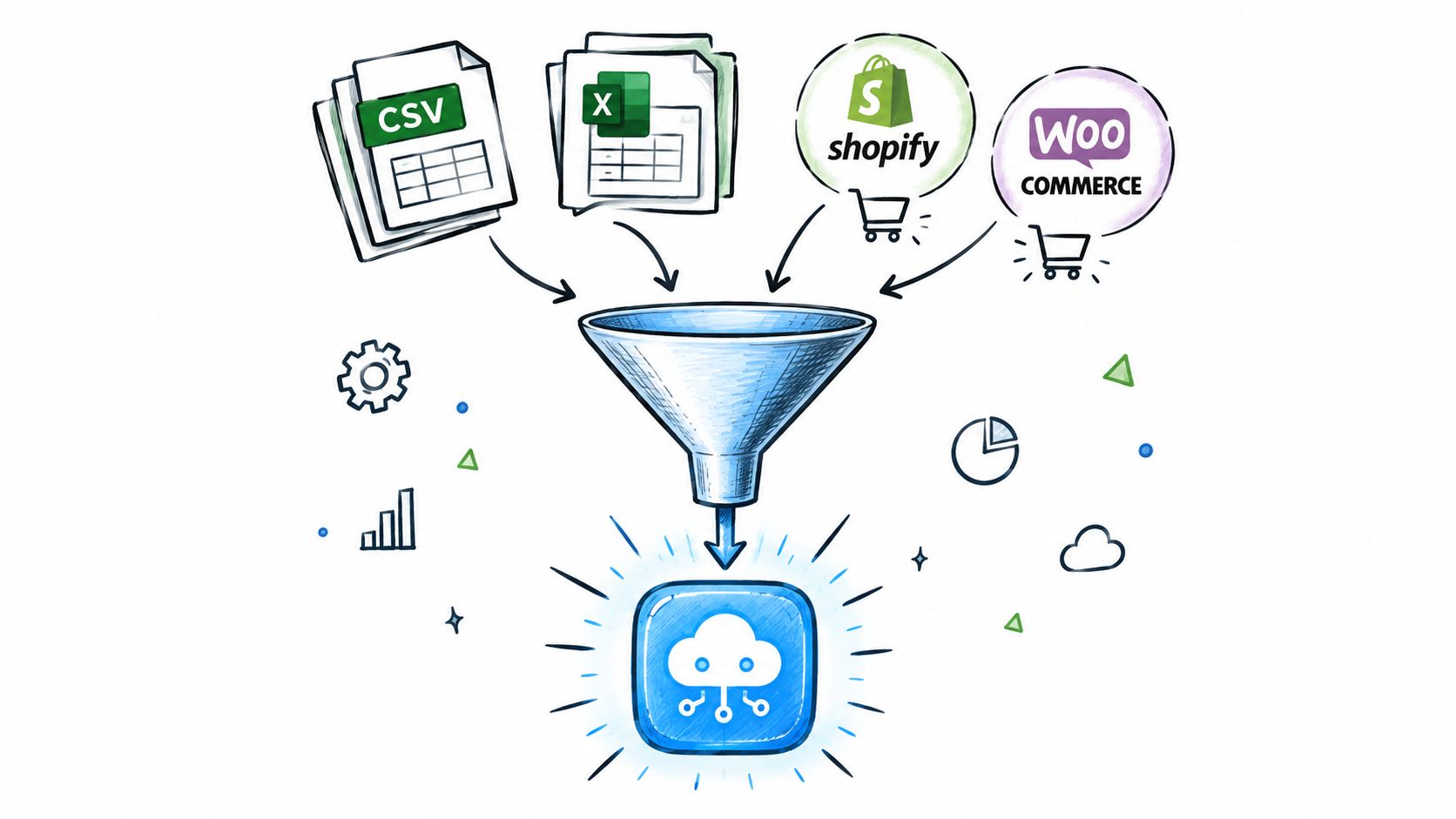
A spreadsheet remains a sensible entry point for many smaller operators. CSV or XLSX imports can collect orders from sales teams, warehouse systems, and customer service without requiring every department to change its workflow. The import should offer a template, preview the rows, tolerate useful extra columns, and identify missing or ambiguous values before the planner accepts the data.
Compare the main intake routes
Spreadsheet import offers speed and flexibility. It works well when order volumes change, when several systems feed the same delivery operation, or when a business wants to test a new planning process without committing to custom development. Its weakness is consistency. Staff can alter column names, omit important fields, or enter addresses differently unless the process includes validation.
Shopify and WooCommerce connections reduce rekeying for ecommerce orders. They can be useful when delivery orders are created online and need to reach the dispatch board without a separate export. The integration still needs clear rules for delivery dates, service levels, address changes, cancellations, and products that require special handling.
Zapier, webhooks, and direct APIs suit organisations with more varied workflows. A trigger might send a new order to dispatch, update a customer record when delivery is completed, or notify another system when an exception is recorded. These connections save manual work, but they need ownership. Someone must know what happens when an integration fails or a field changes.
Treat geocoding as a gate
Automatic geocoding and address validation should run during intake, not after routes have been sent to drivers. Stops with weak matches need a visible failure flag, a correction tool, and a clear reason for being held back.
A practical import process is described in this guide to importing tasks from a spreadsheet. The important principle is simple: only mappable, operationally complete stops should be eligible for automatic planning. That rule protects the quality of every later stage.
Benefits and Operational ROI
The financial case for automated dispatch usually begins with waste that a spreadsheet doesn’t measure well. Empty running, unused vehicle capacity, repeated planning work, failed deliveries, support calls, and overtime can each appear as separate minor problems. Together, they can make a manually planned operation expensive even when the route sheet looks reasonable.
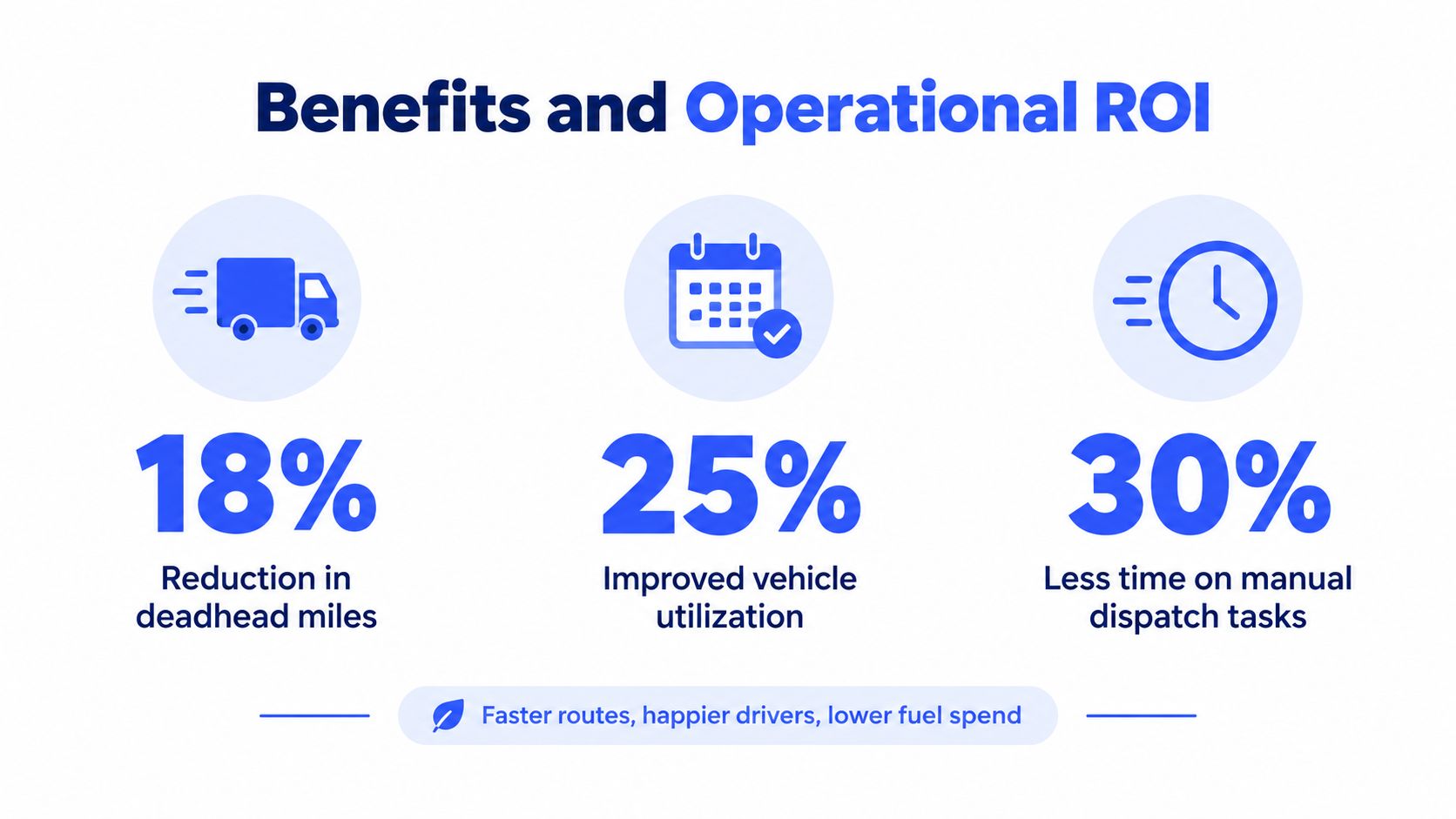
The clearest benchmark is deadhead, the distance driven without a productive load. Industry benchmarks summarised in available research place deadhead at roughly 16% to 20% of fleet travel in some operations, with optimised dispatch potentially bringing that range closer to 8% to 12%, equivalent to a potential 30% to 50% reduction in empty running (trucking dispatch software benchmarks).
What creates the return
The saving doesn’t come from drawing a shorter line between points. It comes from matching work to the whole operating picture.
- Lower empty travel: The system can consider nearby work, route sequence, depot assignment, vehicle capacity, and driver availability together.
- Better vehicle utilisation: Capacity totals reveal whether a route is underused, full, or infeasible before the vehicle leaves.
- Less planning effort: A dispatcher reviews a generated plan and handles exceptions instead of rebuilding every route from a blank sheet.
- Fewer avoidable failures: Address validation, time-window checks, and visible status reduce errors that lead to repeat visits or customer calls.
- More useful measurement: Planned and completed routes can be compared by mileage, duration, stop order, capacity use, and exception reason.
These results aren’t guaranteed. Fleet size, geography, baseline discipline, service-time accuracy, and address quality all influence the outcome. A team that already plans carefully may see a different return from a team still relying on calls and paper notes.
Proving ROI without a major project
Small and mid-sized operators should calculate the cost of the current process before comparing subscription prices. Record planning time, mileage, empty running, failed delivery effort, support contacts, and overtime during a controlled pilot. Then compare those baseline measures with the same measures after the workflow changes.
Cost is a recognised adoption barrier. One cited McKinsey survey reports that 68% of shippers and 80% of logistics providers named cost as the primary obstacle to digitisation (digitisation adoption analysis). That makes a browser-first deployment more than a convenience. It can reduce the disruption involved in testing whether the operational gains justify a larger investment.
For broader thinking about workforce planning alongside dispatch, this resource on SupportGPT workforce optimization strategies provides useful context. The same discipline applies here: measure the work people perform, identify avoidable effort, and automate only where the change improves the complete operation.
Implementation Steps and Best Practices
Implementation fails when a business starts with software settings instead of operational facts. Before choosing an optimiser, collect the information that defines a workable delivery.
Clean the inputs
Standardise addresses, customer names, delivery windows, product fields, vehicle details, depot assignments, and service durations. Remove duplicate records and decide which fields are mandatory. If a route planner regularly receives incomplete addresses, no algorithm can compensate for the missing information.
Create a small sample of real orders that includes ordinary stops, difficult locations, time-sensitive customers, heavy or bulky items, and known exceptions. Use that sample to test the workflow, not a clean demonstration file.
Run a controlled pilot
Choose one depot, one route group, or one delivery type. Keep the pilot narrow enough that the dispatcher can compare the generated plan with the existing approach. The purpose isn’t to prove that automation is perfect. It is to find where the system’s assumptions differ from operational reality.
Track planned versus completed route duration, mileage, stop sequence, capacity use, failed deliveries, and exception reasons. The Amazon Last Mile Routing Research Challenge shows why real operational data matters. Its dataset included 9,184 historical routes across five U.S. metropolitan areas, with route-, stop-, and package-level features, making it a stronger benchmark than synthetic coordinates alone (Amazon last-mile routing research).
Start in the browser
A browser-based workflow can accept spreadsheet imports, validate addresses, show capacity warnings, and support manual edits before a business adds deeper integrations. Drivers can receive secure links rather than installing a native application, which reduces the number of moving parts during the first rollout.
That approach is not anti-technology. It is a way to separate operational learning from expensive transformation. Teams can add ecommerce connections, APIs, webhooks, customer notifications, and analytics after they understand which data and rules matter.
For a more detailed look at planning workflows, see this guide to dispatch scheduling software. Teams exploring more advanced automation can also review this agentic AI logistics guide, while keeping human approval in the loop for exceptions and unusual customer requirements.
Common Pitfalls and Challenges
The most common mistake is assuming that buying dispatch software creates an efficient operation automatically. It doesn’t. The system will expose inaccurate addresses, missing service times, weak zone definitions, and unrealistic vehicle limits that manual work may have hidden.
Driver resistance is another practical issue. Drivers often know details that order records don’t capture, including awkward entrances, reliable customer contacts, preferred access points, and sites that routinely take longer. Give them a clear way to report exceptions, and allow planners to override automated assignments when local knowledge is stronger than the model.
Practical rule: Automate the repeatable decision, not the judgement required for an unusual delivery.
Cost concerns deserve a direct response rather than a vague promise of efficiency. Compare the software cost with the current cost of planning time, empty travel, failed deliveries, customer support, and overtime. Then test the workflow on a limited operational slice before committing to a broad rollout.
A modest system that accepts real data, flags bad addresses, shows capacity, and lets people edit routes may create more value than an advanced platform that takes too long to implement. Good enough and operationally adopted beats technically impressive and unused.
Conclusion and Next Steps
Automated dispatch software works best as a progressive operating system for delivery decisions. It brings orders into one queue, checks whether locations can be mapped, builds routes around capacity and windows, sends instructions to drivers, and records what happened. Each completed route then gives the business better information for its next plan.
The central trade-off is between mathematical efficiency and practical control. An optimiser can evaluate combinations that a dispatcher can’t reasonably calculate by hand, but it doesn’t know every local exception unless the team records those exceptions. A reliable workflow therefore combines automatic assignment with visible warnings, editable routes, driver feedback, and human approval.
A browser-first approach often provides the cleanest starting point. It avoids the disruption of native app deployment, supports subcontractors and seasonal drivers, and gives a small or mid-sized operator a way to test address validation, capacity rules, tracking, and proof of delivery before expanding integrations. The result is a feedback loop rather than a one-time technology purchase.
Start by documenting the current process and measuring its hidden costs. Run a controlled pilot using real orders, compare planned and completed performance, and fix data quality problems before adding complexity. If the workflow helps dispatchers spend less time chasing information and more time managing exceptions, you’ve established the foundation for further automation.
Routelink brings order intake, route optimisation, driver dispatch, customer notifications, live tracking, and post-run analytics into a browser-based delivery workflow, with PIN-protected driver links and proof-of-delivery tools. Visit Routelink to review how it can support local delivery planning from one or multiple depots.