WooCommerce Delivery Management: 2026 Operations Guide
Optimize your WooCommerce delivery management in 2026. Streamline route planning, dispatch, tracking & proof of delivery for efficient local delivery.

You’ve got WooCommerce orders coming in, drivers on the road, and customers asking where their deliveries are, but the whole operation still lives in spreadsheets, phone calls, and memory. That usually works until it doesn’t. One missed handoff, one wrong postcode, or one late pickup, and the store spends the day putting out fires instead of moving product.
WooCommerce delivery management closes that gap between order capture and last-mile execution. WooCommerce already sits at the center of a huge store base, with more than 6.5 million websites using it globally and one 2022 estimate placing its platform share at 36.68% (WooCommerce statistics). That scale matters because the main challenge is no longer just taking orders, it’s turning those orders into scheduled routes, tracked deliveries, and proof that the job was done.
A lot of stores start with checkout add-ons and shipping rules, then discover that the actual bottleneck is operational. The customer can choose a date, but nobody has planned the route. The order shows as paid, but the driver still needs a phone call. The package goes out, but support can’t confirm delivery without chasing photos or signatures. That’s the gap this guide is about.
Table of Contents
- Why WooCommerce Delivery Management Matters Now
- Core Features Every Delivery Management System Needs
- Integration Options for Connecting WooCommerce to Your Delivery Workflow
- Step-by-Step Rollout Plan for Your First 90 Days
- Measuring Success with Delivery KPIs and Analytics
- Real-World Use Cases Across Different Industries
- Choosing the Right Delivery Management Platform
Why WooCommerce Delivery Management Matters Now
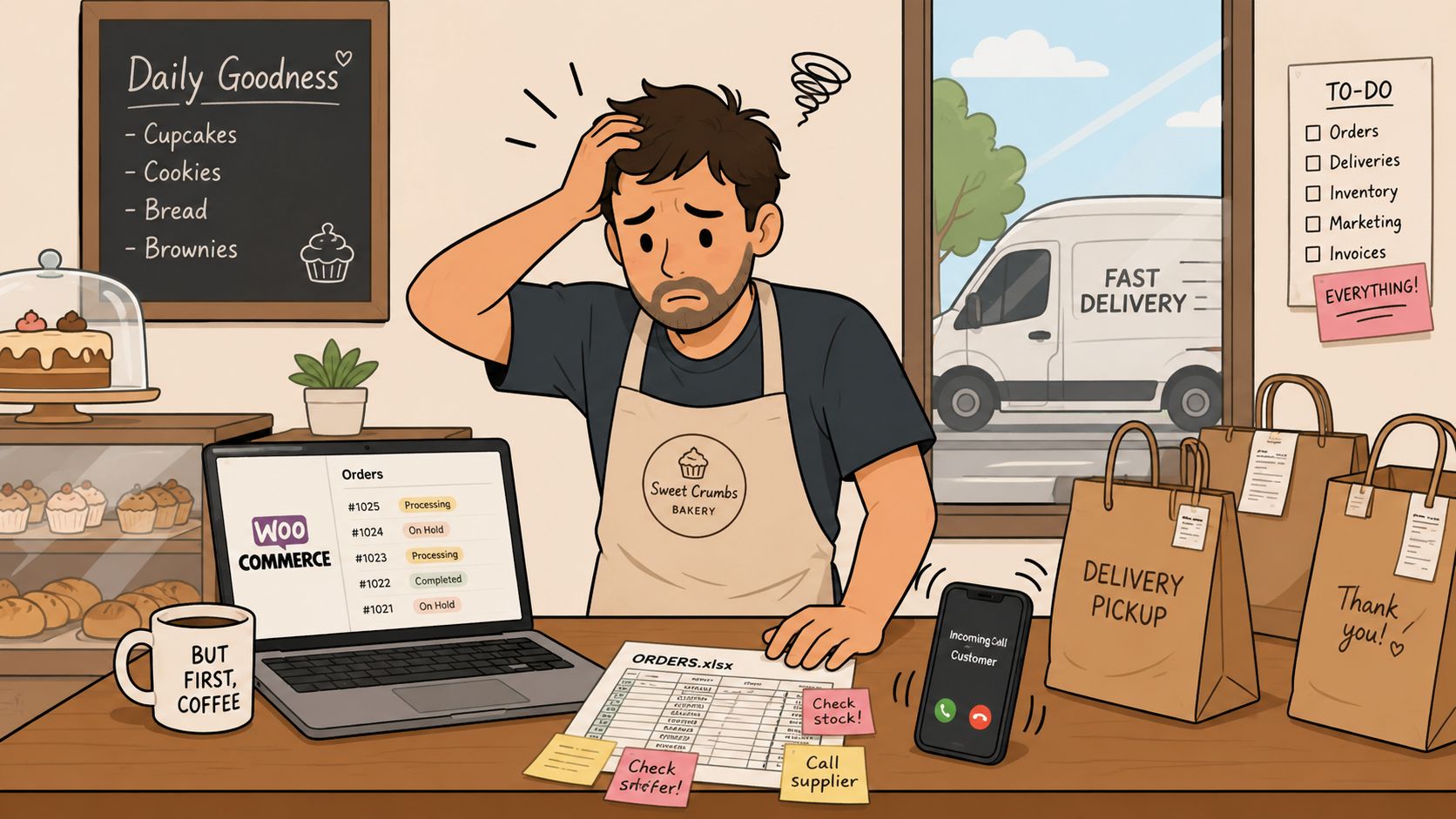
A bakery owner can survive a messy morning if the ovens are hot and the queue moves fast. The trouble starts when orders leave the counter and the delivery list becomes three spreadsheets, a WhatsApp thread, and a whiteboard nobody trusts. That’s the point where WooCommerce stops being the problem and becomes the handoff point, because the store already captured the order, but nobody has turned it into a route, a driver task, or a customer update.
From checkout to the street
WooCommerce has moved far past simple order capture. The official Order Delivery for WooCommerce product lets customers choose or view a delivery or pickup time during checkout, and WooCommerce shipping tools also support delivery-date picker configurations for specific shipping methods (WooCommerce Order Delivery). That changes the job of the store. Delivery is no longer a follow-up task after payment, it’s part of the purchase flow itself.
Practical rule: if a customer sees a delivery promise at checkout, the back office has to honor that promise with routing, dispatch, and status updates that actually reflect what happens on the road.
That’s why WooCommerce delivery management matters. It turns a checkout preference into an operational commitment. Stores that keep this manual usually feel the pain in the same places, customer calls, late edits, drivers waiting around for instructions, and managers spending more time reconciling who went where than running the business.
What changed for local delivery operators
Customer expectations shifted too. Buyers now expect tighter delivery windows, clearer updates, and a record that the parcel or order arrived. Basic shipping plugins can still handle rates and zones, but they don’t close the loop between the order screen and the driver’s day. That’s where the modern workflow starts, with order capture, then planning, then dispatch, then tracking, then proof of delivery.
WooCommerce can support that structure, but only if the delivery layer is built deliberately. The practical trade-off is simple. If the store needs occasional local drops, a lightweight plugin may be enough. If the store handles daily routes, time windows, or multi-stop deliveries, manual coordination becomes expensive in labor and mistakes. That’s when delivery management stops being a convenience and starts being part of revenue protection.
Core Features Every Delivery Management System Needs
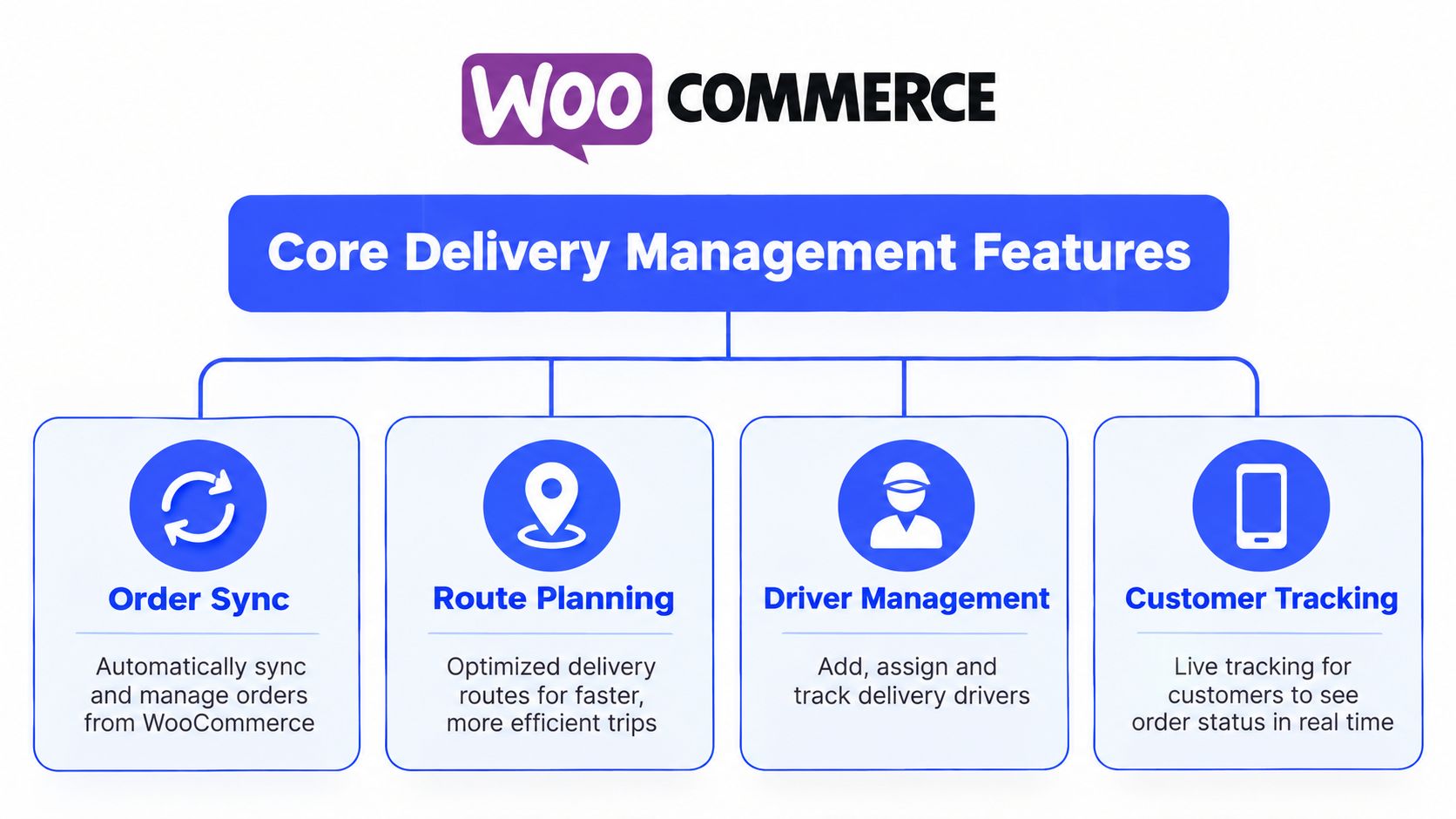
The common mistake is buying software for the most visible problem, route planning, while ignoring the parts that keep delivery from breaking once orders start moving. A delivery system has to connect three layers at once. It needs to know what was ordered, how that order gets assigned, and what customers and drivers need to see at each step.
Route planning and optimization
Route planning is where spreadsheet systems usually break down. A dispatcher can group nearby stops by hand, but once time windows, vehicle capacity, and driver availability enter the picture, the route changes every time a new order lands or a driver falls behind. For last-mile operations, the system should optimize routes across the day’s task list using geography and operating constraints, then make it easy to revise when a customer changes an address or a driver calls in sick (SuiteFleet WooCommerce delivery management).
The front end has its own job too. WooCommerce delivery logic works best when zones are defined clearly, by country, state, postcode, or postcode range, and when checkout validation blocks orders that do not fit the store’s rules (WooCustomDev zone-based ordering and time slots). That gives the checkout a clean guardrail. It does not plan the route by itself. For teams comparing setup paths across platforms, this delivery integration guide for Shopify workflows shows how similar operational choices show up outside WooCommerce too.
Route planning without operational constraints is just map-reading with extra steps.
Dispatch, tracking, and proof of delivery
Dispatch has to be easy to use or it gets ignored. Drivers should receive a clear task view, not a flood of copied notes from admin screens. Once execution starts, live tracking matters because it closes the gap between what the store thinks is happening and what is happening on the road. Customer communication belongs in operations, not as a separate marketing layer.
Proof of delivery closes the loop. Signature capture, photo evidence, and delivery status updates cut down the back-and-forth that follows a disputed order. A delivery system that can pull WooCommerce orders through REST API or webhooks and optimize the route gives the operation a clear handoff between order capture and delivery execution.
Integration Options for Connecting WooCommerce to Your Delivery Workflow
Most stores don’t need the same integration path. The right choice depends on order volume, technical comfort, and how much of the workflow has to be automated now versus later. I’ve seen teams overbuy on day one and also seen teams stay manual so long that every busy week becomes a scramble.
| WooCommerce Delivery Integration Methods Compared | Setup Complexity | Automation Level | Best For |
|---|---|---|---|
| Native plugins | Low to moderate | Limited to moderate | Stores that need checkout delivery dates, zones, or simple driver workflows |
| API and webhook integrations | High | High | Teams that want full control over dispatch, routing, and order writeback |
| CSV import workflows | Low | Low to moderate | Businesses that want a bridge from manual coordination to structured planning |
Native plugins when speed matters
Native plugins are the fastest path when the store needs checkout-time delivery control and basic operational structure. They can add delivery date pickers, pickup selection, zone-based rules, and lightweight assignment features. That fits small teams well because the admin side stays close to WooCommerce and onboarding is easier for staff who already live in WordPress.
The downside is scope. Plugins are usually better at capturing delivery preferences than orchestrating the actual route. If the team is still calling drivers one by one, the plugin solves only the first half of the problem.
APIs and webhooks when the operation is growing
API and webhook integrations make sense when the store needs real dispatch logic. They let WooCommerce orders flow into a delivery engine automatically, which is the cleanest way to support route optimization, tracking, and status updates at scale. This approach takes more development effort, but it also gives the most control over how orders are filtered, assigned, and updated.
If you want a practical comparison against another platform’s delivery workflow, the Shopify delivery integration guide is useful because it highlights the same systems thinking on a different ecommerce stack.
CSV imports when the team isn’t ready for automation
CSV still has a place. Some operations don’t have developer time, and some only run delivery batches a few times a week. In those cases, importing orders into a delivery platform can be a reasonable bridge. The trade-off is obvious, though. Every import step is another point where someone can miss an address, duplicate a job, or upload stale data.
Step-by-Step Rollout Plan for Your First 90 Days
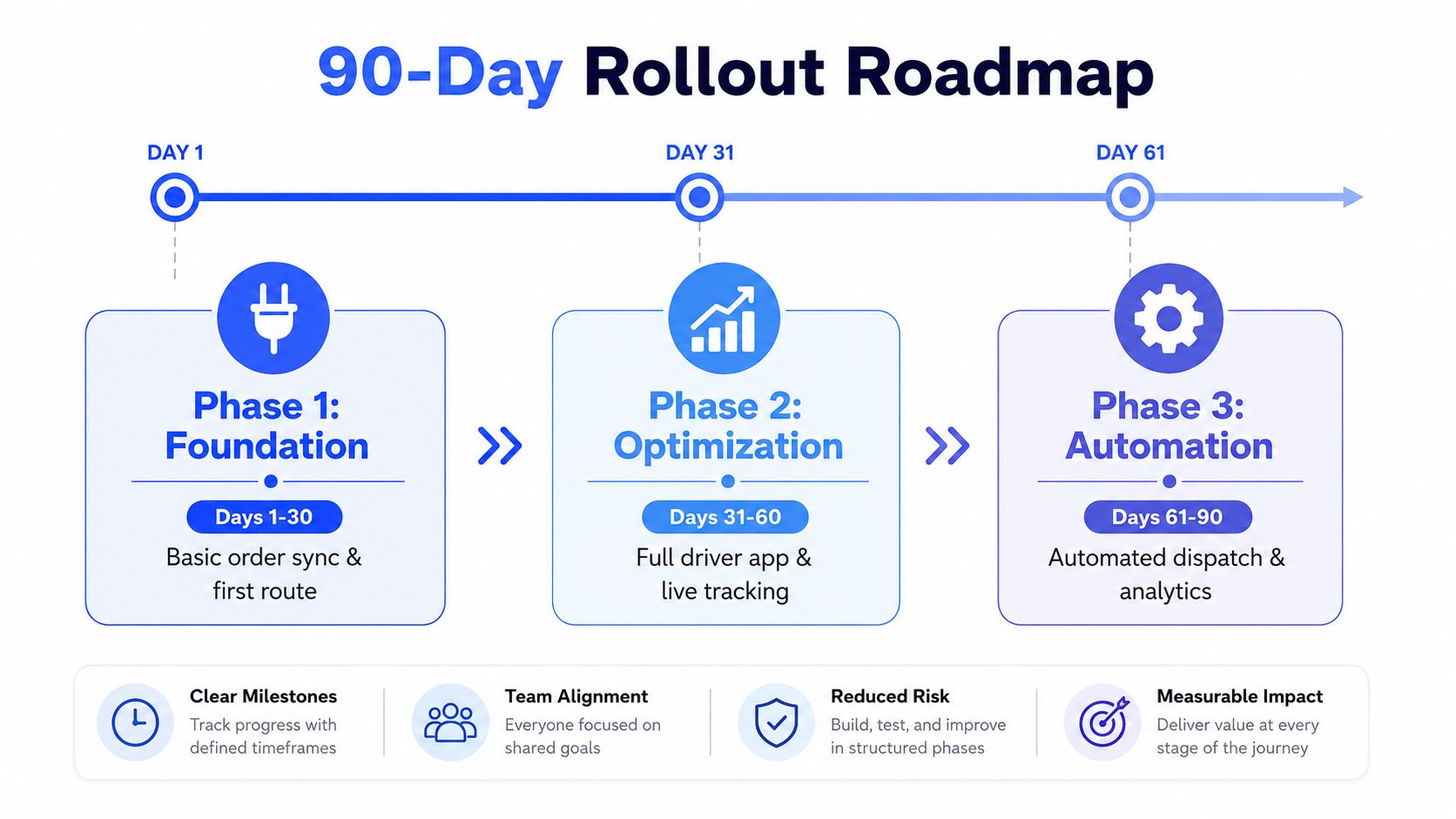
A common mistake is trying to launch everything at once. They want route optimization, live driver tracking, notifications, proof of delivery, and analytics before the first route has even been loaded properly. That usually means the rollout stalls in configuration while the old manual process keeps running in the background.
Days 1 to 30, get the foundation working
Start with order sync and one controlled delivery flow. The goal is not perfection, it’s a clean handoff from WooCommerce into a planning layer that the team can trust. If route creation still relies on someone retyping addresses or checking them against a map, you’re not ready to scale yet.
A good milestone here is simple, one person can load orders, generate a route, and hand it off without copying data into three different places. If that doesn’t work, fix the import, address formatting, or zone logic before adding anything else.
Days 31 to 60, add customer-facing visibility
Once the route is stable, layer in customer notifications and proof of delivery. At this point, the operation starts to look professional from the buyer’s side. Customers should get status updates without someone on the team sending manual messages, and completed deliveries should leave behind a signature or photo record that support can use later.
Don’t add customer tracking until the dispatch process is stable enough to support it. A live ETA is useful only if the route data behind it is reliable.
Days 61 to 90, automate the repeat work
By the third phase, the team should be looking at recurring patterns. Which orders consistently run late, which areas create the most detours, and which drivers handle the route mix best. That’s where analytics and automation start to pay off.
If you’re evaluating tools at that stage, a platform such as Routelink can fit the workflow because it takes orders from WooCommerce or CSV, plans routes, dispatches drivers through unique links, and integrates with WooCommerce to pull orders and manage delivery. The route optimization guide for last-mile delivery is a strong reference point if you’re trying to understand what automated planning should do beyond a static map.
Measuring Success with Delivery KPIs and Analytics
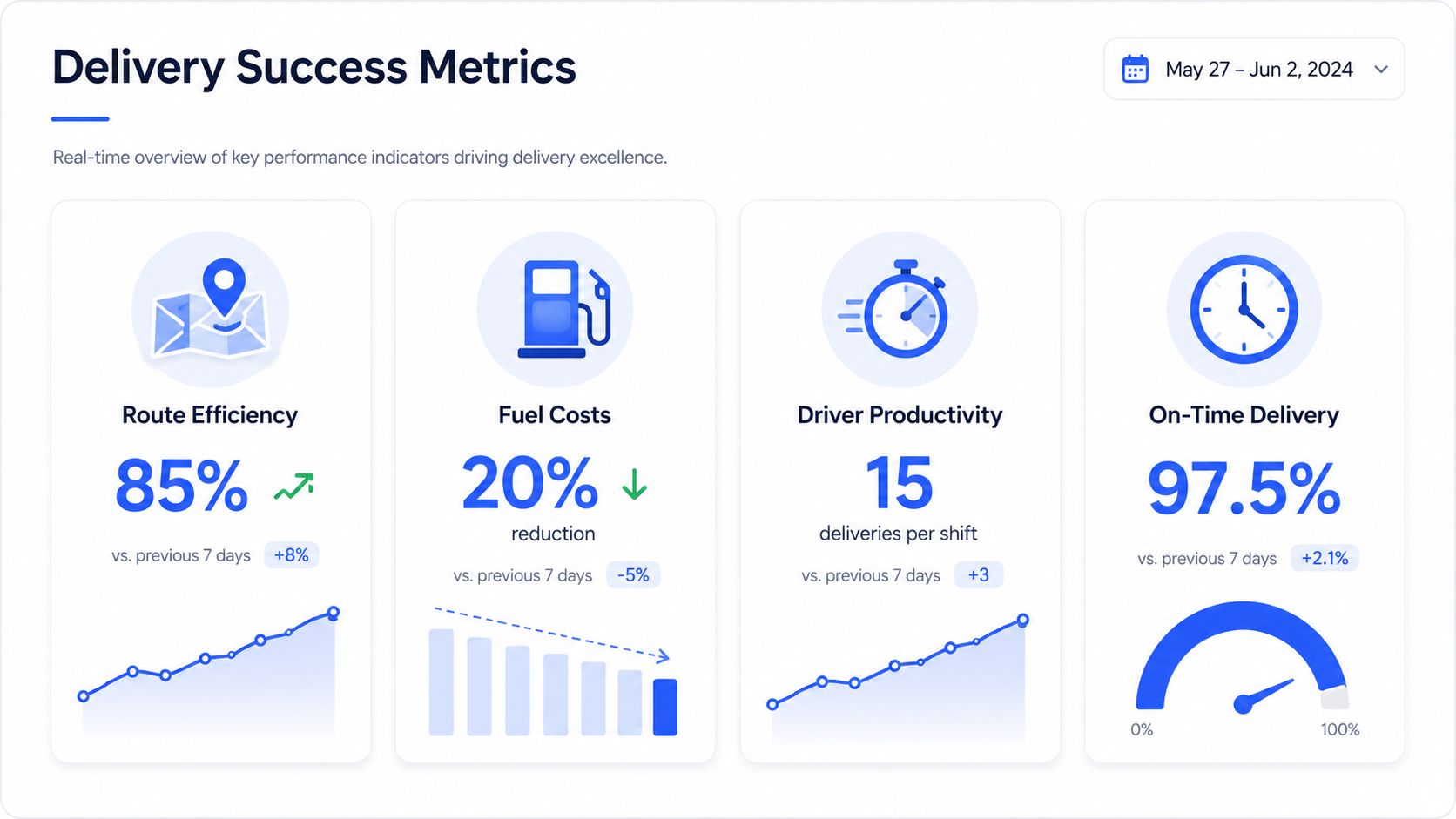
Delivery analytics only matter if they change decisions. Too many WooCommerce stores watch order volume and on-time performance in isolation, then miss the operational patterns that explain why customers complain or why support tickets pile up. The useful numbers are the ones that connect the route to the customer and then to revenue.
Operational metrics that show whether the route works
Route efficiency tells you whether the team is wasting mileage or packing stops well. Fuel cost trends show the financial effect of bad sequencing, unnecessary backtracking, and poor zone design. Driver productivity shows whether the day’s workload is balanced or whether one person is getting overloaded while another finishes early.
These numbers are only useful when they’re tied to actual delivery behavior. If a route looks cheap on paper but creates extra customer calls, missed windows, or repeated re-deliveries, the apparent savings are fake.
Customer metrics that reveal promise accuracy
Delivery window accuracy matters because it reflects whether the store is promising what it can execute. Notification engagement shows whether customers are seeing and using tracking updates instead of calling support. Proof of delivery completion shows whether the order was closed properly, which becomes important the first time a customer disputes receipt.
The deeper insight is segmentation. Some customers care far more about delivery timing than others, and that should shape how the store sells and schedules. The recent conversation around live fulfillment data is heading in that direction, by using order status and transit times to spot delay-prone segments and align marketing promises with logistics capacity (Zigpoll delivery analytics blueprint).
Delivery data is not just an operations report. It’s a promise-keeping report.
Real-World Use Cases Across Different Industries
A furniture retailer and a bakery can both run on WooCommerce, but they don’t manage deliveries the same way. The platform is the same, the route logic is not. That’s why the best delivery setup is never abstract, it has to match the product, the customer expectation, and the day’s operational constraints.
Furniture and appliance stores
Large-item retailers care about scheduled delivery, route sequence, and crew assignment. A two-person team can’t be treated like a parcel driver. The store has to account for time at each stop, access constraints, and the order in which jobs should be completed so crews don’t end up crossing the city twice.
Food and beverage distributors
Bakeries, butchers, meal kits, and beverage distributors care about freshness and delivery windows. Their teams usually need tighter run sheets, quicker dispatch, and fewer surprises at the door. If the route slips, the product quality can suffer before support even hears about it.
Building materials and job-site deliveries
Building materials stores face a different problem. Job sites are messy, instructions change, and someone on the receiving end may not be on location when the truck arrives. The delivery system has to make it easier to confirm the site, the timing, and the handoff, otherwise re-delivery becomes a costly routine.
Direct-to-consumer brands
DTC brands usually fight a balance between speed and cost. They may not need a heavy field operation, but they still need accurate status, reliable ETA updates, and a clean customer record when things go wrong. That’s where a structured workflow helps even if the delivery fleet is small.
Choosing the Right Delivery Management Platform
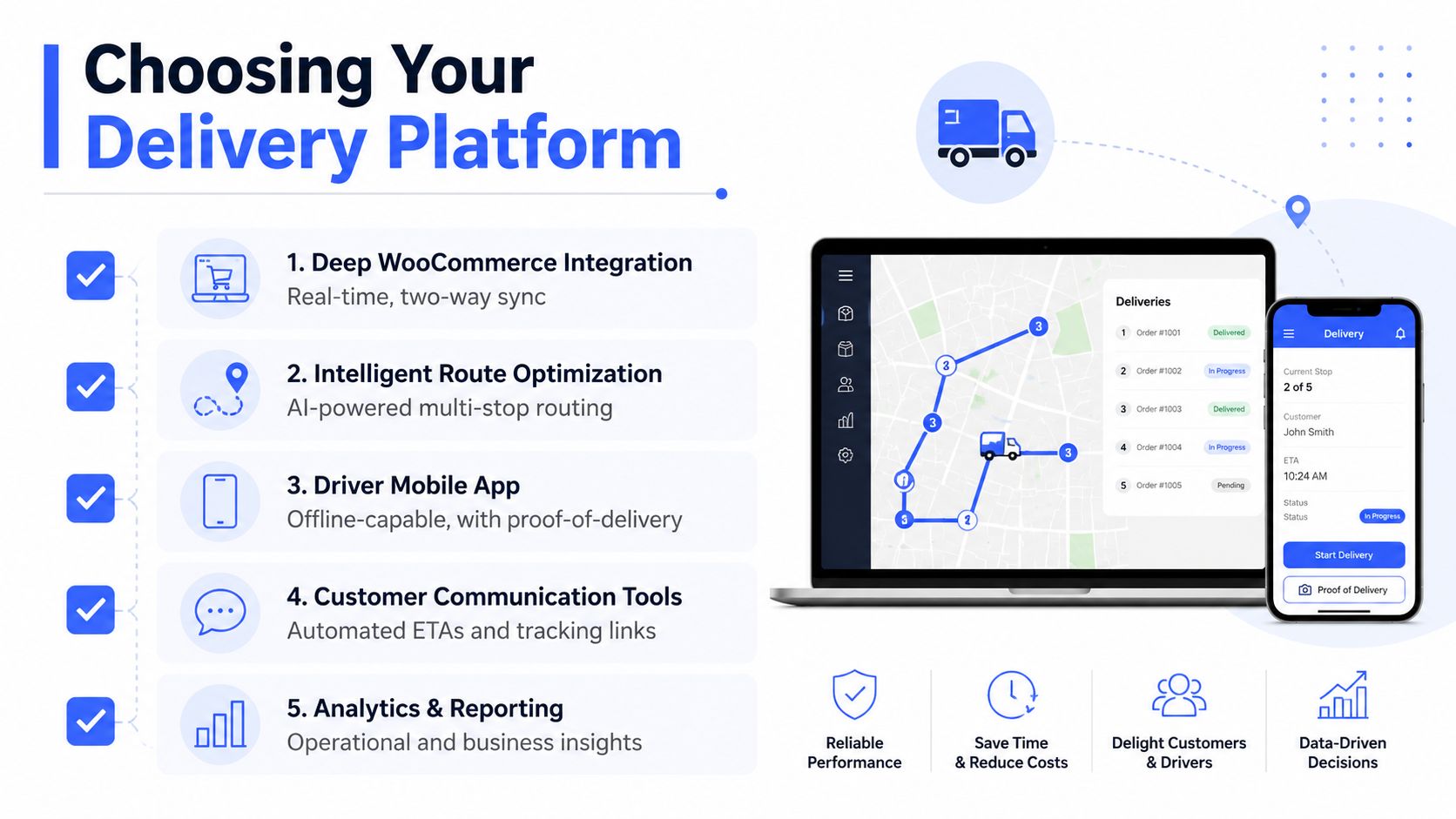
The right platform should make WooCommerce feel like the front end of a delivery operation, not the end of it. Evaluate integration depth first, then look at the driver experience, customer communication, and analytics. If a tool only looks good in a sales demo but makes dispatch clumsy on a phone, it’ll create friction fast.
For teams comparing options, it helps to review compare WooCommerce shipping plugins with a clear eye on what each one controls. Some tools are fine for rules and checkout logic, but they don’t reach far enough into routing or proof of delivery. If you want a broader shortlist, the best last mile delivery software guide is a good companion for evaluating capabilities beyond the storefront.
What to ask before you commit
- How deep is the WooCommerce sync? You want reliable order intake, not manual re-entry.
- How do drivers receive work? A clean mobile flow matters more than a crowded admin panel.
- What happens when the route changes mid-day? The tool should handle exceptions without breaking the full schedule.
- Can customers see useful updates? ETA, tracking, and completion status should be built in, not bolted on later.
- What happens to POD records? Signatures and photos should be captured reliably and accessible for customer queries.
Vendor lock-in and hidden per-delivery fees are the two red flags I’d watch first. Poor mobile usability is the third. If the driver side feels like an afterthought, the rollout will stall no matter how polished the sales page looks.
Routelink brings route planning, dispatch, branded customer updates, and proof of delivery into one delivery workflow that can take jobs from WooCommerce and move them through execution cleanly. If your store is still split between checkout tools and manual last-mile coordination, visit Routelink and see how a single delivery system can replace the spreadsheet scramble with a process your team can run every day.