Subcontractor Management Software for Retailers
Discover how subcontractor management software helps SMB retailers and 1PL teams plan routes, dispatch drivers, and capture proof of delivery.

Friday afternoon looks calm until the first driver texts that they’re sick, the second says the van won’t start, and the third never answers because he already took another route job. Orders are printed, customers are waiting, and someone in the office is trying to rebuild the day from a spreadsheet that’s already stale. That’s where subcontractor management software stops being a vague category and starts feeling like a pressure valve for local delivery teams that live on route changes, last-minute cover, and proof that a stop happened.
For a retailer or 1PL operation, the point isn’t to manage contractors for the sake of management. The point is to turn driver onboarding, dispatch, customer updates, and POD capture into a repeatable flow instead of a daily rescue mission. If the software can’t do that without adding another layer of admin, it’s not solving the problem.
Table of Contents
- The Tuesday Morning Your Driver List Disappears
- What Subcontractor Management Software Actually Means for Delivery
- Five Capabilities That Matter Most for Local Delivery
- A Selection Checklist You Can Score in a Demo
- Implementing Without Disrupting Peak Season
- KPI Templates That Connect the Software to Your P&L
- Common Mistakes and What a Right-Sized Stack Looks Like
The Tuesday Morning Your Driver List Disappears
The worst day usually starts before the store opens. A coordinator walks in, checks the route board, and finds out three subcontracted drivers have vanished overnight, one route is uncovered, and the remaining stops are already promised to customers by noon. The temptation is to start calling every name in the phonebook, but that only buys chaos one stop at a time.
When the bench is full of paper and nobody is in sync
In a setup like that, the core problem is not missing people. It’s missing live job ownership, so the team can’t tell which stops are still open, which driver has the right zone, and which customer will need a new ETA. Software earns its keep when it lets an ops lead reassign work without rebuilding the schedule by hand.
A practical system does three things fast. It imports the day’s work, lets a dispatcher move stops to another driver, and gives a new subcontractor a controlled way to get onboarded without waiting for a full admin account. That is the difference between a route that collapses and a route that keeps moving.
Practical rule: If a tool can’t absorb a same-day driver swap in minutes, it’s too slow for delivery work.
The retail version of this problem is different from the construction version, but the pain is familiar. You still need a system that reduces manual coordination, creates a trail of who accepted what, and keeps the handoff clean when the original driver disappears. The software category matters because it turns that scramble into a routine dispatch workflow instead of a memory exercise.
What Subcontractor Management Software Actually Means for Delivery
For delivery operations, subcontractor management software is a shared workspace for work orders, drivers, proof, and performance. It should pull in orders from systems you already use, route them, dispatch them to employee drivers or contracted couriers, and capture delivery evidence without paper moving around the office.
Core parts of the workflow
The cleanest way to think about it is in four steps. First, the system takes in jobs from ecommerce, ERP, or a file upload. Second, it assigns those jobs to the right driver or subcontractor. Third, it keeps customers and dispatch in the loop. Fourth, it stores proof that the stop happened.
That’s where the label often gets stretched. A generic CRM tracks contacts. A field service tool manages visits. Fleet software watches vehicles. None of those is automatically a delivery control layer unless it can handle route work, driver handoff, and POD in one place. If a vendor spends all its energy on CRM language but can’t show a clean dispatch-to-proof workflow, it’s not really built for delivery operations.
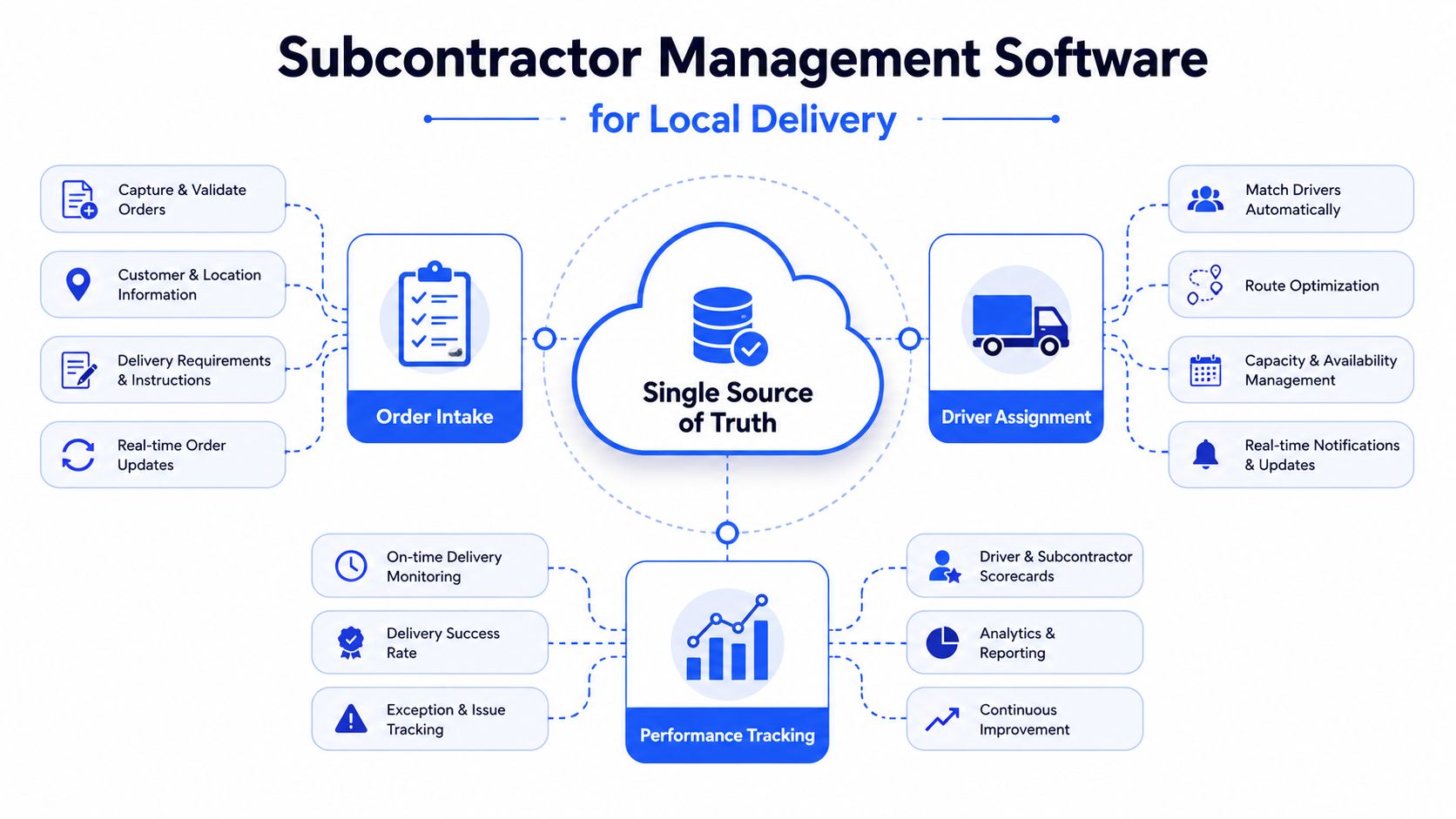
The most useful buyer test is simple. Ask whether the platform makes one day’s orders easy to move from intake to route to delivery evidence. If it does, you’re looking at a delivery platform with subcontractor control. If it doesn’t, you’re probably looking at a broader admin tool wearing the wrong label. For a plain-language primer on the broader delivery stack, see what delivery management usually includes.
Five Capabilities That Matter Most for Local Delivery
How to rank the feature set
The right shortlist is smaller than most demos make it look. For a small delivery operation, five functions matter far more than a long brochure of rarely used modules.
1. Job import from existing systems.
If orders still need to be keyed in one by one, the platform is already eating time. Import from Shopify, WooCommerce, ERP, or CSV keeps the day from starting with data entry.
2. Route planning with a manual override.
Good software creates a sensible run, but dispatch still needs drag-and-drop control when a driver calls out, a window shifts, or a stop turns urgent. Automation is useful only when the dispatcher can intervene without breaking the plan.
3. Frictionless dispatch.
For subcontractors, the handoff has to be simple. A unique PIN-protected link is a practical advantage because it lowers onboarding friction and avoids the app-download barrier that slows peak-season coverage.
4. Customer notifications.
Customers don’t want to call the store twice. Branded updates by email, SMS, or WhatsApp reduce status checks and keep the delivery experience tied to your name, not a random driver’s phone.
5. Proof of delivery.
Sign-on-glass and photos solve the argument that shows up after the route is done. The point is not just recording delivery, it’s making the record easy to retrieve when someone disputes a stop.
Jobs go bad in the gaps between systems, not inside them. A platform that closes those gaps is usually worth more than one with a prettier dashboard.
A tool that does all five well will save more time than one that tries to become accounting software, CRM, and workforce management at once. If you want a quick reference for route execution features, this delivery tracking overview is a useful companion when you’re sorting must-haves from nice-to-haves.
The demo video below is worth watching with one question in mind, how much of the day still depends on a dispatcher’s memory?
A Selection Checklist You Can Score in a Demo
A demo should feel like a working session, not a sales tour. If a vendor can only answer questions in generalities, the platform will probably need too much hand-holding to survive a busy week.
Score each vendor on the same five checks
Use a simple scale, 0 for no, 1 for partial, 2 for yes. The point is to compare how much manual work still sits outside the product after the demo ends, because that is what shows up in daily operations.
| Capability | Question to Ask | Score (0-2) | Notes |
|---|---|---|---|
| Setup friction | How long does it take to get a subcontracted driver ready to work, and what still needs manual setup? | ||
| Exception handling | Can dispatch change stop order, reassign a route, or move a job after the plan is already live without rebuilding everything? | ||
| Visibility during the day | Can the team see late arrivals, completed stops, and open exceptions without bouncing between screens? | ||
| Customer communication | Can the customer get branded status updates without support chasing down the driver for answers? | ||
| Audit trail | Can you pull a complete record of who changed what, when it changed, and what was delivered? |
The strongest demos usually answer those questions with live screens, not with promises. I also want to see how the vendor handles the messy parts, like a driver who has never used the system, a route that changes after departure, or a customer who wants proof before anyone on the phone can confirm the stop.
What to listen for when vendors answer
If the answer keeps drifting into “we can customize that,” the product may be too generic for delivery work. If the answer is “yes, but our team sets that up for you,” ask how much daily admin that creates once the system is live.
For retailers and 1PL teams, the better systems keep dispatch, driver onboarding, and POD in the same place. That is also where route planning and delivery management software should be judged fairly, because the demo has to prove it can handle execution, not just produce a polished screen.
The right questions surface trade-offs fast. Some vendors shine in visibility but still make subcontractor setup clunky, others make onboarding easy but leave dispatch with too many manual corrections, and a few save time only if your team accepts extra process elsewhere.
Implementing Without Disrupting Peak Season
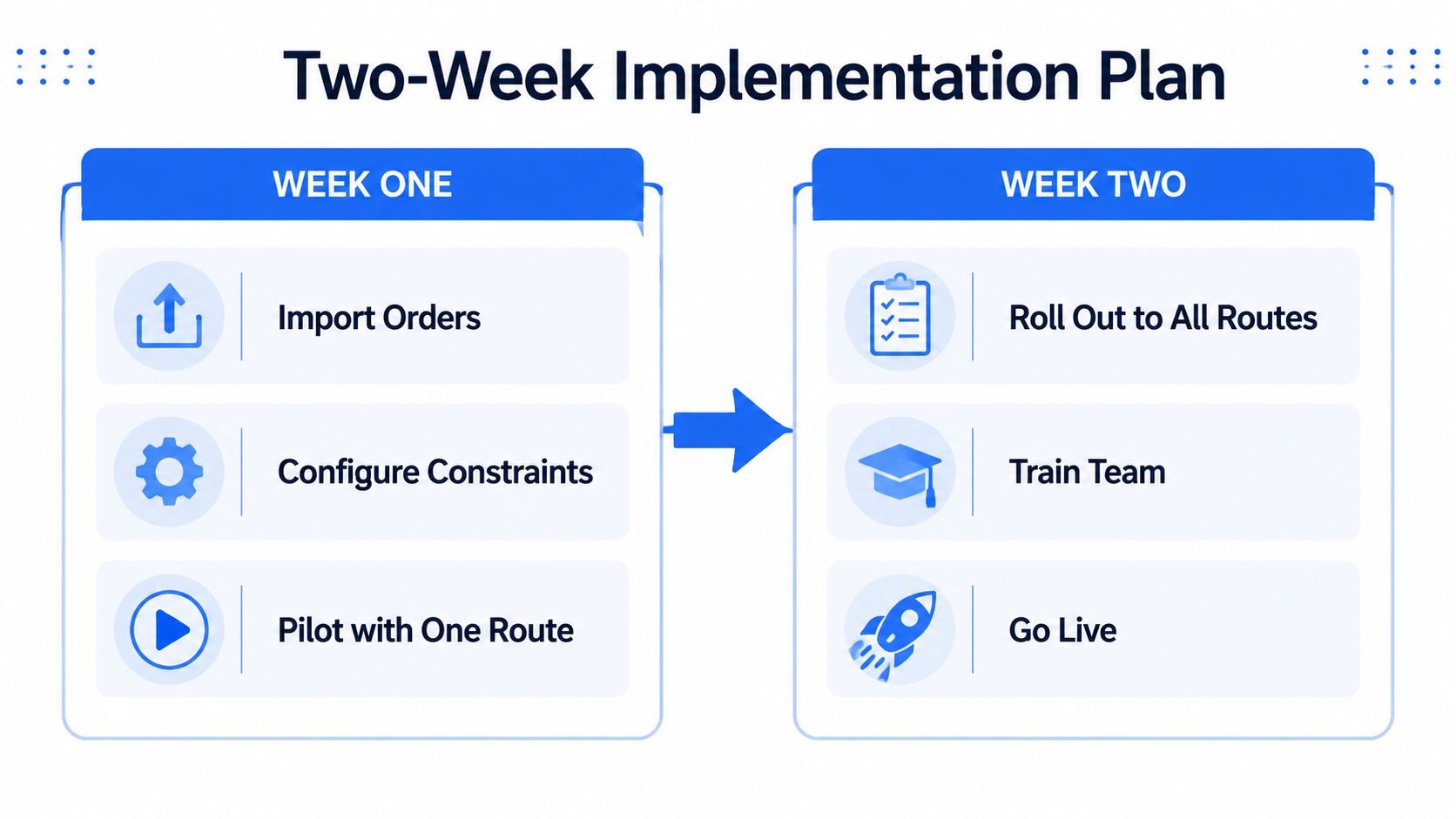
Most rollout failures happen because teams try to switch everything at once. A better approach is to put one clean route through the system, prove it works, then expand only after the dispatcher trusts the workflow.
A two-week rollout that doesn’t wreck the schedule
Week one should be boring. Import the day’s orders, set your basic constraints, and run one route with one dispatcher who won’t improvise every ten minutes. That gives you a real read on whether the route logic, stop editing, and proof capture work the way the sales call promised.
Week two is where subcontractors enter the picture. Send PIN-protected links to a small set of drivers, use branded notifications for a limited customer group, and keep the old spreadsheet close until the new flow has handled a full day without drama. The spreadsheet usually dies on its own once the team stops needing it to answer basic questions.
A practical rollout also needs a fallback plan. If a customer already has a tracking link from another tool, tell support exactly which one to send and which one to ignore. If you don’t make that decision up front, the office ends up maintaining two sources of truth, and that’s how confusion creeps back in.
Start with one route, not the whole fleet. The system learns faster than the team does, and the team only trusts what it has already seen work.
The value compounds when employee drivers and subcontractors follow the same dispatch path. That shared workflow reduces the number of ways a stop can be lost, and it makes every later fix simpler because everyone is looking at the same job status.
KPI Templates That Connect the Software to Your P&L
The first week is about getting the software live. The harder question comes later, when finance asks what changed and whether the change shows up in delivery, labor, and service quality.
Four metrics worth tracking from the start
On-time delivery rate
Formula, On-Time Deliveries / Total Deliveries x 100. Pull the timestamps from the delivery record and compare them with the promised window. If dispatch, operations, and customer service use different definitions of on time, settle that before the first report goes out. Otherwise, every review becomes a debate about the numbers instead of the route.
Cost per drop
Formula, Total Route Cost / Number of Stops. Put fuel, driver pay, subcontractor pay, and any route-specific fees in the same bucket, then divide by completed stops. That gives leadership a straightforward view of whether a route change reduced cost or just moved it somewhere else.
Subcontractor utilization
Formula, Billable Hours / Total Hours. This matters when contracted drivers are part of the daily network and you need to know whether the coverage you paid for is being used well. If a driver checks in but does not carry much volume, the platform should make that pattern visible quickly.
Customer satisfaction score
Formula, use the average survey rating after delivery. Keep the first version simple. The point is to connect customer response to the route and POD flow, not to build a perfect dashboard before the team has even settled into the new process.
| KPI | Data source in the software | Formula | Review cadence |
|---|---|---|---|
| On-time delivery rate | Route timestamps and delivery window | On-Time Deliveries / Total Deliveries x 100 | Weekly |
| Cost per drop | Route cost records and stop count | Total Route Cost / Number of Stops | Weekly |
| Subcontractor utilization | Driver hours and job assignment logs | Billable Hours / Total Hours | Weekly |
| Customer satisfaction score | Post-delivery survey responses | Average Survey Rating | Monthly |
Set a baseline before rollout. Without that, the first improvement report turns into a fight over whether the old process was measured the same way. For teams that want to connect those numbers to planning choices, route optimization guidance keeps the focus on decisions the software can influence.
Common Mistakes and What a Right-Sized Stack Looks Like
The most common buying error is simple, a 12-driver operation choosing a platform built to manage a giant contractor network. That usually brings long setup cycles, modules nobody touches, and an admin burden that grows faster than the delivery business itself.
What gets overbought
A lot of teams pay for compliance-heavy features they’ll never use. They also get sold on broad workflow platforms that handle many industries but don’t feel fast when a driver swap happens at 8:12 a.m. on a busy retail day. If the software requires a dedicated admin just to keep the routes current, it’s too heavy for most local delivery stacks.
A right-sized stack is much narrower. It imports jobs, plans the route, dispatches via PIN-protected links, sends customer updates on the preferred channel, and captures proof of delivery in the same system. That’s enough to remove the worst manual work without turning the office into software babysitters.
Here’s the practical test. If the team can answer customer status questions without opening three tabs, if the dispatcher can move a stop without rebuilding the whole route, and if POD is attached to the delivery record without a scavenger hunt, the stack is probably the right size. If not, the business is paying for flexibility it doesn’t need and avoiding simplicity it does.
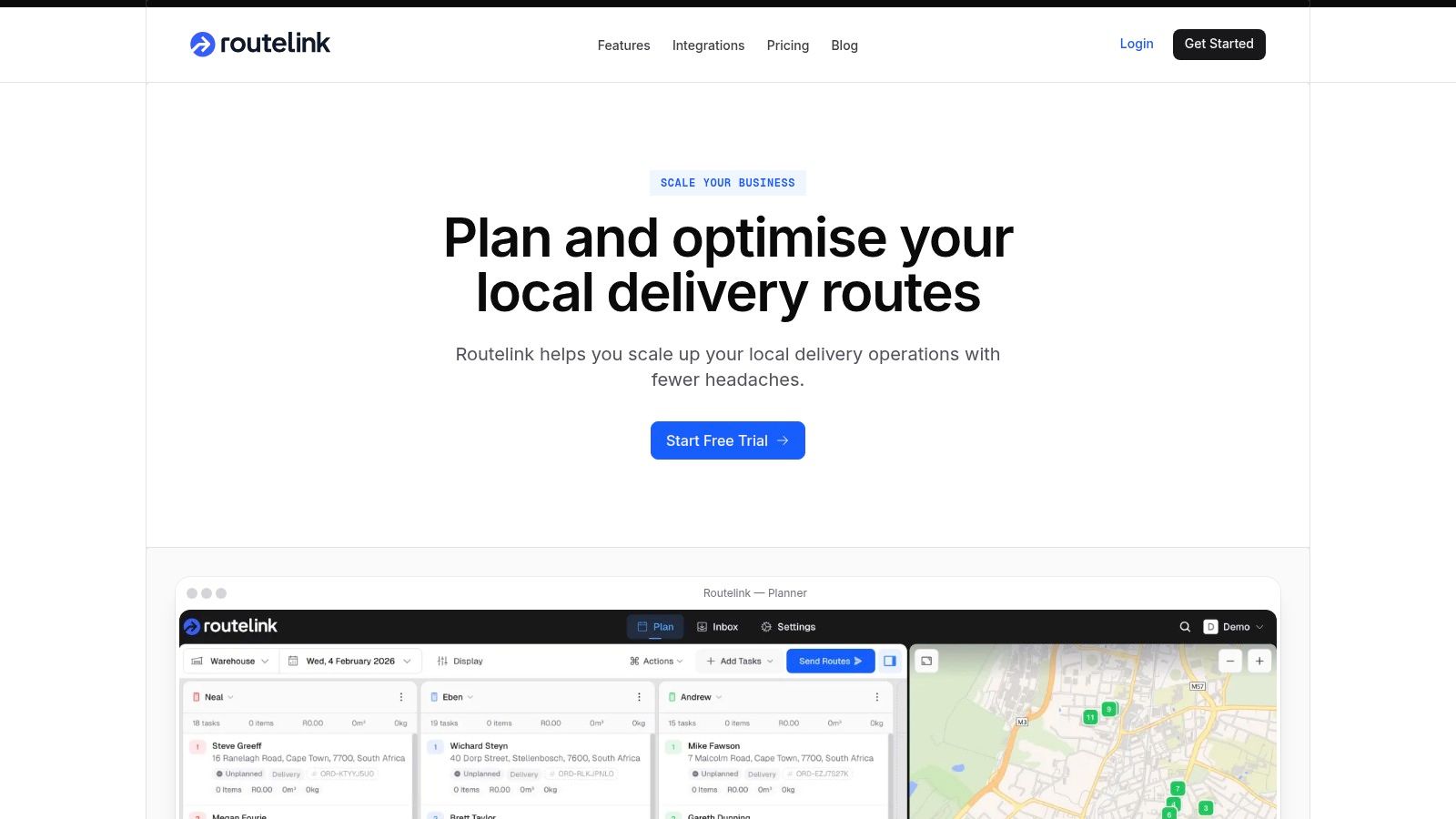
If you want a route workflow built for local delivery rather than construction paperwork, Routelink covers job capture, route planning, PIN-based driver access, branded notifications, and proof of delivery in one place. Take a look at Routelink if you’re trying to replace the spreadsheet scramble with a simpler dispatch flow that subcontractors can use during peak season.