Last Mile Delivery Platform Explained and How to Choose — Routelink
Learn what a last mile delivery platform does, key features, KPIs, ROI and how to choose the right last mile delivery platform for your operation.
17 September 2026 · Routelink Team
Last Mile Delivery Platform Explained and How to Choose
Learn what a last mile delivery platform does, key features, KPIs, ROI and how to choose the right last mile delivery platform for your operation.
A delivery day can unravel through several small problems: orders arrive late, a customer misses an update, a driver needs an address correction, and a dispatcher rebuilds routes while new jobs enter the queue. By afternoon, support is answering “Where is my order?” questions, drivers are covering extra miles, and managers lack a clear record of what happened.
That final stretch is the last mile, the part of logistics customers experience most directly. A route planner may arrange stops, yet still leave the team to handle failed deliveries, customer updates, proof of delivery, and order-system reconciliation separately. The platform’s value lies in control and predictability. It gives operators one view of progress, exceptions, and outcomes, rather than treating routing as the whole job.
A last mile delivery platform connects order capture, planning, dispatch, driver execution, notifications, exception handling, and delivery evidence in one workflow. This approach helps teams respond when conditions change, preserve visibility for customers and managers, and pass reliable delivery data between systems. Routelink’s last mile delivery workflows provide a practical reference for organizing these connected steps.
The guide examines the platform’s core features, then shows how different industries apply it, how teams handle integration and security, and which KPIs and cost factors shape the business case. It closes with buying checks and common pitfalls. Routelink is included as a practical example for businesses managing local deliveries, while this full cycle delivery model explained adds context on how delivery operations fit within a broader service lifecycle.
Table of Contents
- What a Last Mile Delivery Platform Really Is
- Core Features That Power Every Delivery Workflow
- How Different Industries Use the Platform in Practice
- Integration Implementation and Security Essentials
- Measuring Success With KPIs ROI and Cost Factors
- Buyers Checklist and Pitfalls to Avoid Before You Choose
What a Last Mile Delivery Platform Really Is
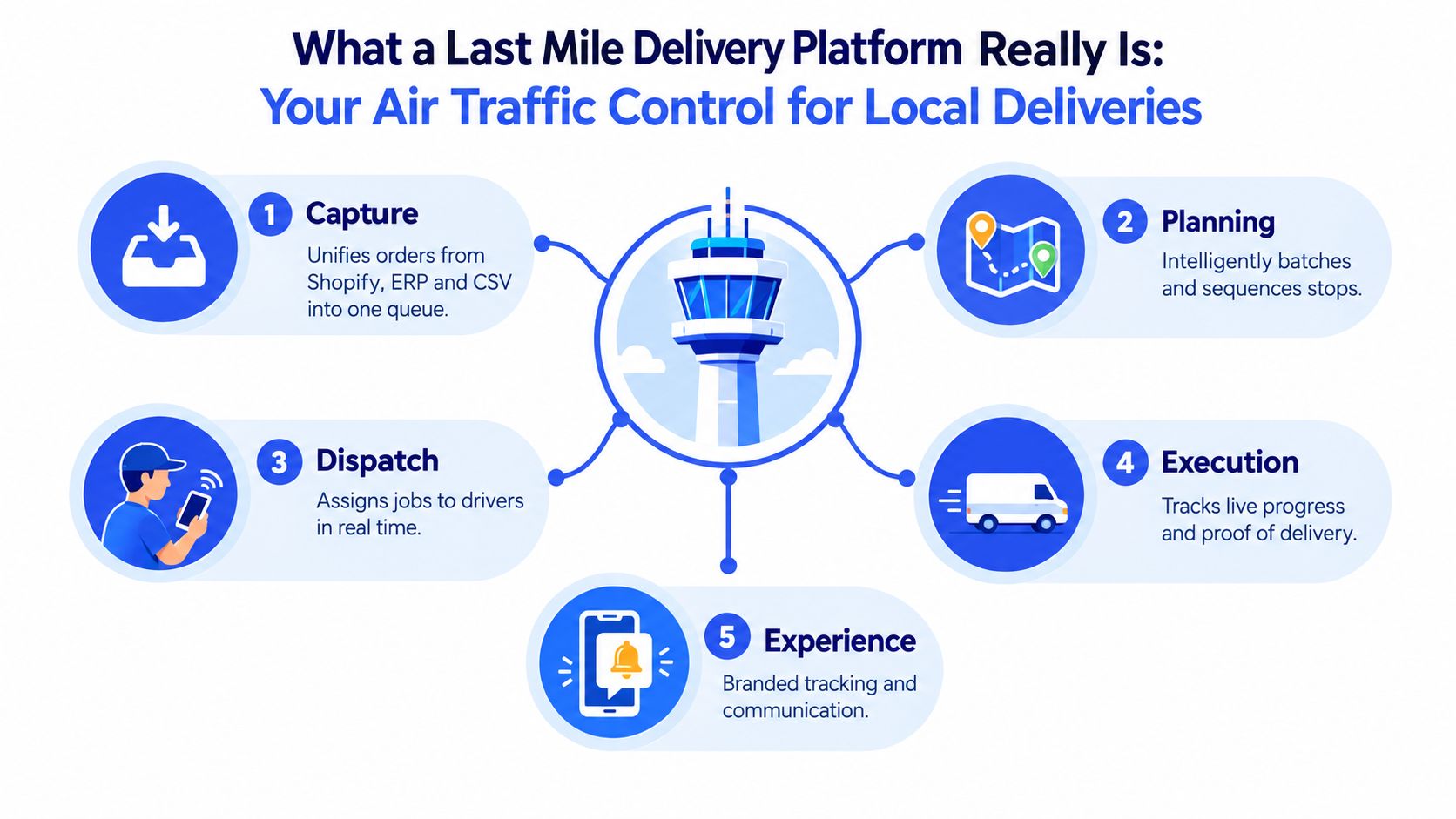
Think of a last mile delivery platform as an air traffic control tower for local deliveries. The tower doesn’t drive the aircraft. It gathers information, sequences movements, assigns resources, watches for changes, and keeps every participant aligned. A delivery platform performs the same coordination work for orders, vehicles, drivers, dispatchers, and customers.
The five-stage operating flow
A useful platform usually brings five connected stages into one place:
- Capture gathers jobs from sources such as Shopify, an ERP, or a CSV file. Instead of asking a dispatcher to copy addresses between systems, it creates one delivery queue.
- Planning groups and sequences stops according to constraints such as time windows, vehicle capacity, service duration, and delivery zones.
- Dispatch assigns routes to drivers and gives them the information needed to act. The dispatcher can adjust assignments when availability changes.
- Execution records live progress, navigation, arrival events, exceptions, and proof of delivery.
- Experience gives customers useful updates, tracking access, and delivery confirmation through the channels the business chooses.
The key word is connected. A route change should reach the driver. A completed stop should update the customer. A failed attempt should become a visible exception instead of disappearing into a phone call or handwritten note.
What it isn’t
A route planner focuses mainly on stop order. A fleet tracker focuses mainly on vehicle location. A messaging tool focuses mainly on customer communication. Each can be useful, but operating them separately forces people to reconcile information manually.
A last mile delivery platform is broader. It coordinates the events around a delivery, not just the map. That makes it especially relevant to 1PL operations, where a retailer, wholesaler, manufacturer, or service business handles its own deliveries rather than handing the entire process to a carrier.
Practical rule: If your team has to copy the same delivery information into multiple tools, you’re managing a collection of point solutions, not one delivery workflow.
The platform doesn’t remove every operational decision. Dispatchers still need to handle unusual addresses, customer requests, vehicle problems, and driver judgment. Its value is that those decisions happen against a shared, current view of the operation.
Core Features That Power Every Delivery Workflow
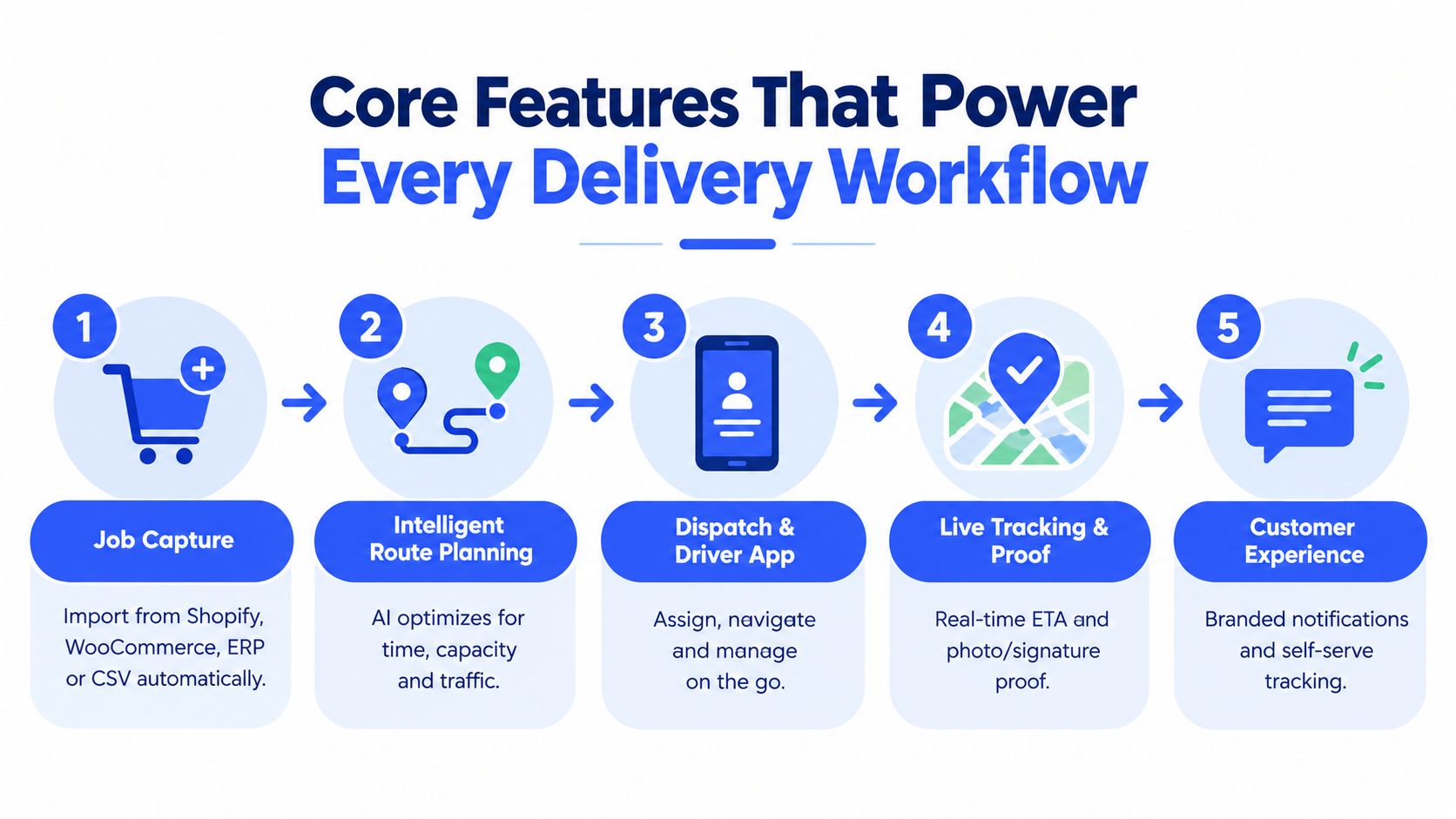
A platform becomes useful when its features hand work to one another without forcing people to re-enter information. The sequence is simple: Capture, Plan, Dispatch, Notify, Deliver. Each stage solves a different job, and the quality of the final delivery depends on the handoff between them.
Capture jobs without rebuilding them
Orders may originate in Shopify, WooCommerce, an ERP, or a spreadsheet maintained by a sales team. A delivery platform should import those jobs into a single queue, preserve the relevant address and order details, and make incomplete records visible before planning begins.
That validation step matters. A missing apartment number, an invalid postcode, or an unclear delivery note can create a failed attempt even when the route itself is efficient. Good capture turns data quality into an operational check rather than a driver discovery.
Plan around real constraints
The shortest route isn’t always the most practical route. Planning needs to account for vehicle capacity, driver availability, delivery windows, stop duration, service areas, and traffic conditions. A dispatcher should also be able to make a manual adjustment through drag and drop when local knowledge beats the automated recommendation.
A data-driven approach can go further than static map distance. Research from the Amazon Last-Mile Routing Research Challenge evaluated generated routes using measures including Sequence Deviation and Edit Distance with Real Penalty, which examine how closely a proposed stop order matches a target or executed sequence. The underlying lesson is important: useful optimization must respect operationally valid order, zone transitions, and driver behavior, not just distance. Read the technical discussion in this Transportation Science research paper on data-driven last-mile routing.
Dispatch people with little friction
Drivers shouldn’t need a complicated onboarding process for every route. A dispatch function can assign a route, provide navigation access, and give the driver a clear way to report progress or exceptions. Routelink, for example, uses unique PIN-protected driver links, so businesses can send routes to employees or subcontractors without requiring a dedicated driver app.
That model is useful when staffing changes during busy periods. It also creates a cleaner boundary between the dispatcher’s control panel and the driver’s field workflow.
Keep customers informed before they call
Customer communication works best when it’s tied to delivery events. A branded tracking page, email update, SMS message, or WhatsApp notification can explain that an order is out for delivery, provide an estimated arrival, and confirm completion.
The goal isn’t to send more messages. It’s to reduce uncertainty. A customer who can see a credible status is less likely to contact support, and a customer who receives a clear exception message has a better chance of resolving the issue before the driver leaves.
Capture proof that closes the loop
Proof of delivery should answer a simple question: What happened at the stop? Depending on the delivery type, that may require a signature, a photo, a timestamp, a location event, or a driver note. Digital evidence gives dispatchers and support teams a shared record for disputes and reconciliation.
For a practical look at how stop sequencing connects to the wider operating workflow, explore this guide to route optimization for last mile delivery.
The workflow can also support driver execution through embedded navigation and field instructions. This short video offers a visual introduction to the delivery process:
How Different Industries Use the Platform in Practice
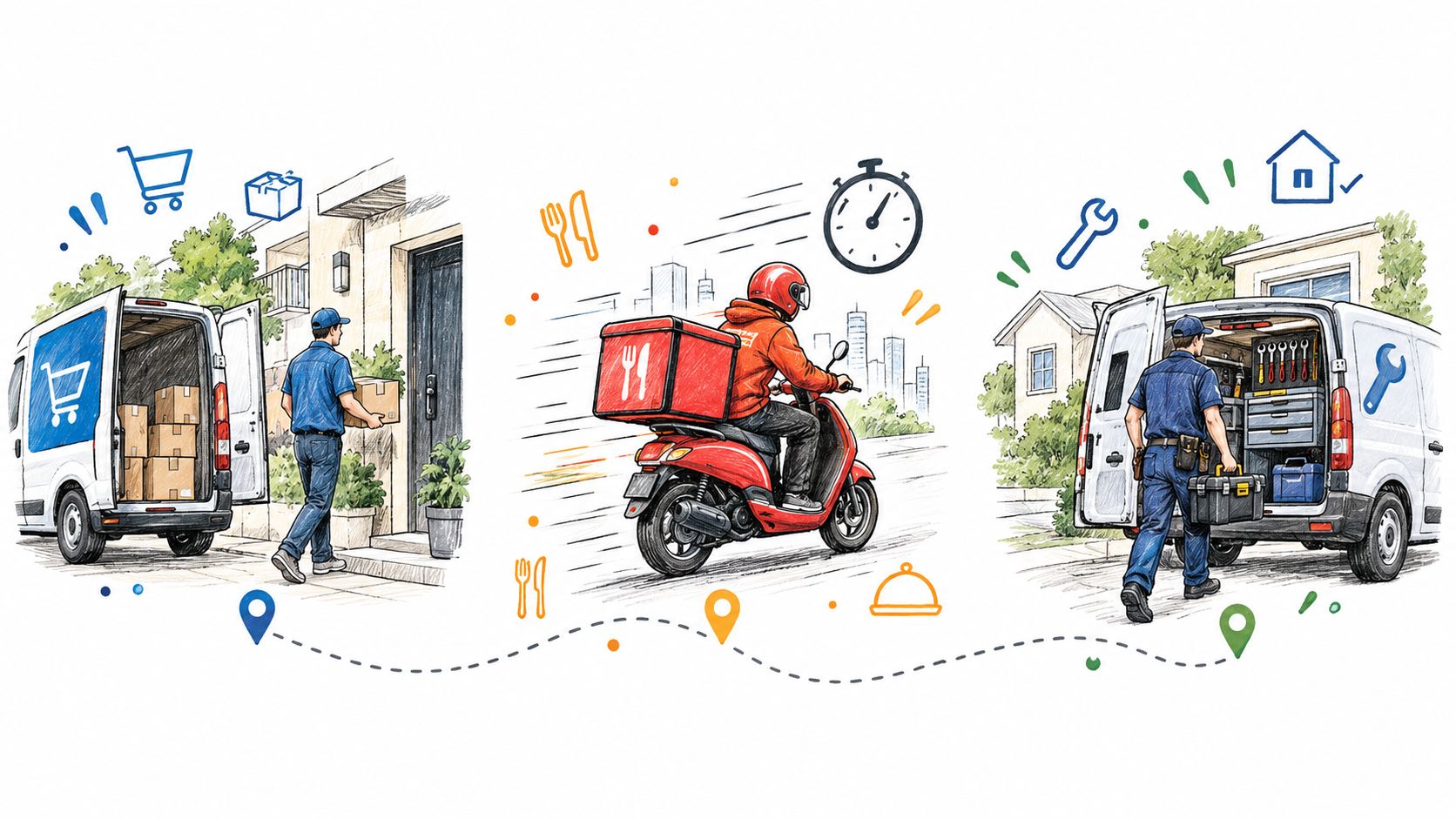
The same platform can support very different delivery models. The important difference isn’t the logo on the dashboard. It’s the operational rules behind each job.
Retail and e-commerce
A retailer usually cares about drop density, customer communication, and repeatable execution. Orders might flow from Shopify or WooCommerce into a delivery queue. The planner groups nearby stops, checks vehicle and time constraints, and assigns routes to available drivers.
The customer experience needs to match the retailer’s identity. Branded tracking and proactive notifications can keep buyers informed without sending them to a carrier website they don’t recognize. If a customer isn’t home, the dispatcher can record the exception, contact the customer, and decide whether to retry, redirect, or return the order.
For a retail operation, the platform’s central benefit is consistency. Every order follows the same visible process, even when the day’s volume or staffing changes.
Food and prepared meals
Food deliveries place greater pressure on time windows, dwell time, and exception handling. A late kitchen handoff can disrupt several downstream stops. A customer may also be unavailable for only a short period, while temperature or handling requirements make a return more complicated.
The planner should therefore reflect preparation readiness and promised delivery periods rather than treating every stop as interchangeable. When a job slips, the dispatcher needs to see which customers are affected and communicate quickly. The emissions impact can also be significant. A review found that ready-to-eat meal deliveries by fossil-fuel-powered mopeds and cars can produce transport and carbon impacts per unit delivered that are about 30 times higher than next-day parcel deliveries by van and 10 times higher than grocery next-day delivery by van according to the Sustainable Research Foundation review. That makes consolidation, practical sequencing, and vehicle choice relevant beyond cost.
Heavy goods and service deliveries
Furniture, appliances, building materials, and repair services introduce a different set of constraints. A job may require a larger vehicle, two-person handling, special equipment, a longer service duration, or a delivery confirmation that includes photographs of the item and location.
The route can’t be judged by mileage alone. A platform must help the dispatcher match the job to the available capacity and crew, then preserve the delivery instructions through execution. A driver link without a required app can simplify onboarding for temporary workers, while live tracking gives the office a better view of arrival timing.
The right configuration follows the work. Don’t force retail assumptions onto food delivery, or parcel assumptions onto heavy goods.
To map your operation, ask three questions. What makes a stop difficult, what event proves successful completion, and which exception requires human intervention? Those answers should shape the platform configuration more than a generic feature checklist.
Integration Implementation and Security Essentials
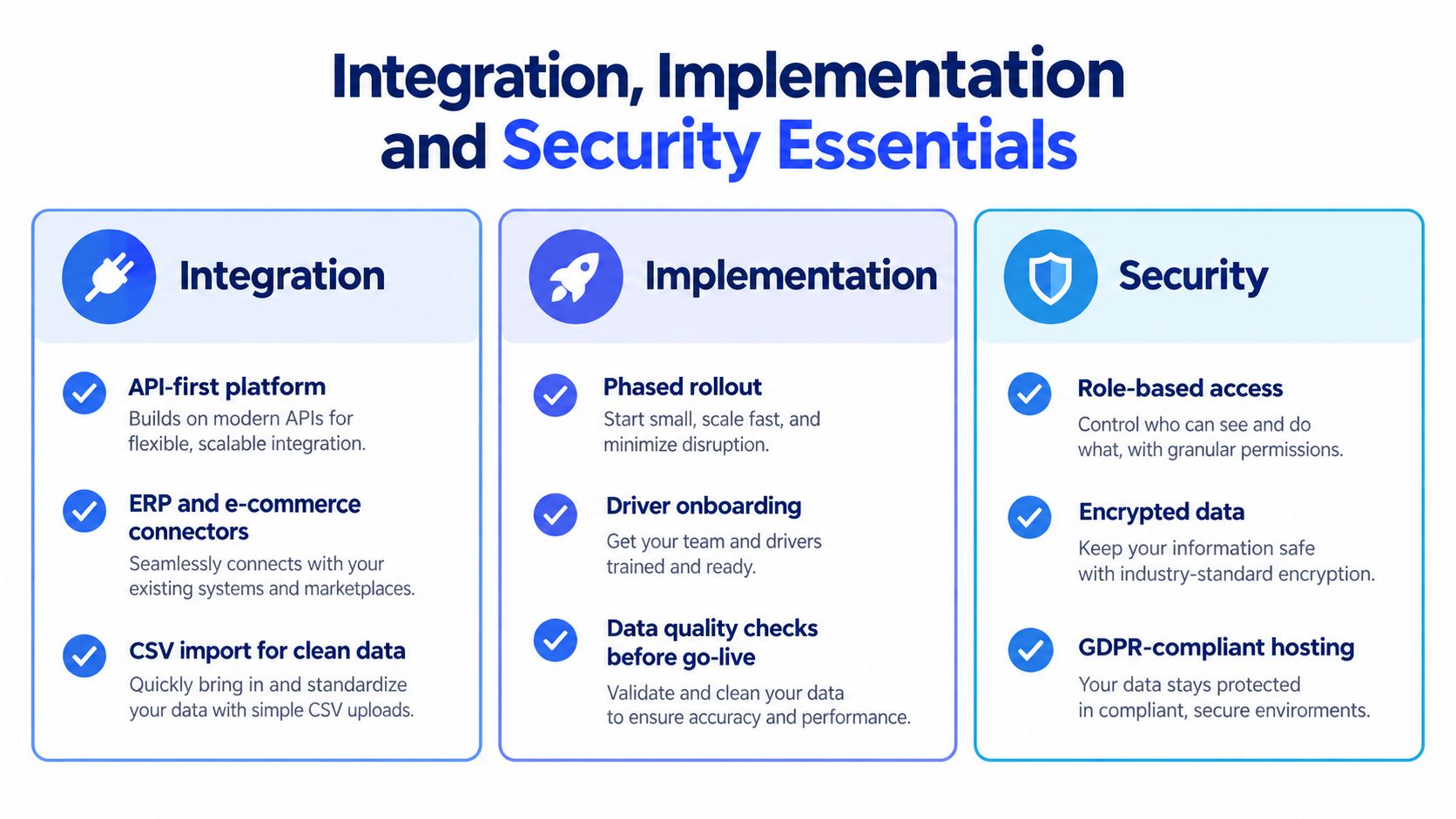
A delivery platform only improves control if it receives reliable information and returns useful events to the systems your team already uses. Integration is therefore an operating decision, not just a technical task.
Start with the data path
Map how an order enters the business, becomes a delivery job, reaches a driver, and returns as a completed or failed event. Then identify the system of record for each field:
- Order details: Which system owns the customer, address, items, and delivery instructions?
- Planning inputs: Where do time windows, vehicle types, capacity, and driver availability come from?
- Completion events: Where should signatures, photos, timestamps, and exception notes be stored?
- Customer updates: Which channel should trigger an email, SMS, WhatsApp message, or tracking page?
An API-first platform can support direct connections to e-commerce and ERP systems, while CSV or Excel imports provide a practical fallback for teams that aren’t ready for a full integration. For a broader explanation of how connected APIs can support automated decision workflows, see how API integration powers AI agents.
Implement in controlled stages
A phased rollout reduces confusion. Begin with one delivery area, one team, or one workflow that has a clear owner. Test the full path from import to proof of delivery, including an invalid address, a late driver, a customer change, and a failed attempt.
Dispatchers need training on both automation and overrides. Drivers need short, practical instructions for opening their route, navigating, updating status, and capturing proof. A platform that works only when every record is perfect will fail in the field, so your process should define who fixes bad data and how quickly.
Protect access and delivery evidence
Security decisions should match the sensitivity of the information being handled. Use role-based access so drivers, dispatchers, managers, and support staff see what they need without receiving unrestricted control. Protect driver access with secure links or PINs, and review how the platform stores customer details, location information, signatures, and photographs.
Ask vendors about encryption, retention, account recovery, audit history, and hosting practices. If your business operates under privacy requirements, confirm how the provider supports applicable obligations, including GDPR where relevant. Security isn’t separate from usability. A driver who can’t access a route safely or a dispatcher who can’t verify an event will create operational workarounds.
Measuring Success With KPIs ROI and Cost Factors
A delivery platform earns its place by making performance easier to understand and control. Start with measures tied to operating decisions, then compare the results with software, implementation, labor, vehicles, fuel, and failed-attempt costs. The goal is predictability: knowing which problems are recurring, where they begin, and whether Routelink workflows help dispatchers resolve them before they become repeat work.
As delivery activity grows, small sources of waste can spread across many routes and shifts. That makes a consistent baseline more useful than a dashboard filled with disconnected numbers.
Choose KPIs that expose causes
| KPI | What It Tells You | Platform Lever That Improves It |
|---|---|---|
| Stops per hour | How effectively drivers convert available time into completed stops | Route sequencing, reduced dwell time, clearer instructions, and faster exception decisions |
| On-time delivery rate | Whether the operation meets promised delivery windows | Constraint-based planning, live progress monitoring, and proactive customer updates |
| Cost per delivery | The full operational burden attached to each completed job | Route compression, capacity use, labor planning, and fewer repeat attempts |
| First-attempt success | Whether drivers complete the job without a retry or return | Address validation, customer notifications, delivery notes, and exception workflows |
| Fuel per route | How much vehicle energy the route consumes | Lower driven distance, practical stop grouping, and appropriate vehicle assignment |
Use benchmarks to form a starting hypothesis, then test it against your own baseline. In enterprise operations, automated dispatch is reported to raise driver productivity from about 10 to 13 stops per hour, with best-in-class systems exceeding 15 stops per hour. Route optimization that cuts driven miles by 12% to 18% is expected to reduce fuel use and carbon emissions proportionally as described by Locus. These figures provide context, not a promise for your fleet.
Model the economics honestly
List recurring platform fees, onboarding effort, integration work, driver training, support requirements, and usage-based charges. Then record the costs the platform may influence, including fuel, dispatcher time, failed attempts, customer support contacts, and vehicle utilization. For a practical baseline, see how to calculate cost per mile before comparing route changes or vendor proposals.
Measure exceptions as well as successful deliveries. A route can look efficient while repeated address problems, customer changes, or failed attempts consume dispatcher time. Track how often each exception occurs, how long it stays open, and whether the platform records its owner, action, and outcome. That visibility shows whether automation is reducing work or shifting it into email, calls, and spreadsheets.
AI deserves a targeted evaluation rather than automatic approval. Adoption rose from 46.2% to 66.3% of operators year over year, while fuel, driver availability, and vehicle operating costs remained dominant pressures in the reporting from WWD’s Sourcing Journal. AI may help when demand, capacity, or delivery promises change frequently. Stable routes with poor address data may gain more from simpler workflows and disciplined human review than from a complex model.
Buyers Checklist and Pitfalls to Avoid Before You Choose
A vendor demonstration should follow one of your real delivery days, including the parts that usually go wrong. Ask the provider to show what happens when an address is incomplete, a driver becomes unavailable, a customer changes instructions, or a delivery cannot be completed.
Use this checklist:
- Exception management: Can dispatchers assign, escalate, retry, reschedule, or close an exception without leaving the platform?
- Real-time visibility: Can managers see route progress, customer status, and delayed stops in one view?
- Interoperability: Does the platform connect to your ERP and e-commerce systems, and can it accept clean CSV imports?
- Driver onboarding: Can employees and subcontractors start quickly, with secure access and clear field instructions?
- Notification control: Can you choose branded tracking, email, SMS, and WhatsApp messages by workflow?
- Proof of delivery: Can the system capture signatures, photos, timestamps, and notes, then make them searchable?
- Human overrides: Can an experienced dispatcher adjust an automated plan without fighting the system?
The most common mistake is buying for speed alone. Operators increasingly place greater weight on control and predictability, while delivery costs rose 12% year over year and 88% of operators said costs were growing as fast as revenue or faster, according to recent last mile industry reporting. A faster route won’t solve missing proof, poor integrations, or silent exceptions.
Run a focused pilot with representative orders, drivers, vehicles, and difficult stops. Measure the KPIs that matter to your operation before expanding. Routelink can support a workflow that imports delivery jobs, plans routes with configurable constraints, dispatches through PIN-protected driver links, provides branded tracking and notifications, and captures signatures and photos as proof of delivery. Visit Routelink to review how its connected Capture, Plan, Dispatch, Notify, and Deliver workflow could fit your local delivery operation.