Delivery Driver Route Planning: A Practical 2026 Guide
Plan, optimize, and validate every delivery driver route with this practical 2026 guide covering constraints, tools, dispatch, and KPIs.

Monday morning starts the same way in a lot of delivery operations. Orders are coming in from Shopify, the drivers are already asking what’s first, and dispatch has to decide whether today’s delivery driver route will be clean or chaotic before the first van leaves the lot. The difference usually isn’t miles, it’s whether the route can absorb real-world constraints, time windows, capacity, and those last-minute changes that always show up when the day’s already in motion.
Table of Contents
- What a Delivery Driver Route Looks Like in 2026
- The Inputs You Need Before You Optimize a Single Stop
- Optimization Techniques That Move the Needle
- Dispatch, Driver Handoff, and Proof of Delivery Without the App
- Why the Best Algorithm Route Can Still Lose to a Familiar Driver
- Re-Optimizing Routes Mid-Shift Without Starting Over
- KPIs That Turn Routing from a One-Off Into a System
What a Delivery Driver Route Looks Like in 2026
At dispatch, a route is no longer a paper manifest with a neat stop list and a driver’s initials at the bottom. It is a live operating plan that has to survive customer promises, building access issues, driver shift limits, vehicle capacity, and whatever the day throws at it after rollout. If one stop slips, the rest of the route does not just move by a few minutes, it can start to break down.
Modern routing is a constrained sequence of stops. The job is to fit deliveries into a shape that works in the field, not just on a spreadsheet, and that shape changes with time windows, dwell time, and how dense the stops are in a territory. For a practical planning view, a delivery route planner has to handle those constraints before it can sequence anything well. The labor side matters too. The U.S. Bureau of Labor Statistics reports a median annual wage of $37,130 for driver/sales workers in May 2024, with 8% projected employment growth from 2024 to 2034 and about 171,400 openings per year on average across the decade. That gives a sense of how large route-based delivery has become as a labor market BLS delivery driver outlook.
The old model breaks under today’s workload
A route that looks tidy from the office can still be rough on the road. Driver-reported Amazon route discussions describe daily workloads that often land between 80 and 105 stops on lighter routes, 130 to 150 stops on average routes, and 180 to 190 stops or more on heavier routes, with peak and extreme examples reaching 195 to 215 stops and 400 to 475 packages Indeed route discussion. That is not a simple mileage problem anymore. It is a dispatch problem, a service-time problem, and a handoff problem all at once.
Practical rule: once a route gets stop-dense, small planning errors start compounding. A few extra minutes of dwell time at each stop can be the difference between a route that closes cleanly and one that drifts late all afternoon.
The right way to think about a delivery driver route in 2026 is straightforward. It is an operating plan that has to balance stop order, service time, access constraints, and operational limits while still leaving enough room to handle exceptions without blowing up the day. Everything else is just packaging.
The Inputs You Need Before You Optimize a Single Stop
The cleanest optimizer in the world will produce nonsense if the inputs are sloppy. Before you touch sequencing, you need honest stop data, realistic service time, real time windows, vehicle capacity, and driver shift hours. That’s the baseline, and it’s also where most route failures begin.
Start with stop data that can actually be delivered
Addresses need to be clean, geocoded correctly, and checked for obvious issues like duplicates or incomplete suite numbers. If a stop can’t be placed on a map accurately, the optimizer is already guessing. Imports from Shopify, WooCommerce, an ERP, or a CSV file are fine, but only if the underlying fields are complete enough to support planning.
Model time the way the road really behaves
Service time is where optimistic planning usually gets exposed. A route can look efficient until parking, gate codes, elevator waits, signature collection, or a hard-to-find receiving door start slowing every stop. Track actual stop times for at least a week, then use that data to set service assumptions that reflect the world, not the fastest possible version of it.
If nobody measured stop time, the route model is probably lying.
That warning matters because route feasibility depends on more than distance. Expert workflow guidance recommends cleaning stop data, adding service times and time windows, assigning vehicles and drivers with shift hours and capacity limits, then running a multi-vehicle optimizer and checking unassigned stops before dispatch TrackRoad route optimization workflow.
Capacity and shifts decide what’s feasible
A route isn’t valid if it overloads the vehicle or pushes the driver past the shift. Capacity limits need to include what goes on the truck, not what the sales order says in theory. Shift hours need to reflect the working day you can support without relying on overtime as a routine fix.
If you want a practical routing workflow that ties these inputs together, the planning logic described in this delivery route planner guide is the right place to pressure-test your data before you publish the day’s board.
Optimization Techniques That Move the Needle
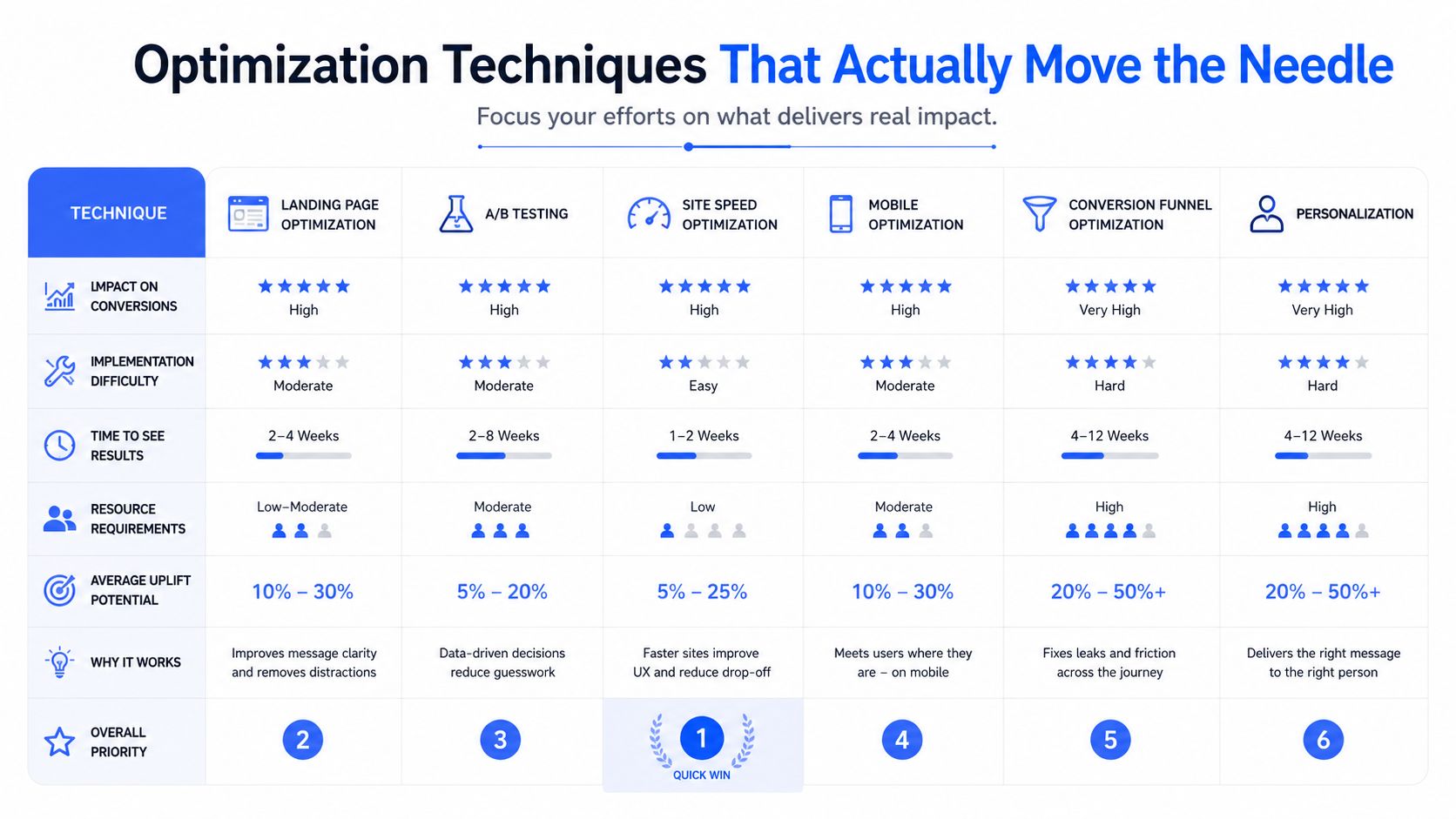
The route engine should start with constraints, not with the shortest path on a map. A route that misses time windows, overloads a vehicle, or ignores driver hours is a bad plan, even if it looks tidy in software. Field work usually rewards a layered approach, because dispatch has to make decisions that survive traffic, callouts, and real stop times.
Geographic clustering first, sequencing second
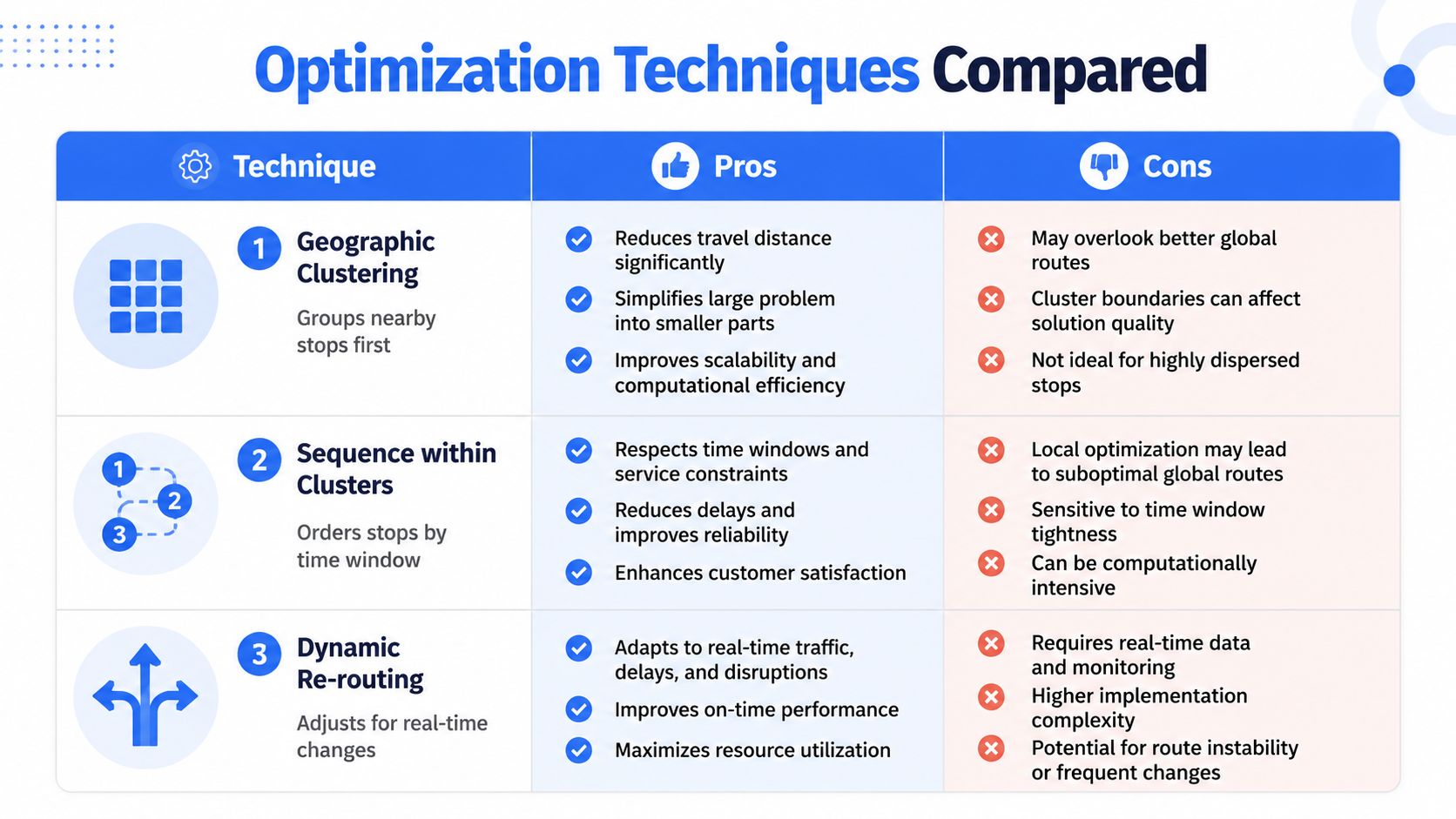
Geographic clustering groups nearby stops before the optimizer tries to order them. That cuts down on cross-town backtracking and gives dispatch a base that matches how routes get driven. Once the stops are grouped, sequencing inside each cluster can focus on time windows and service order instead of burning time on long swings across the territory.
Solvers beat simple guesses when the board gets messy
Higher-volume delivery should be treated as a constrained optimization problem, not a shortest-path exercise. A good engine checks thousands of stop combinations against distance, drive time, capacity, driver availability, and time-window feasibility before it settles on a sequence. That is what separates a route that looks efficient from one the driver can finish.
A Vehicle Routing Problem with Time Windows model fits when delivery promises are attached to the board. Guidance on Google OR-Tools uses a time dimension, soft lateness penalties, overtime penalties, capacity constraints, and optional node-dropping costs to balance service quality against operating limits TrackRoad VRPTW guidance. The objective matters too. If you optimize for distance, time, vehicle count, or cost, the output changes in real ways, so teams should compare scenarios instead of assuming one setting works for every dispatch window Upper route optimization techniques.
Practical rule: if the route only works after you ignore service time, it is not a good route.
Simple heuristics still have a place. They are quick, easy to explain, and sometimes good enough on low-complexity days. Once windows, capacity, and stop volume start colliding, a solver that can balance penalties and constraints usually gives dispatch a board that holds up in the field.
For a deeper technical framing of the underlying model, the vehicle routing problem overview is the right mental model to keep in mind when you are choosing software or checking whether your current setup is too limited.
Dispatch, Driver Handoff, and Proof of Delivery Without the App
A route is only useful when the driver can start it without friction. If dispatch needs to train every seasonal driver on a full native app before the first delivery, you’ve created another bottleneck. The handoff has to be simple enough that a subcontractor can open it on a phone, start the day, and keep moving.
The driver should get the route in one clean link
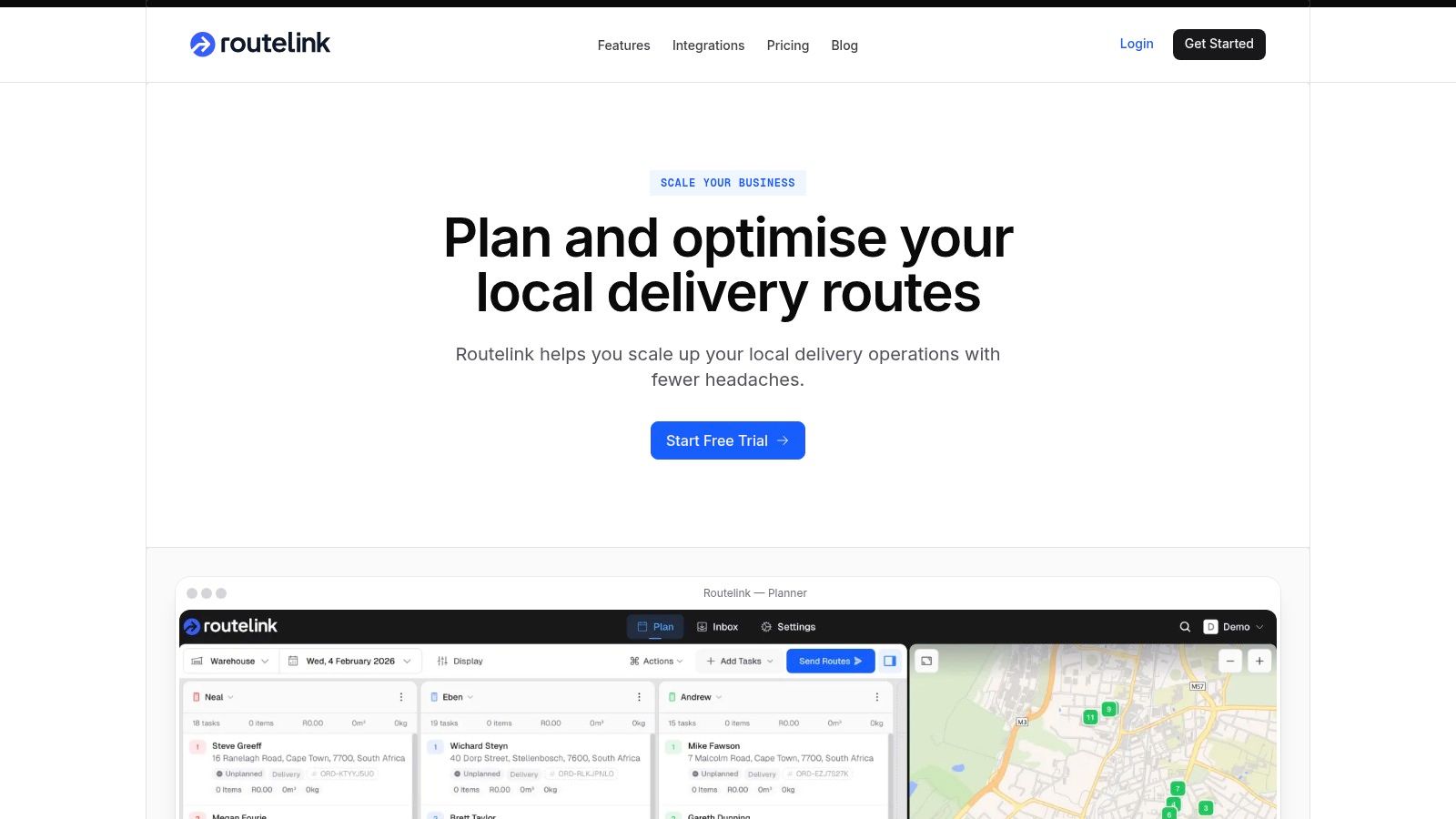
A workable dispatch flow sends each driver a unique, PIN-protected link that opens in a phone browser. That matters because it removes the app-install step and makes it easier to onboard temporary staff during busy periods. The driver sees the stop sequence, the order is tied to that route, and the dispatcher keeps a clean record of what was assigned.
Tracking, navigation, and delivery proof belong in the same flow
Once the route is live, customers should get branded updates through email, SMS, or WhatsApp, while drivers use turn-by-turn navigation through Google Maps and capture proof of delivery with photos and sign-on-glass e-signatures. Those functions shouldn’t feel like separate tools stitched together at the last minute. They should feel like one operational handoff that moves from planning to execution to confirmation without a lot of manual intervention.
Here’s the operational reason that matters. When the route sequence, customer notification, and proof of delivery live together, it’s much easier to resolve disputes and track performance after the fact. Dispatch doesn’t have to reconstruct the day from memory.
Useful filter: if a platform can’t push the route cleanly to drivers and record delivery evidence in the same workflow, it’s creating work somewhere else.
One practical option in this category is Routelink, which combines route planning, driver dispatch through a PIN-protected link, customer notifications, Google Maps navigation, and proof of delivery capture in a single workflow. The value isn’t a flashy interface, it’s fewer handoffs between planning and execution.
If proof of delivery is where your disputes start, the proof of delivery software guide is worth reading before you standardize your process.
Why the Best Algorithm Route Can Still Lose to a Familiar Driver
A slightly shorter route on paper can lose to a driver who knows the territory. That’s not sentimentality, it’s operational reality. Drivers who know a neighborhood often know which gate code fails, which dock runs late, where parking gets blocked, and which customer always answers the door slowly.
Human feedback changes route quality in ways software misses
Route planning tools can handle distance and windows, but field feedback captures things the model won’t know unless someone tells it. Recent guidance on courier routing notes that routes improve when drivers are matched to familiar territories and when their feedback about access issues, traffic pinch points, and customer patterns gets folded back into planning Locus courier route guidance. That feedback loop is the difference between an abstract route and a route that works on the street.
The planner, driver, and optimizer need a loop
The best process is simple. Driver notes go back to dispatch, dispatch updates the stop data, and the optimizer reruns with better assumptions. If the planner never hears from the field, the same bad assumptions stay in the system and keep producing avoidable misses. If the driver knows a territory well, don’t waste that knowledge.
The point isn’t to replace algorithmic routing with tribal knowledge. The point is to combine them so the plan reflects what drivers see every day.
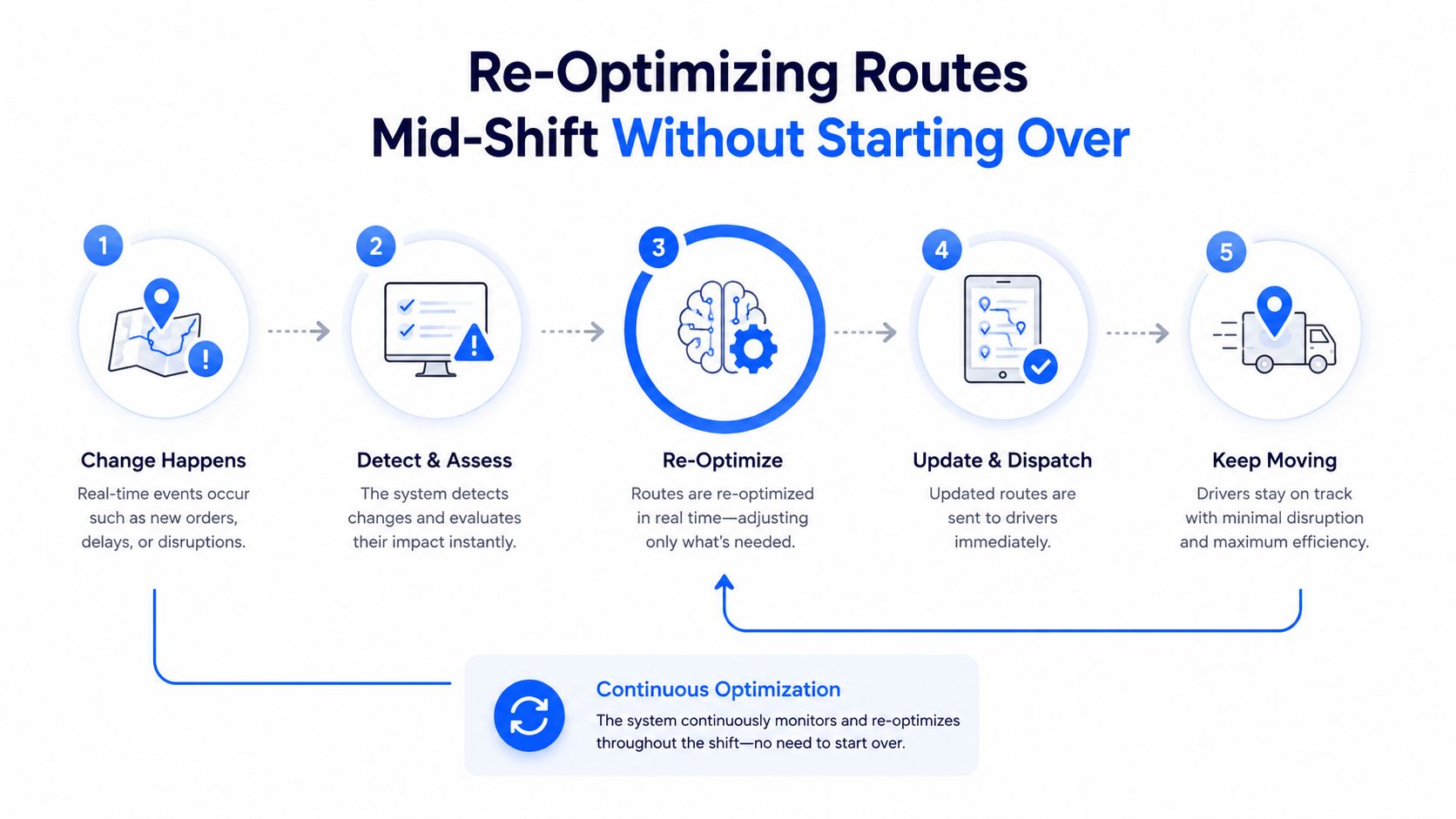
Re-Optimizing Routes Mid-Shift Without Starting Over
A route that looked fine at 7 a.m. can be wrong by noon. Traffic backs up, a customer is gone, a stop fails, or a new order lands after the first wave is already on the road. Dispatch needs a way to correct the day without tearing up the whole plan.
Re-optimize the affected stops, not the whole board
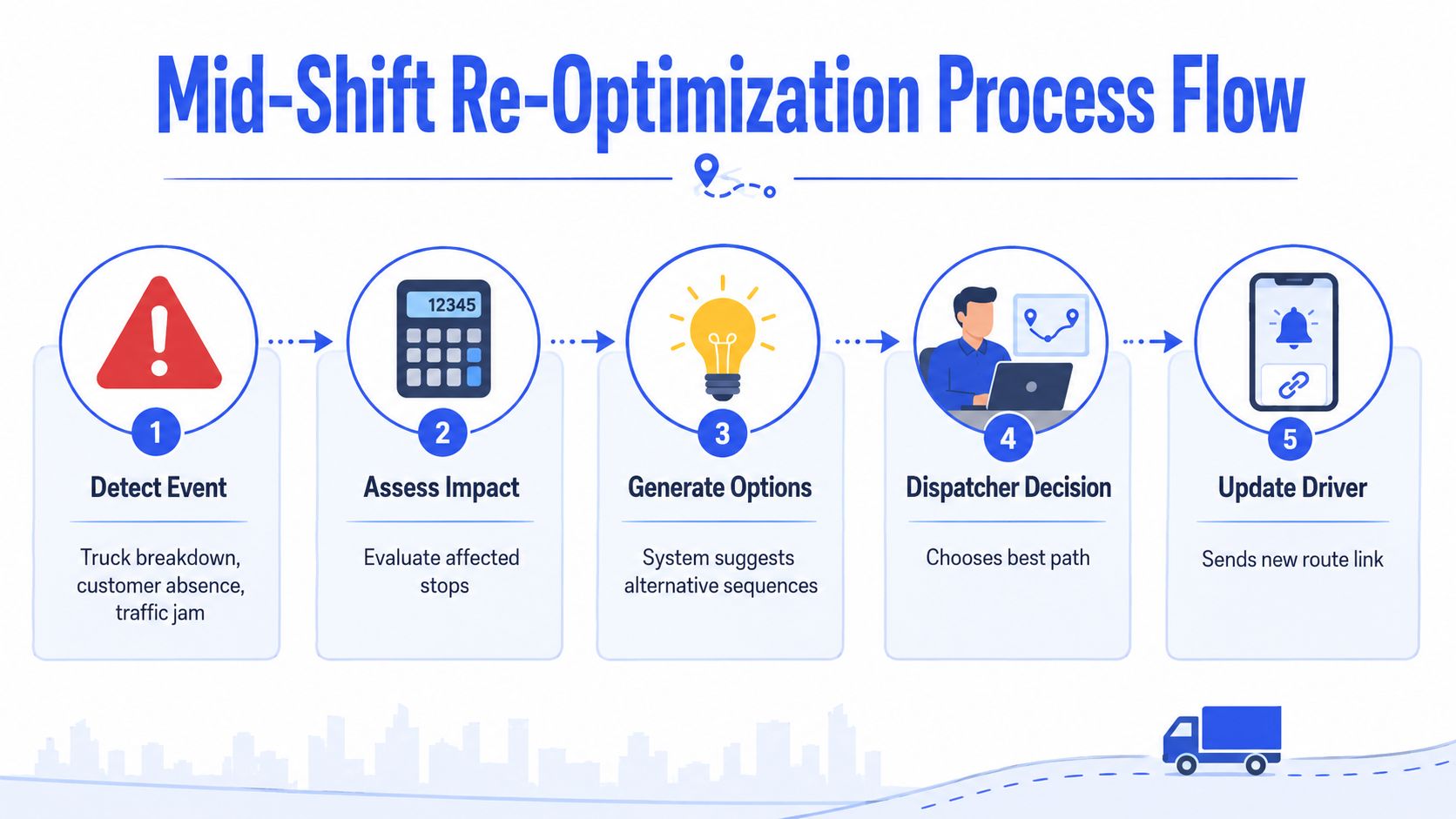
When one vehicle breaks down or a stop fails, isolate the disruption first. Re-sequence the affected stops, rebalance the remaining load if capacity allows, and send only the revised work to the drivers who need it. That keeps the rest of the fleet steady and avoids turning one local problem into a wider delay.
Recompute ETAs when the route changes materially
A route update should trigger a new ETA where it matters, not a full reset of every message and stop. If a bridge closes or a new order arrives mid-day, the planner should review the affected set, generate alternatives, make a dispatcher decision, and send the revised route link to the driver. That workflow keeps the day moving without pretending the original plan still exists.
Practitioner route-planning guidance points in the same direction. Keep routing flexible, adjust as conditions change, and treat high-volume networks as systems that may need multiple optimization cycles in a single shift C3 delivery route optimization.
Don’t rebuild the route unless the disruption invalidates the route.
That discipline matters because every unnecessary recompute adds noise for dispatch and for the driver. The better move is to contain the disruption, update only what changed, and keep the remaining stops intact whenever possible.
KPIs That Turn Routing from a One-Off Into a System
If you don’t measure routing, you end up debating opinions. The useful metrics are the ones that tell you whether the route matched reality and where the plan drifted. That’s how routing stops being a daily scramble and becomes an operating system.
Track the few metrics that expose real friction
Start with stops per route, on-time delivery rate, first-attempt success rate, average dwell time per stop, miles per stop, driver utilization, and the gap between planned and actual route duration. Those metrics tell you whether the route was feasible, whether the customer promise held, and where the day lost time. They also help you separate planning failures from execution problems.
A realistic benchmark range helps keep the conversation grounded. Based on driver-reported route discussions, a single delivery driver route often sits in these rough bands:
| Route Type | Typical Stops | Notes |
|---|---|---|
| Lighter route | 80 to 105 | Often seen as a lighter daily workload in driver discussions Indeed route discussion |
| Average route | 130 to 150 | Commonly described as a typical day in route threads Indeed route discussion |
| Heavy route | 180 to 190 or more | Often cited when workload gets dense and demanding Indeed route discussion |
Those ranges are not a goal by themselves. They’re a sanity check. If your route consistently lands far outside the workload your drivers can absorb, the problem is probably in the model, the service times, or the stop density.
Feed the KPIs back into the next plan
The value of these numbers is in the loop they create. A high dwell time at one stop becomes a new planning assumption. A repeated late-window miss becomes a constraint review. A route that finishes well under plan tells you where the model was too conservative.
That’s the fundamental shift. Routing stops being a one-off sequence and becomes a system that learns from its own misses.
Rollout checklist for the next dispatch cycle
- Audit stop data: Clean addresses, geocodes, and missing fields before the next batch goes out.
- Measure service times: Track real stop duration for at least a week.
- Define constraints clearly: Lock in time windows, vehicle capacity, and shift hours.
- Run the optimizer: Publish only after checking unassigned stops and infeasible windows.
- Dispatch cleanly: Send each driver a direct route link they can open on a phone.
- Track actuals: Compare planned duration, dwell time, and completion against the original plan.
- Feed back the field notes: Update access issues, parking friction, and territory knowledge before the next run.
If you want a platform that ties planning, dispatch, customer updates, navigation, and proof of delivery into one operational flow, Routelink is built for that kind of local delivery work. Set up a route, push it to drivers, and compare planned versus actual performance so your next day starts with better data than the last one.