Last Mile Carrier Tracking: A Practical Guide for 2026 — Routelink
Learn what last mile carrier tracking is, why it matters for delivery operations, and how to choose and implement the right solution for your business in 2026.

20 August 2026 · Routelink Team
Last Mile Carrier Tracking: A Practical Guide for 2026
Learn what last mile carrier tracking is, why it matters for delivery operations, and how to choose and implement the right solution for your business in 2026.
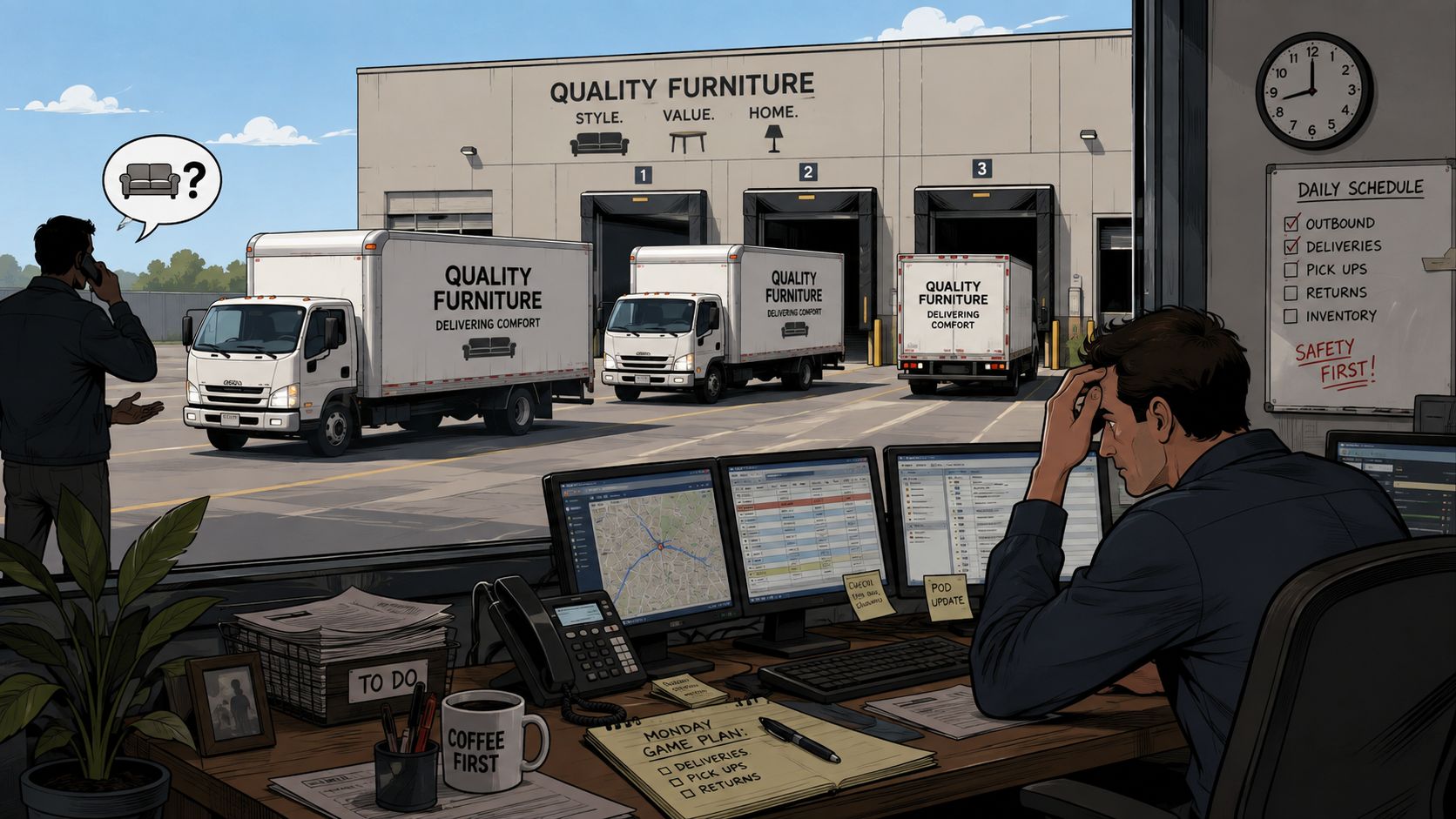
Monday morning starts with three delivery trucks leaving a regional furniture retailer’s warehouse. Within minutes, the dispatcher is answering “where is my order?” calls, one customer has complained that the promised window has already slipped, and the route board is becoming a collection of guesses. The team can see that jobs are out for delivery, but it can’t see enough of the operation to act confidently.
Which truck is closest to the address where nobody answered? Has the driver reached the late stop, or is the route still backed up by an earlier installation? Will today’s fuel spend stay within plan after the extra miles? Without live operational data, the dispatcher learns about problems through phone calls, driver updates, or failed deliveries.
That’s the difference between a tracking page and an operational control layer. Last mile carrier tracking can show a customer where a parcel is, but a useful system also helps a 1PL operator identify risk, intervene before a missed stop becomes a re-delivery, and connect route activity with cost and service performance.
Table of Contents
- A Day in the Life of a Last Mile Delivery
- What Last Mile Carrier Tracking Actually Means
- Core Features That Make Tracking Useful
- Passive Tracking Versus Predictive Visibility
- Implementing Tracking Without Rebuilding Your Operation
- Measuring Success With the Right KPIs
- Choosing a Tracking Vendor and Where Routelink Fits
A Day in the Life of a Last Mile Delivery
At the furniture retailer, the first warning arrives when a driver marks a customer as unavailable. The dispatcher knows the delivery failed, but the system doesn’t show which vehicle is nearby, whether another driver has capacity, or whether a revised appointment is realistic. Someone has to call around, interrupt a route, and make a decision using incomplete information.
The second problem appears farther down the route. A driver is running late after a difficult installation, yet the next customer hasn’t received an updated ETA. That customer may leave home, call the retailer, or reject the delivery when the truck arrives outside the expected window. A normal delay becomes a preventable service issue because nobody communicated early enough.
Fuel creates a third blind spot. The manager sees the final fuel bill later, but not the route behaviors that caused it today. Extra mileage from poor sequencing, avoidable returns to the depot, and repeated attempts can erode margin across a high-volume delivery schedule.
The cost of learning too late
Last-mile delivery already places significant pressure on logistics economics. A 2023 industry summary of last-mile delivery costs reported that the final mile accounted for 28% of total delivery costs, while failed first-time deliveries represented 24% of total last-mile costs. Those figures explain why a failed stop isn’t merely a customer-service inconvenience. It can create another dispatch, another driver hour, more fuel use, and more exception handling.
The same source estimated the global last-mile delivery market at USD 78.31 billion in 2022 and projected a 24.5% CAGR through 2030. It also reported that 67% of consumers expected same-day delivery options in urban areas in 2023, which places more pressure on teams to provide accurate ETAs and timely exception alerts.
Operational rule: If your team finds out about a delivery problem only after the customer calls, tracking is reporting history, not controlling the route.
A 1PL operator needs a shared view that connects the driver, dispatcher, customer, and manager. The rest of this guide focuses on the practical mechanics, from the data a tracking system captures to the warnings it should generate, the proof it should retain, and the KPIs that show whether the operation is improving.
What Last Mile Carrier Tracking Actually Means
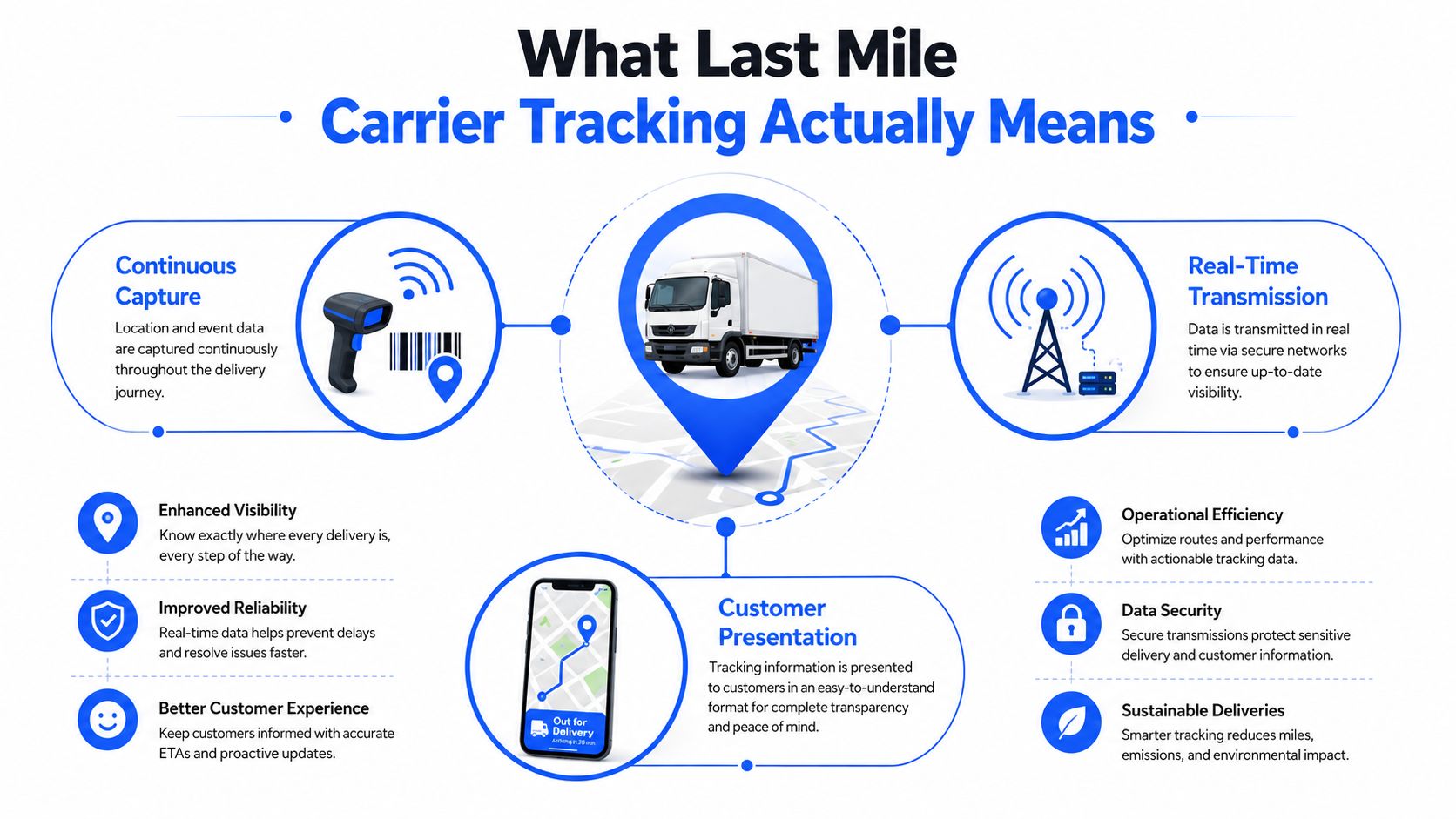
In plain language, last mile carrier tracking is the continuous capture, transmission, and presentation of a shipment’s status from the depot to the customer’s address, or back through the return process. It starts with a job entering the delivery workflow and ends with a confirmed outcome, such as delivered, failed, rescheduled, or returned.
A basic tracking record answers a narrow question: Where is the shipment, and what happened most recently? It may use barcode scans, GPS data, driver status changes, or carrier events to display milestones such as out for delivery, delayed, delivered, and proof of delivery.
That’s useful, but it’s only the first layer.
Three parts of the tracking layer
Continuous capture collects signals from the delivery process. A driver app can send location updates, while barcode scans, delivery photos, signatures, and status buttons record what happened at each stop.
Real-time transmission moves those signals into a system that dispatchers and customers can access. The data may come from an in-house driver, a contracted carrier, a postal network, or another delivery provider. Because carrier networks can be fragmented, unified data matters. By 2026, Parceler described support for more than 3,200 global carriers, while another service reported coverage of 1,653 carriers in 2026. The coverage figures illustrate why automatic carrier detection and a single tracking view have become valuable across international delivery networks.
Customer presentation turns operational events into understandable updates. That might be a branded tracking page, an email, an SMS message, or a delivery confirmation. The customer needs clarity, but the operations team needs more detail, including stop risk, route position, and intervention options.
A helpful analogy is the difference between a rearview mirror and navigation. Passive tracking is the rearview mirror. It shows where the driver or package has been and reports the latest known state. Predictive visibility is navigation. It uses current route signals to estimate what will happen next and identify whether the driver is heading toward a late arrival or a failed stop.
The term applies to both company-owned fleets and contracted carriers. In either case, tracking should serve two audiences at once. Customers want confidence about arrival, while operators need enough advance notice to change the outcome.
Core Features That Make Tracking Useful
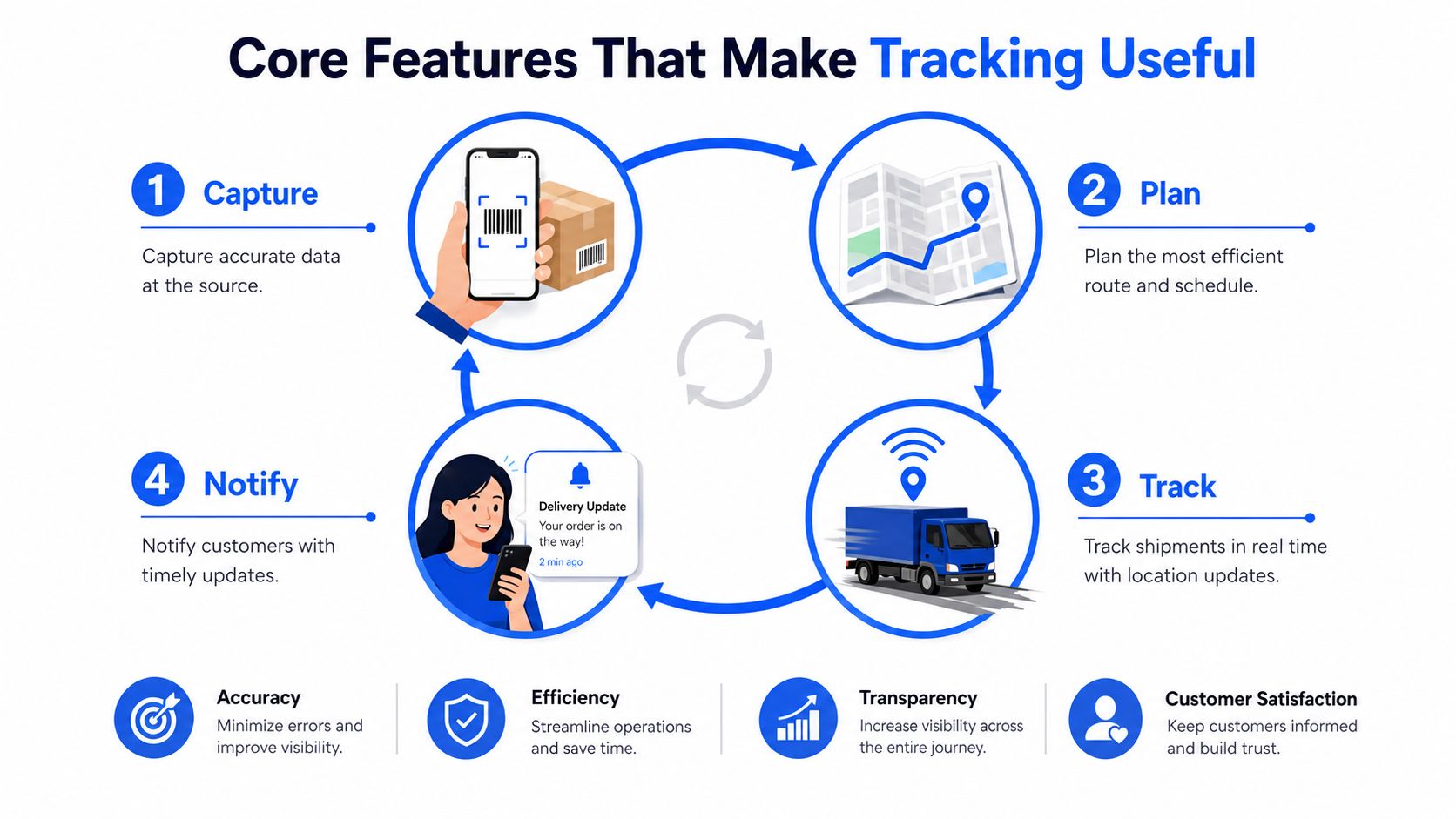
A modern tracking system works as a closed loop, not as a collection of disconnected screens. The useful flow is capture, plan, dispatch, notify, and deliver. Each stage creates information that improves the next stage and reduces a different source of avoidable cost.
Capture creates the operational record
The process begins when the system records the job and continues when the driver interacts with it. GPS pings show route movement, barcode scans confirm handling, and driver status updates identify arrival, attempted delivery, or completion. Photos and signatures add context that a simple delivered timestamp can’t provide.
This data reduces manual check-calls and gives the dispatcher evidence instead of assumptions. If a customer disputes a drop-off, the team can review the relevant delivery record rather than reconstructing events from messages and memory.
Plan turns orders into workable routes
Planning assigns stops according to practical constraints, such as delivery windows, vehicle capacity, service requirements, and driver availability. Route optimization helps reduce unnecessary mileage, fuel consumption, and overtime by creating a sequence that fits the day’s workload.
The plan shouldn’t be treated as permanent. Traffic, failed stops, cancellations, and urgent jobs can change the route after departure. A useful system lets the dispatcher adjust assignments without losing the original operational record.
Dispatch makes the plan actionable
Dispatch connects each stop to a driver and gives the team a live view of progress. If one driver falls behind, the dispatcher can identify affected stops, review nearby capacity, and decide whether to reassign work or communicate a delay.
That visibility reduces missed windows because the team can act before the customer experiences the exception. It also helps managers distinguish a driver issue from a planning issue, which leads to better process decisions later.
Notify closes the communication gap
Notifications should match the event. Customers might receive an order confirmation, an out-for-delivery message, an ETA update, a delay alert, or a delivery confirmation through SMS, email, WhatsApp, or a branded tracking page.
Clear updates reduce WISMO, meaning “where is my order?” contacts, because customers don’t need to ask for information the system already has. A silent route creates anxiety even when the delivery is still progressing normally.
Deliver proves what happened
The final stage captures proof of delivery through a signature, photo, PIN, or barcode scan. The right method depends on the item and the dispute risk. A photo can show placement, a signature can confirm receipt, and a scan can connect the physical item to the correct order.
For a deeper look at delivery confirmation workflows, see this guide to proof of delivery software. The central point is simple: isolated tracking features rarely create much value. The benefit comes from uninterrupted data flow from job creation through route activity, customer communication, completion, and reporting.
A short visual overview can help teams understand how the loop fits together:
The same operating model is also demonstrated in this delivery workflow video:
Passive Tracking Versus Predictive Visibility
Passive tracking and predictive visibility use many of the same signals, but they answer different questions.
A customer looking at a tracking page usually wants to know, “Where is the driver now?” A dispatcher needs to know, “Which stops are at risk, when will each one arrive, and what action can still prevent failure?”
| View | Main question | Typical output | Action |
|---|---|---|---|
| Passive tracking | Where is the shipment now? | Map pin, latest scan, status event | Reassure the customer |
| Predictive visibility | What’s likely to happen next? | Stop-level ETA, risk flag, exception alert | Reassign, reroute, or notify |
| Delivery control | What actually happened? | Photo, signature, PIN, delivery timestamp | Resolve disputes and improve records |
Passive tracking resembles a rearview mirror. It tells you where the route has been, but it doesn’t necessarily explain whether the next promised window remains achievable. A map pin refreshed every few minutes can still leave the operations team without a practical intervention path.
Predictive visibility acts more like GPS navigation. It combines current location, route sequence, service time, and delivery commitments to identify a developing problem. If a driver is delayed at an earlier stop, the system should highlight the later windows affected by that delay, not wait until each customer complains.
The visibility gap
A Locus analysis of last-mile visibility gaps reported that only 6% of supply chain leaders had achieved full visibility. The important distinction is not whether a business has a tracking link. It’s whether the team can see enough of the route at stop level to take action before failure.
For a 1PL operator, predictive visibility should be the primary operational deliverable. The customer-facing map still matters, but it’s the outward expression of a deeper system that monitors progress, identifies risk, and supports decisions.
A live location answers “where.” An operational ETA answers “whether the plan still works.”
Tracking silence illustrates the difference. Reporting on last-mile visibility challenges notes that some carriers may have no scan events between a regional sortation hub and the delivered scan for 4–8 hours. That silence can be normal scan cadence rather than a delivery failure, but without proactive messaging, customers may interpret it as a lost parcel and contact support.
A customer-facing tracking experience can help reduce uncertainty. An operations-facing control layer helps prevent the uncertainty from becoming a failed delivery.
For an example of the customer side of this experience, see follow my delivery tracking. The operational question remains broader: what will your team do when the route signal shows that the promised window is at risk?
Implementing Tracking Without Rebuilding Your Operation
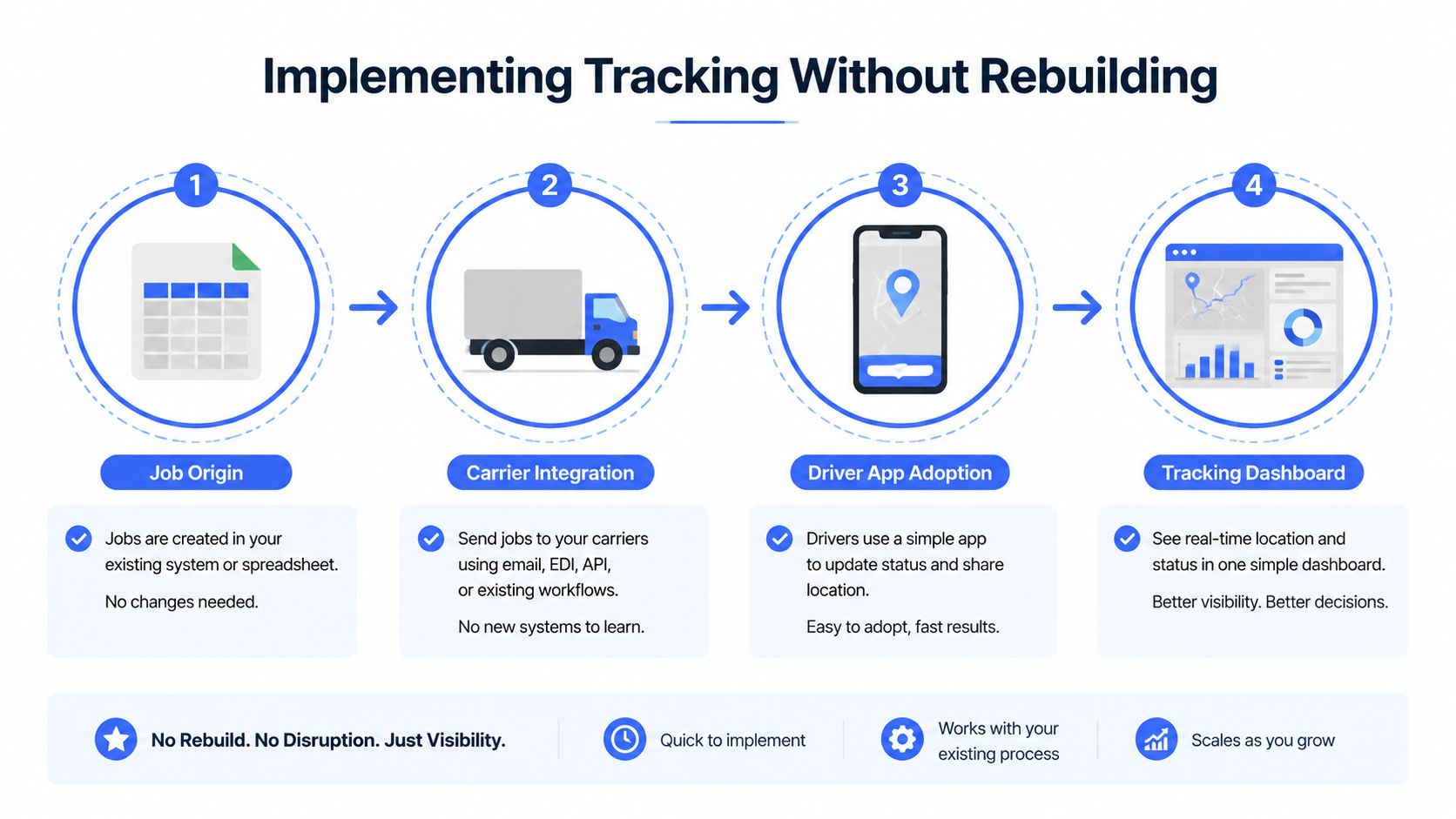
Small 1PL teams often assume tracking requires a major technology project. It usually starts with a simpler question: Where do delivery jobs already come from?
Some teams maintain spreadsheets. Others export orders from an ecommerce platform, receive files from a warehouse management system, or use a transport management system as the source of truth. Begin with the existing workflow and choose the least disruptive way to import jobs. A clean CSV or Excel upload can be enough for an initial rollout, while an API or WMS connection may make sense after the process is stable.
Choose the driver setup carefully
Bring-your-own-device apps keep hardware costs low and make subcontractor onboarding easier. The trade-off is inconsistent battery life, GPS permissions, connectivity, and device familiarity. Company-issued hardware gives managers more control, but it adds purchasing, maintenance, charging, replacement, and training responsibilities.
The best choice depends on the fleet. For a small team, a driver app on existing phones may be practical if the workflow is short and clear. For a mixed fleet, test whether every driver can receive jobs, update statuses, capture proof, and continue working when coverage is weak.
Match messages to customer behavior
Email works well for detailed order information, but SMS often reaches customers closer to the delivery event. Push notifications can help when customers use a dedicated app, while WhatsApp may fit markets where customers already use it for business communication.
Don’t activate every channel automatically. Decide which events deserve a message, such as out for delivery, approaching arrival, delay, failed attempt, and completed delivery. Too many updates create noise. Too few leave customers asking the support team for information.
Select proof that fits the delivery
Photo proof works well for unattended drop-offs and can show where an item was placed. Signatures provide a direct acknowledgment, while PINs and barcode scans add control for higher-risk handoffs. For furniture or other bulky goods, the record may also need installation status, damage notes, or customer acceptance.
A phased rollout keeps these decisions manageable. Start with one delivery zone or carrier, observe exception behavior for two weeks, and collect feedback from dispatchers and drivers before expanding. Review whether the new process produces consistent location data, reliable status events, readable proof, and useful customer messages.
A unified platform can reduce the number of custom choices by offering configured defaults for job import, driver access, notifications, routing, and proof of delivery. That doesn’t remove the need for operational judgment, but it lets the team test a working process before investing in deeper integration.
Measuring Success With the Right KPIs
Tracking creates value only when the team measures the route outcomes it’s designed to improve. Start with a small KPI set, define each metric consistently, and connect every change to a point in the delivery workflow.
| KPI | Definition | Healthy target |
|---|---|---|
| On-time delivery rate | Stops completed within the promised delivery window | Set a baseline, then improve consistently |
| First-attempt success rate | Deliveries completed without rescheduling or re-delivery | Maximize completed first visits |
| Cost per delivery | Total route cost divided by completed stops | Reduce avoidable mileage and labor |
| WISMO volume | Inbound “where is my order?” tickets per 100 deliveries | Reduce through timely, useful updates |
| Exception lead time | Minutes between an exception occurring and the team being alerted | Detect risk as early as possible |
On-time delivery rate connects to planning, dispatch, and ETA accuracy. If the rate drops, check whether routes are overloaded, service times are unrealistic, or alerts arrive too late.
First-attempt success rate shows whether the operation is preventing failed stops. A decline may point to weak address information, poor customer communication, inaccurate windows, or a lack of intervention when the driver falls behind.
Cost per delivery brings fuel, labor, and route design into the same conversation. Review it alongside miles driven and completed stops so a lower cost doesn’t hide degraded service.
WISMO volume measures the customer communication layer. Rising tickets may indicate that tracking events are delayed, message timing is poor, or the ETA isn’t credible.
Exception lead time measures the control layer itself. An alert that arrives after the promised window has passed isn’t operationally useful, even if the system eventually records the failure.
Review the metrics weekly during rollout, then monthly once the baseline stabilizes. Don’t treat a dip as a reason to blame a driver immediately. Trace it through capture, plan, dispatch, notify, and deliver until you find the process condition that caused it.
Choosing a Tracking Vendor and Where Routelink Fits
A vendor demo should answer operational questions, not just display a polished customer map. Ask how the platform handles the route from imported job to confirmed delivery, and require the vendor to show the dispatcher view as well as the customer view.
| Evaluation criterion | Typical point solution | Routelink coverage |
|---|---|---|
| Live GPS accuracy and refresh | Separate driver tracking tool | Live delivery tracking links tied to dispatch |
| Dispatcher dashboard | Standalone fleet or dispatch board | Planning and delivery management workflow |
| Customer notifications | Email or SMS provider | Email, SMS, WhatsApp, and branded tracking updates |
| Proof of delivery | Separate signature or photo app | Sign-on-glass e-signatures and photos |
| Route optimization | Dedicated route planner | Constraint-based planning with route adjustments |
| Integration options | Custom connector or manual export | Shopify, WooCommerce, ERP imports, CSV, and Excel workflows |
| Pricing transparency | Multiple contracts and usage charges | Review the pricing model and included workflow during evaluation |
Questions to ask during demos
Can the dispatcher act on a risk flag? A map is less useful if the team can’t reassign a stop, adjust a route, or contact the customer from the same workflow.
How does the system onboard drivers? Check whether drivers need a complex app, whether subcontractors can access jobs securely, and how quickly a new driver can begin a route.
What happens when a carrier doesn’t scan? The vendor should explain how it represents gaps, estimates status, and communicates normal tracking silence without creating false exceptions.
Which integrations are native? Ask the vendor to separate built-in connections from partner services and custom work. Routelink supports imports from Shopify, WooCommerce, ERP systems, CSV, and Excel, while other systems may require partner or custom integration depending on the workflow.
Can the platform retain proof at stop level? Confirm that photos, signatures, and status records stay connected to the right order and remain accessible when a customer disputes delivery.
For broader criteria, compare your requirements with this guide to best last-mile delivery software. Then carry a short checklist into every vendor call:
- Data source: Can it accept the way your jobs already enter the operation?
- Driver access: Can your fleet adopt it without lengthy training or hardware changes?
- Operational view: Can dispatchers see stop-level risk, not only vehicle location?
- Customer communication: Can you control event timing and channel choice?
- Delivery evidence: Can the system capture the proof your customers and finance team need?
- Pilot scope: Can you test one zone or carrier before expanding?
- Commercial clarity: Can you understand the full cost without stitching together multiple tools?
A 30-day pilot should include a defined zone, a representative group of drivers, agreed notification events, proof-of-delivery requirements, and a weekly KPI review. That gives the team enough time to identify data-quality problems and test whether alerts lead to real interventions.
Routelink provides a unified workflow for importing jobs, planning routes, dispatching drivers, sending customer updates, and collecting proof of delivery. Visit Routelink to evaluate how its live tracking and delivery management tools could fit your 1PL operation, then start with a focused pilot that measures failed stops, route cost, and customer communication.